The GE Interlogix Simon® Security System, Part No: 60-875, is a comprehensive home security and control system designed for user-friendly operation and robust protection. This system integrates various security functionalities with convenient home control features, making it a versatile solution for safeguarding your property and managing certain aspects of your home environment.
Function Description
At its core, the Simon Security System provides essential security functions, including arming and disarming the system, monitoring doors, windows, and motion, and offering immediate emergency response capabilities. The system is designed to detect intrusions through various sensors and alert users and/or monitoring services accordingly. Beyond security, it also incorporates basic home control features, allowing users to manage lights and other connected devices.
Usage Features
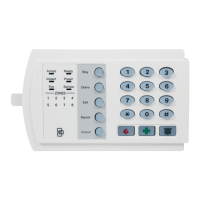
The system's interface is centered around a control panel with clearly labeled buttons and a voice prompt system, guiding users through various operations.
Access Codes:
The system utilizes a multi-level access code structure for enhanced security and control.
- Master Access Code: This is the primary code used for disarming the system and programming all other system settings, including changing access codes. It holds the highest level of privilege.
- Access Codes 1-5: These are secondary codes that can disarm the system and perform certain programming functions, but they cannot change other access codes. These codes are ideal for children, temporary users like babysitters, or service personnel, providing limited access without compromising the master code's integrity.
Changing an Access Code:
The process for changing an access code is straightforward and guided by voice prompts:
- Open the Control Panel Cover: This action initiates the code change sequence.
- Enter Master Access Code: The system will prompt you to enter your 4-digit master ID using the red numbered keys. This ensures that only authorized users can modify access codes.
- Navigate to START MENU: After entering the master code, the panel voice will prompt you to select from the START MENU. You then press the "Add" button.
- Navigate to MAIN MENU: The panel voice will then guide you to the MAIN MENU, where you press the "Access Code" button.
- Select Access Code to Change: The system will respond with "Master Code," and you can press the "Access Code" button again to cycle through the available access codes (Master Code, Access Code 1, Access Code 2, etc.). Once you hear the access code you wish to modify, press the "DONE" button. If you wish to exit without making changes, you can press "CANCEL."
- Enter New Numbers: You will then be prompted to enter the new 4-digit code using the red numbered keys.
- Close Control Panel Cover: After entering the new code, close the control panel cover to finalize the changes.
Security Functions:
- Arming/Disarming: Dedicated "Arm" and "Disarm" buttons allow users to easily activate or deactivate the security system.
- Sensor Monitoring: The panel features indicators for "Doors & Windows" and "Motion Sensors," providing a quick visual status of these critical security zones.
- System Status: A "System Status" indicator keeps users informed about the overall state of the security system.
- Chime Feature: The "Chime" button, with options for "Doors," "Motion," "Time," and "Sensor," allows the system to emit an audible chime when a monitored event occurs, such as a door opening.
- Bypass: The "Bypass" button enables users to temporarily disable specific sensors, which is useful if a sensor is faulty or if a particular zone needs to be excluded from arming.
Home Control Functions:
- Lights: A "Lights" button suggests integration with home lighting systems, allowing users to control connected lights directly from the panel.
- On/Off: General "On" and "Off" buttons likely provide control over various connected home devices.
Emergency Functions:
- FIRE: A dedicated "FIRE" button allows for immediate activation of the fire alarm.
- POLICE: A "POLICE" button provides direct access to emergency police services.
- AUX: An "AUX" (Auxiliary) button can be programmed for other emergency or specific alert functions.
Numbered Keys (1/2, 3/4, 5/6, 7/8, 9/0): These red numbered keys are used for entering access codes and navigating through menu options.
Maintenance Features
- Test Weekly: The presence of a "Test Weekly" label on the panel indicates a recommended routine for users to perform system tests. This ensures that all sensors, communication pathways, and alarm functions are operating correctly, contributing to the long-term reliability and effectiveness of the security system. Regular testing helps identify and address potential issues before they compromise security.
The Simon Security System is designed with user convenience and security in mind, offering a clear interface, voice guidance, and essential features for both protection and basic home management. Its multi-level access code system and straightforward programming procedures make it accessible for various users while maintaining a high level of security control.

 Need help?
 General










 To Next Page
