55
APPENDIX: REFERENCE
How to Find Your TV’s
Video Input Channel
You need to tune your TV to the Video Input Channel if you are
using the VCR’s AUDIO/VIDEO OUT jacks to connect to the TV’s
AUDIO/VIDEO INPUT jacks. You must select this “channel”
before you can see the VCR’s menus, the cable or antenna
reception, and the content that’s on a tape.
The video channel on TVs varies for different brands and
different models. Below are some steps to try:
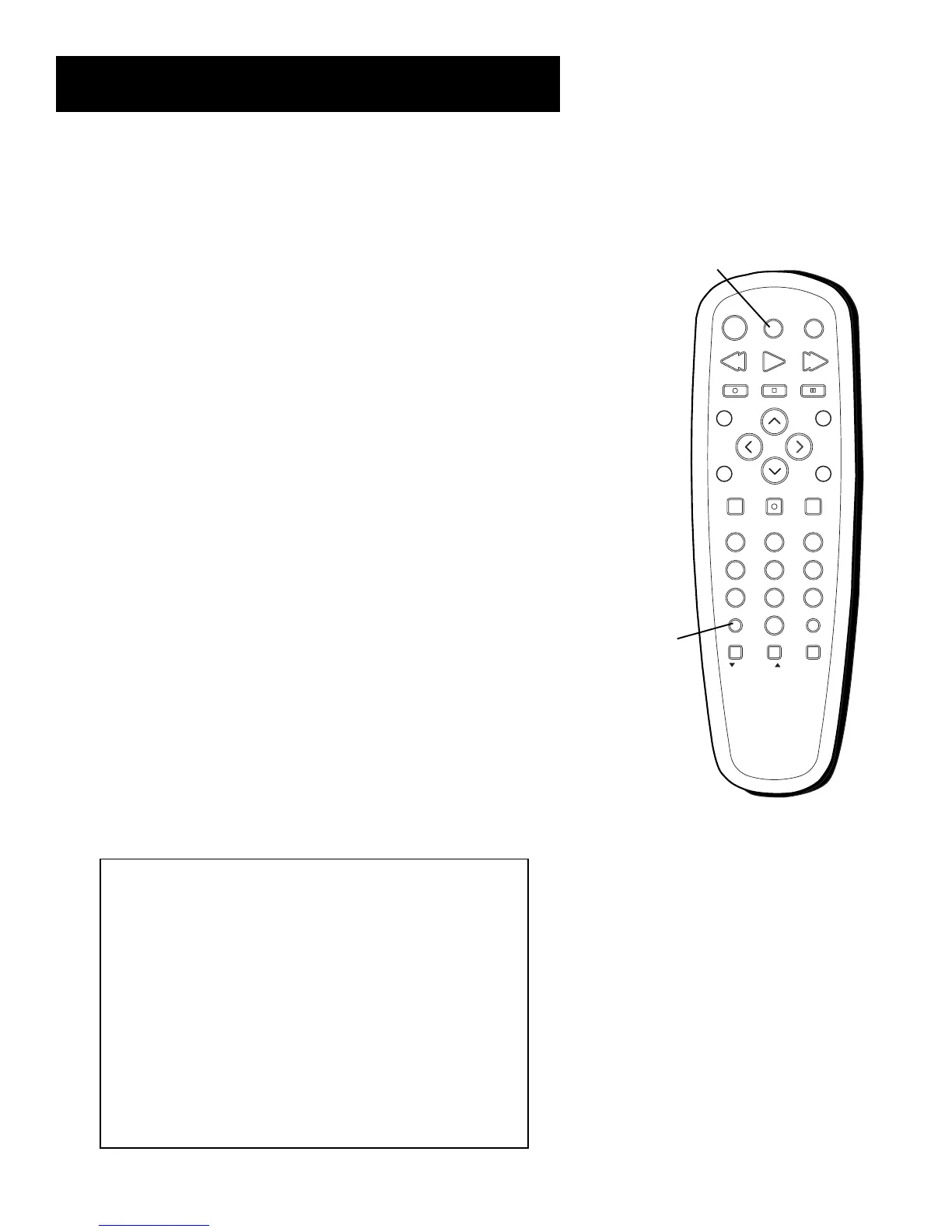
• If your TV brand is GE, RCA, or PROSCAN, press the TV
button on the remote control that came with the VCR. Then
press the INPUT button on the remote.
• If you have another brand of TV, consult the section,
VCR
Basics
, to see if the VCR’s remote control can be set to
control your TV. If so, follow the step above.
If those options do not work, try the following ideas. You might
access the Video Input Channel by:
• pressing a button on the remote (see table below)
• selecting the channel from the TV’s menu system
(see table below)
• tuning directly to the channel by selecting a specific channel
number (see table below)
• going through all the channels in the channel list by
pressing the channel up or down buttons on the TV.
Some common scenarios are listed in the Video Input Channel
Variations table that follows:
I
N
P
U
T
T
V
•
V
C
R
REVERSE PLAY FORWARD
RECORD
STOP PAUSE
INFO
SEARCH
MUTE
GO BACK
123
456
78 9
0
F.ADV
CLEAR MENU SPEED
C
H
A
N
V
O
L
V
O
L
C
H
A
N
TV
VCR
TRACKING
OFF
TV
Button
INPUT
Button
Video Input Channel Variations
Button/Switch Button on the Channel
on the TV TV Remote Number
VIDEO VID 1 00
SIGNAL LINE 90
VID 1 VID 91
VID 2 VIDEO 92
S-VID S-VID 93
S-VIDEO INPUT VID 1
S-VIDEO VID 2
SOURCE
AUX



 To Next Page