EasyManua.ls Logo

GE Xcellerex XDM 500 - User Manual

GE Xcellerex XDM 500
322 pages
Print Icon
To Next Page IconTo Next Page
Loading...
Xcellerex
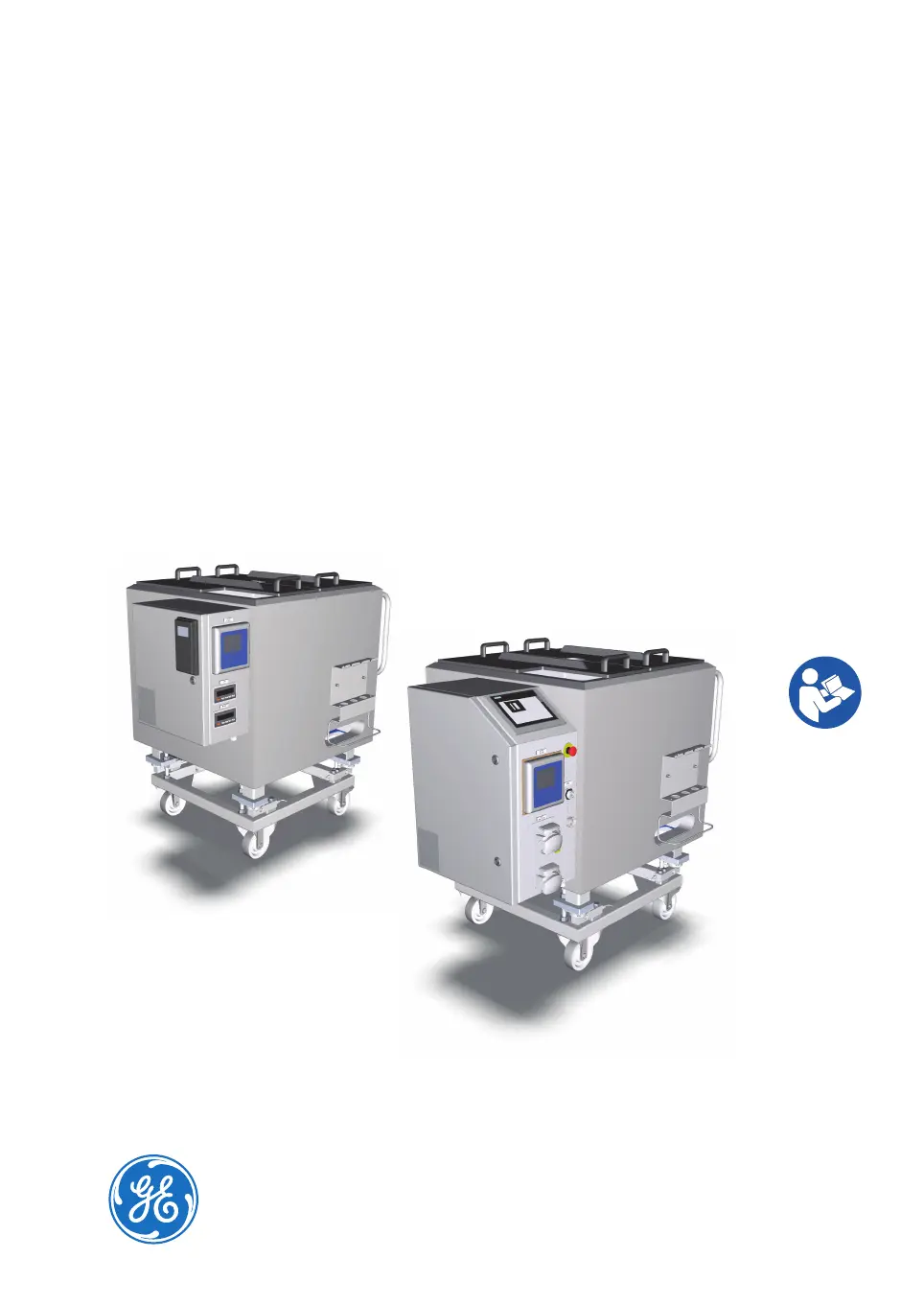
XDM 50-1000, XDUO
100-1000 mixers
Operating Instructions
Original instructions
Translation disc enclosed

Table of Contents

Questions and Answers

  • K
    Kelly MendozaDec 1, 2025
    What to do if temperature control unit (TCU) does not receive setpoint data on GE Mixer?
    • E
      Emily MorenoDec 1, 2025
      If the Temperature Control Unit (TCU) does not receive setpoint data (temperature is not regulated, mixer vessel jacket does not feel warm, TCU does not sound as running): * Ensure the TCU is powered on. * Check the connection between the I/O Cabinet and the PolyScience™ TCU: 1. Hold the clock button on the left side of the TCU until HL is displayed (a few seconds). 2. Press the clock button repeatedly until CC appears on the left display. 3. If the display message is yes, the connection is working properly. 4. If the display message is no, the connection is not functioning. Check the connection cable between the TCU and PLC. * Check the connection between the I/O Cabinet and the Mokon™TCU: 1. Verify that the controller located on the front of the TCU is pow...
  • J
    Jessica PughAug 23, 2025
    What to do if load cell is not functioning as expected on GE Xcellerex XDM 500 Mixer?
    • C
      Craig FischerAug 23, 2025
      If the load cell is not functioning as expected, consider the following: * Ensure the load cell is properly connected. * Contact the metrology department to perform a cornering test to determine if a load cell has failed. * Verify that there are no physical obstructions blocking the load cell's motion. * Disengage the jacking bolt. Note that weight measurements are inaccurate if the mixer was filled while the jacking bolt was engaged. * Contact your GE representative if you suspect the configuration on the load cell transmitter is incorrect or corrupt. * Schedule a calibration of the load cells.
  • M
    Marcus EllisAug 25, 2025
    What to do if weight monitoring error occurs on GE Mixer?
    • N
      Nicole MillerAug 26, 2025
      If you encounter a weight monitoring error, such as a weight display outside the operational range or a weight alarm triggered when the mixer weight is within range, consider the following: * Contact the metrology department to perform a cornering test to determine if a load cell has failed. * Check for any physical obstructions that may be hindering the load cell's motion. Ensure the mixer vessel legs are free. * Disengage the jacking bolt. Note that inaccurate weight measurements can occur if the mixer was filled while the jacking bolt was engaged. * Contact your GE representative if you suspect the weight transmitter configuration is incorrect or corrupt.
  • A
    Amy FloresAug 27, 2025
    What to do if agitator does not start on FlexFactory controlled GE Xcellerex XDM 500 Mixer?
    • S
      Stanley GarnerAug 27, 2025
      If the agitator does not start on a FlexFactory controlled mixer: * Enable the agitator. * Tap RESET on the local control software screen and start the agitator when the system has been restarted after emergency shutdown. Note: The agitator cannot be started while the system is in the state E-STOP. * If the system is in Manual mode, set the system to Auto mode and specify the setpoint. Note: When the system is in Manual mode the setpoint is ignored.
  • R
    Robert GoodwinAug 27, 2025
    Why is variable frequency drive (VFD) not functioning as expected in GE Xcellerex XDM 500?
    • D
      Douglas TurnerAug 27, 2025
      The variable frequency drive (VFD) might not be functioning as expected due to: * The motor being overloaded. Acknowledge the agitator fault and attempt to restart the motor. If the error persists, contact GE for service. * The power cable not being connected. Connect the power cable. * The drive is broken. Contact your GE representative to replace the drive.
  • T
    Trevor HansonSep 18, 2025
    What to do if a button on local control panel screen is not working on GE Mixer?
    • B
      Bobby DaviesSep 18, 2025
      Contact your GE representative for possible replacement, as the local control panel screen may be broken.
  • M
    Michael NashSep 14, 2025
    What to do if agitator assembly does not fit properly in place on GE Xcellerex XDM 500?
    • S
      Stacy HendersonSep 14, 2025
      Contact your GE representative to schedule agitator alignment check and maintenance, as the agitator is not properly aligned.
  • E
    Elizabeth GuerraSep 16, 2025
    What to do if the home screen does not show up on the local control panel of GE Xcellerex XDM 500 Mixer?
    • P
      Penny BergSep 16, 2025
      Contact your GE representative for possible replacement, as the I/O Cabinet may be broken.
  • S
    sharonallenSep 7, 2025
    What to do if pH sensor changes are very slow for the application on GE Mixer?
    • M
      montoyahannahSep 7, 2025
      If pH sensor changes are very slow and pH control is not rapid enough for the application, do a study to find the best tuning parameters for your system and available reagents, as the tuning parameters or the concentration of the applied acid or base may not be sufficient.
  • A
    Amanda WilliamsSep 4, 2025
    What to do if the pump is not turning on GE Xcellerex XDM 500?
    • A
      Aaron HillSep 4, 2025
      If the pump is not turning: * Verify that the cause of the E-STOP condition is eliminated, and clear the E-STOP. Try to use the pumps again. * Clear the interlock condition.

Summary

Introduction

Important User Information

Provides critical information for safe operation, intended use, and prerequisites.

Safety Notices and Tips

Defines safety notices (WARNING, CAUTION, NOTICE) and usage notes/tips.

Safety Instructions

Safety Precautions

Details general, personal, installation, and maintenance safety guidelines.

System Labels

Describes system identification labels and regulatory symbols on the product.

Emergency Procedures

Outlines emergency shutdown, power failure, and restart procedures.

XDUO Mixer Interlocks

Explains interlock functions and limits for the XDUO mixer.

System Description

Safety Hardware

Details the safety systems integrated into the XDM and XDUO mixers.

User Interface

Alarm Screens

Covers alarm overview and configuration screens for system monitoring.

Installation

Installation Safety Precautions

Highlights safety measures required before and during installation.

Site Requirements

Details space, environmental, and electrical power requirements for installation.

Installation of the Mixer

Provides instructions for moving the mixer and performing electrical installation.

Preparation

Preparation Safety Precautions

Safety measures to be followed during system preparation activities.

Stabilize the Mixer Vessel

Instructions for using jacking bolts and managing casters for stability.

Prepare the Disposable Bag

Guides on unpacking, preparing, and installing the disposable bag assembly.

Operation

Operation Safety Precautions

Safety measures to be observed during mixer operation.

Maintenance

Maintenance Safety Precautions

Safety guidelines specifically for maintenance activities.

Troubleshooting

GE Xcellerex XDM 500 Specifications

General IconGeneral
BrandGE
ModelXcellerex XDM 500
CategoryMixer
LanguageEnglish

Related product manuals