EasyManua.ls Logo

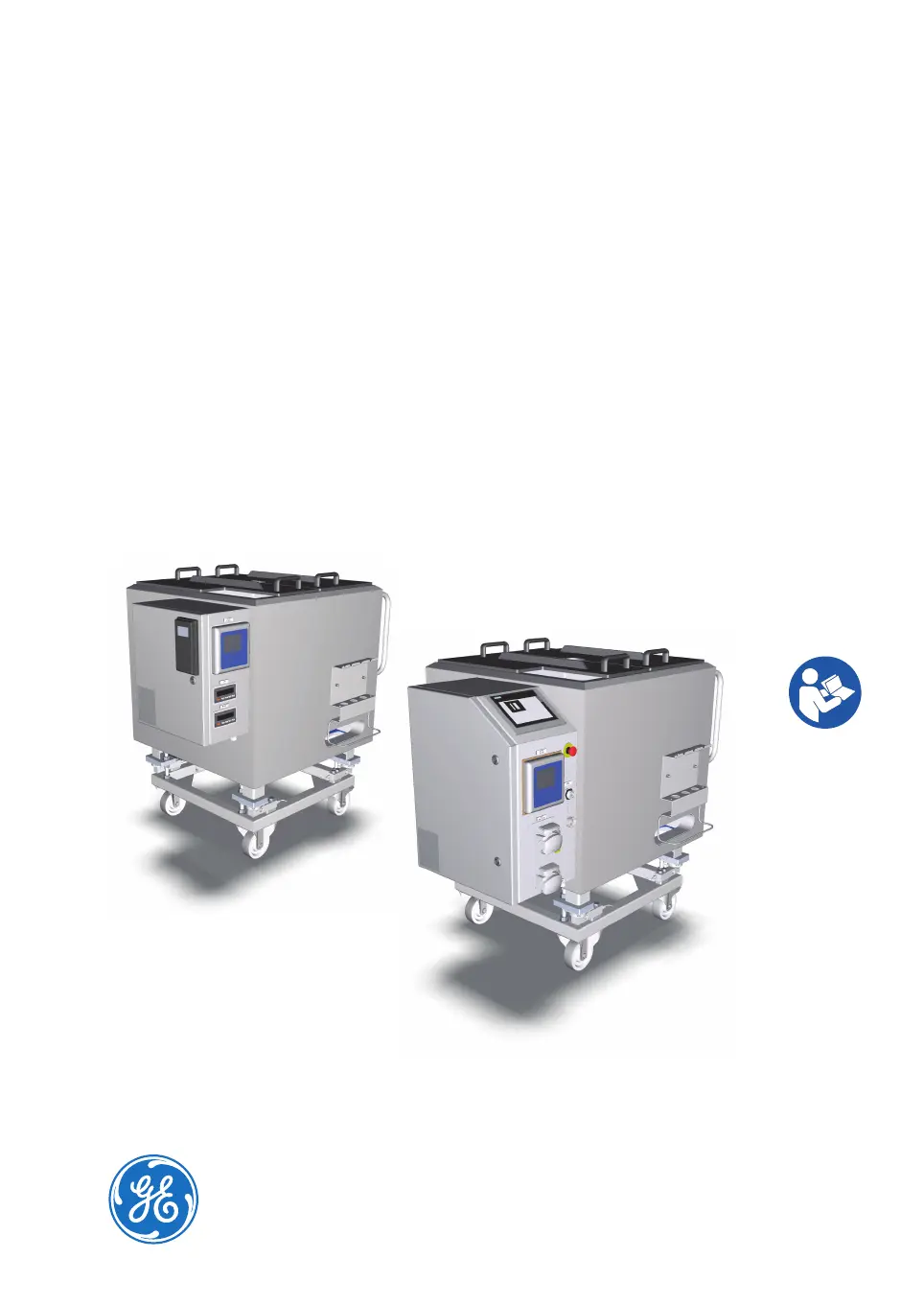
GE Xcellerex XDUO 500 - User Manual

GE Xcellerex XDUO 500
322 pages
Print Icon
To Next Page IconTo Next Page
Loading...
Xcellerex
XDM 50-1000, XDUO
100-1000 mixers
Operating Instructions
Original instructions
Translation disc enclosed

Table of Contents

Questions and Answers

  • G
    gina83Dec 1, 2025
    What to do if temperature control unit (TCU) does not receive setpoint data on GE Xcellerex XDUO 500 Mixer?
    • C
      Cindy SmithDec 1, 2025
      If the Temperature Control Unit (TCU) does not receive setpoint data (temperature is not regulated, mixer vessel jacket does not feel warm, TCU does not sound as running): * Ensure the TCU is powered on. * Check the connection between the I/O Cabinet and the PolyScience™ TCU: 1. Hold the clock button on the left side of the TCU until HL is displayed (a few seconds). 2. Press the clock button repeatedly until CC appears on the left display. 3. If the display message is yes, the connection is working properly. 4. If the display message is no, the connection is not functioning. Check the connection cable between the TCU and PLC. * Check the connection between the I/O Cabinet and the Mokon™TCU: 1. Verify that the controller located on the front of the TCU is pow...
  • N
    norrisnicholasAug 23, 2025
    What to do if load cell is not functioning as expected on GE Xcellerex XDUO 500 Mixer?
    • U
      underwoodadamAug 25, 2025
      If the load cell is not functioning as expected, consider the following: * Ensure the load cell is properly connected. * Contact the metrology department to perform a cornering test to determine if a load cell has failed. * Verify that there are no physical obstructions blocking the load cell's motion. * Disengage the jacking bolt. Note that weight measurements are inaccurate if the mixer was filled while the jacking bolt was engaged. * Contact your GE representative if you suspect the configuration on the load cell transmitter is incorrect or corrupt. * Schedule a calibration of the load cells.
  • M
    Marcus Mora MDAug 25, 2025
    What to do if weight monitoring error occurs on GE Xcellerex XDUO 500?
    • C
      Chad ThompsonAug 26, 2025
      If you encounter a weight monitoring error, such as a weight display outside the operational range or a weight alarm triggered when the mixer weight is within range, consider the following: * Contact the metrology department to perform a cornering test to determine if a load cell has failed. * Check for any physical obstructions that may be hindering the load cell's motion. Ensure the mixer vessel legs are free. * Disengage the jacking bolt. Note that inaccurate weight measurements can occur if the mixer was filled while the jacking bolt was engaged. * Contact your GE representative if you suspect the weight transmitter configuration is incorrect or corrupt.
  • D
    Dr. Alexander DavenportAug 27, 2025
    What to do if agitator does not start on FlexFactory controlled GE Mixer?
    • J
      John OrtegaAug 27, 2025
      If the agitator does not start on a FlexFactory controlled mixer: * Enable the agitator. * Tap RESET on the local control software screen and start the agitator when the system has been restarted after emergency shutdown. Note: The agitator cannot be started while the system is in the state E-STOP. * If the system is in Manual mode, set the system to Auto mode and specify the setpoint. Note: When the system is in Manual mode the setpoint is ignored.
  • H
    hmooreAug 27, 2025
    Why is variable frequency drive (VFD) not functioning as expected in GE Mixer?
    • L
      Lindsay JonesAug 27, 2025
      The variable frequency drive (VFD) might not be functioning as expected due to: * The motor being overloaded. Acknowledge the agitator fault and attempt to restart the motor. If the error persists, contact GE for service. * The power cable not being connected. Connect the power cable. * The drive is broken. Contact your GE representative to replace the drive.
  • J
    Jacob LeeSep 18, 2025
    What to do if a button on local control panel screen is not working on GE Xcellerex XDUO 500?
    • D
      derek81Sep 18, 2025
      Contact your GE representative for possible replacement, as the local control panel screen may be broken.
  • R
    Russell RiceSep 14, 2025
    What to do if agitator assembly does not fit properly in place on GE Xcellerex XDUO 500 Mixer?
    • G
      Gerald WrightSep 15, 2025
      Contact your GE representative to schedule agitator alignment check and maintenance, as the agitator is not properly aligned.
  • L
    Linda WilliamsSep 16, 2025
    What to do if the home screen does not show up on the local control panel of GE Mixer?
    • M
      Michael Martinez DDSSep 16, 2025
      Contact your GE representative for possible replacement, as the I/O Cabinet may be broken.
  • M
    Michael JordanSep 7, 2025
    What to do if pH sensor changes are very slow for the application on GE Xcellerex XDUO 500 Mixer?
    • T
      Theodore PowellSep 7, 2025
      If pH sensor changes are very slow and pH control is not rapid enough for the application, do a study to find the best tuning parameters for your system and available reagents, as the tuning parameters or the concentration of the applied acid or base may not be sufficient.
  • D
    David BauerSep 4, 2025
    What to do if the pump is not turning on GE Xcellerex XDUO 500 Mixer?
    • K
      Kelly KennedySep 4, 2025
      If the pump is not turning: * Verify that the cause of the E-STOP condition is eliminated, and clear the E-STOP. Try to use the pumps again. * Clear the interlock condition.

Summary

Introduction to Xcellerex Mixers

Important User Information for Safe Operation

Details critical safety notices, intended use, and prerequisites for operating the mixers.

Safety Instructions and Precautions

General Safety Precautions

Covers essential safety warnings and precautions for installation, operation, and maintenance.

Emergency Procedures for Mixers

Details emergency shutdown procedures for XDM and XDUO mixers, including power failures.

System Description and Components

User Interface and Controls

Installation Procedures

Installation Safety Precautions

Outlines critical safety warnings and precautions to be followed during the installation process.

Mixer Installation Steps

Details procedures for moving, electrical installation, and configuring local control software.

Preparation for Mixer Operation

Preparation Safety Precautions

Highlights safety warnings and precautions relevant to preparing the mixers for operation.

Disposable Bag Preparation and Installation

Covers unpacking and installing the disposable bag assembly, including specific models.

Probe Preparation and Installation

Details the preparation and installation procedures for pH, conductivity, and temperature probes.

Mixer Operation Procedures

Operation Safety Precautions

Lists critical safety warnings and precautions to be observed during mixer operation.

Operating the Xcellerex XDM Mixer

Details how to start up, operate the agitator motor, and monitor parameters for XDM mixers.

Maintenance Procedures

Maintenance Safety Precautions

Highlights safety warnings and precautions specifically for maintenance tasks on the mixers.

Lock-Out; Tag-Out (LOTO) Turn-Off Procedure

Details the recommended procedure for safely turning off the instrument using LOTO.

Troubleshooting Common Issues

GE Xcellerex XDUO 500 Specifications

General IconGeneral
TypeSingle-use mixer
Nominal Volume500 L
Mixing CapacityUp to 500 L
MaterialStainless steel frame
Bag MaterialPolyethylene
SterilizationGamma irradiated bags
Weight150 kg

Related product manuals