EasyManua.ls Logo

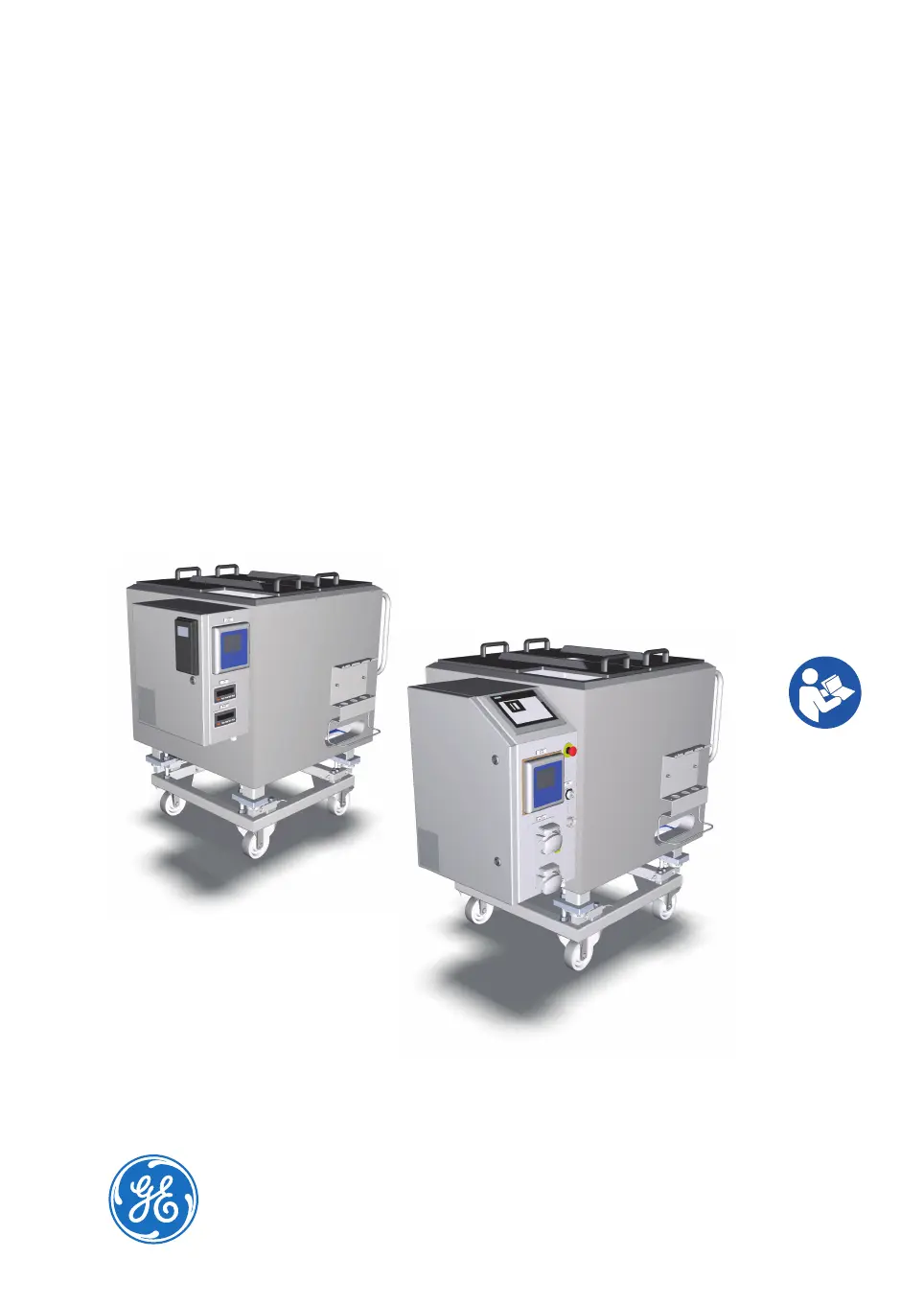
GE Xcellerex XDM 200 - User Manual

GE Xcellerex XDM 200
322 pages
Print Icon
To Next Page IconTo Next Page
Loading...
Xcellerex
XDM 50-1000, XDUO
100-1000 mixers
Operating Instructions
Original instructions
Translation disc enclosed

Table of Contents

Questions and Answers

  • E
    Eric TaylorDec 1, 2025
    What to do if temperature control unit (TCU) does not receive setpoint data on GE Mixer?
    • T
      tonylewisDec 1, 2025
      If the Temperature Control Unit (TCU) does not receive setpoint data (temperature is not regulated, mixer vessel jacket does not feel warm, TCU does not sound as running): * Ensure the TCU is powered on. * Check the connection between the I/O Cabinet and the PolyScience™ TCU: 1. Hold the clock button on the left side of the TCU until HL is displayed (a few seconds). 2. Press the clock button repeatedly until CC appears on the left display. 3. If the display message is yes, the connection is working properly. 4. If the display message is no, the connection is not functioning. Check the connection cable between the TCU and PLC. * Check the connection between the I/O Cabinet and the Mokon™TCU: 1. Verify that the controller located on the front of the TCU is pow...
  • E
    Eileen MclaughlinAug 23, 2025
    What to do if load cell is not functioning as expected on GE Mixer?
    • M
      Matthew HornAug 23, 2025
      If the load cell is not functioning as expected, consider the following: * Ensure the load cell is properly connected. * Contact the metrology department to perform a cornering test to determine if a load cell has failed. * Verify that there are no physical obstructions blocking the load cell's motion. * Disengage the jacking bolt. Note that weight measurements are inaccurate if the mixer was filled while the jacking bolt was engaged. * Contact your GE representative if you suspect the configuration on the load cell transmitter is incorrect or corrupt. * Schedule a calibration of the load cells.
  • E
    Eric Huynh Jr.Aug 25, 2025
    What to do if weight monitoring error occurs on GE Xcellerex XDM 200?
    • A
      Andrew PayneAug 26, 2025
      If you encounter a weight monitoring error, such as a weight display outside the operational range or a weight alarm triggered when the mixer weight is within range, consider the following: * Contact the metrology department to perform a cornering test to determine if a load cell has failed. * Check for any physical obstructions that may be hindering the load cell's motion. Ensure the mixer vessel legs are free. * Disengage the jacking bolt. Note that inaccurate weight measurements can occur if the mixer was filled while the jacking bolt was engaged. * Contact your GE representative if you suspect the weight transmitter configuration is incorrect or corrupt.
  • K
    Kim LongAug 26, 2025
    What to do if agitator does not start on FlexFactory controlled GE Xcellerex XDM 200 Mixer?
    • S
      Susan HoAug 27, 2025
      If the agitator does not start on a FlexFactory controlled mixer: * Enable the agitator. * Tap RESET on the local control software screen and start the agitator when the system has been restarted after emergency shutdown. Note: The agitator cannot be started while the system is in the state E-STOP. * If the system is in Manual mode, set the system to Auto mode and specify the setpoint. Note: When the system is in Manual mode the setpoint is ignored.
  • A
    Ashley Rodriguez PhDAug 27, 2025
    Why is variable frequency drive (VFD) not functioning as expected in GE Xcellerex XDM 200 Mixer?
    • J
      Jamie ChaneyAug 27, 2025
      The variable frequency drive (VFD) might not be functioning as expected due to: * The motor being overloaded. Acknowledge the agitator fault and attempt to restart the motor. If the error persists, contact GE for service. * The power cable not being connected. Connect the power cable. * The drive is broken. Contact your GE representative to replace the drive.
  • T
    Tonya HumphreySep 18, 2025
    What to do if a button on local control panel screen is not working on GE Xcellerex XDM 200?
    • C
      Cory BeanSep 18, 2025
      Contact your GE representative for possible replacement, as the local control panel screen may be broken.
  • J
    Jacob ReillySep 14, 2025
    What to do if agitator assembly does not fit properly in place on GE Xcellerex XDM 200?
    • A
      Ashley RichardsSep 15, 2025
      Contact your GE representative to schedule agitator alignment check and maintenance, as the agitator is not properly aligned.
  • J
    Jason MillerSep 16, 2025
    What to do if the home screen does not show up on the local control panel of GE Xcellerex XDM 200?
    • J
      James SolisSep 16, 2025
      Contact your GE representative for possible replacement, as the I/O Cabinet may be broken.
  • Z
    Zachary WoodsSep 7, 2025
    What to do if pH sensor changes are very slow for the application on GE Mixer?
    • K
      Keith NealSep 7, 2025
      If pH sensor changes are very slow and pH control is not rapid enough for the application, do a study to find the best tuning parameters for your system and available reagents, as the tuning parameters or the concentration of the applied acid or base may not be sufficient.
  • C
    Crystal DawsonSep 4, 2025
    What to do if the pump is not turning on GE Xcellerex XDM 200 Mixer?
    • P
      Penny LewisSep 4, 2025
      If the pump is not turning: * Verify that the cause of the E-STOP condition is eliminated, and clear the E-STOP. Try to use the pumps again. * Clear the interlock condition.

Summary

Safety Instructions for Xcellerex Mixers

General Safety Precautions

Covers essential safety measures including hazard awareness, proper operation, and personnel qualification.

Emergency Procedures

Details procedures for emergency shutdowns, power failures, and system restarts for XDM and XDUO mixers.

Xcellerex XDUO Mixer Interlocks

Explains the interlock functions in the XDUO mixer that prevent operation under specific unsafe conditions.

System Description for Xcellerex Mixers

Safety Hardware Features

Explains the integrated safety systems such as emergency stop, labeling, burst discs, interlocks, and fuses.

Mixer Automation and Control

Describes how XDM and XDUO mixers are automated and controlled, including VFD and local control software.

User Interface for XDUO Mixer

Alarm Management Screens

Explains how to view active alarms and configure alarm limits for different system parameters.

Detail Screens for Process Variables

Describes the detail screens for agitator, conductivity, pH, temperature, and weight, including navigation buttons.

Installation Procedures for Xcellerex Mixers

Safety Precautions During Installation

Highlights essential safety warnings and precautions to be followed during the installation process.

Mixer Installation Steps

Details the procedures for moving the unpacked mixer, electrical installation, and configuring local control software.

Preparation for Xcellerex Mixer Operation

Safety Precautions Before Preparation

Covers critical safety warnings related to PPE, magnets, high voltage, and general handling during preparation.

Preparing the Disposable Bag

Details the process of unpacking and preparing the disposable bag assembly for installation.

Preparing and Installing Probes

Guides on preparing, calibrating, and installing pH and conductivity probes, including autoclaving.

Operation of Xcellerex Mixers

Safety Precautions During Operation

Highlights safety measures for operation, including handling hazardous substances, ventilation, and hot surfaces.

Operating the Xcellerex XDM Mixer

Provides instructions for starting the system, operating the agitator motor, and monitoring key parameters.

Operating the Xcellerex XDUO Mixer

Details how to start the system, log in/out, connect to FlexFactory, and manage data logging.

Adding Liquid Contents to the Bag

Guides on adding liquids into the disposable bag, including preparation and filling procedures.

Adding Solid Contents to the Bag

Explains how to add solid materials into the disposable bag, considering pre-addition aspects and procedures.

Finishing a Batch Run

Covers the final steps of a batch run, including collecting product, removing the bag, and shutting down the system.

Maintenance of Xcellerex Mixers

Safety Precautions for Maintenance

Emphasizes safety measures for maintenance personnel, including trained staff, power off, and contamination hazards.

Lock-Out; Tag-Out (LOTO) Procedures

Provides detailed instructions for both turning off (LOTO) and turning on (LOTO) the instrument safely.

Troubleshooting Xcellerex Mixers

GE Xcellerex XDM 200 Specifications

General IconGeneral
ModelXcellerex XDM 200
Capacity/Nominal Volume200 L
Volume Range50-200 L
Mixing SpeedVariable
Vessel MaterialStainless steel
Single-Use LinerYes
Liner MaterialPolyethylene
MaterialStainless steel and polyethylene
SterilizationGamma irradiation for single-use components
Control SystemIntegrated control system
Power SupplyElectrical
TypeSingle-Use Mixer

Related product manuals