The CL7400 runs in Eco Mode and this means there is 90% less
emissions produced.
If the TV, Hi Fi or MP3 sound is reduced or muted for 4 minutes, the
headphones will go into sleep mode.
To wake up the headphones, increase the volume on the TV, Hi Fi or MP3
player.
If no sound is transmitted between the base and the headphones for 10
minutes or you place the headphones back on the base, the headphones
will switch off. To turn them back on again either lift the headphones off
the base or switch the Press On button.
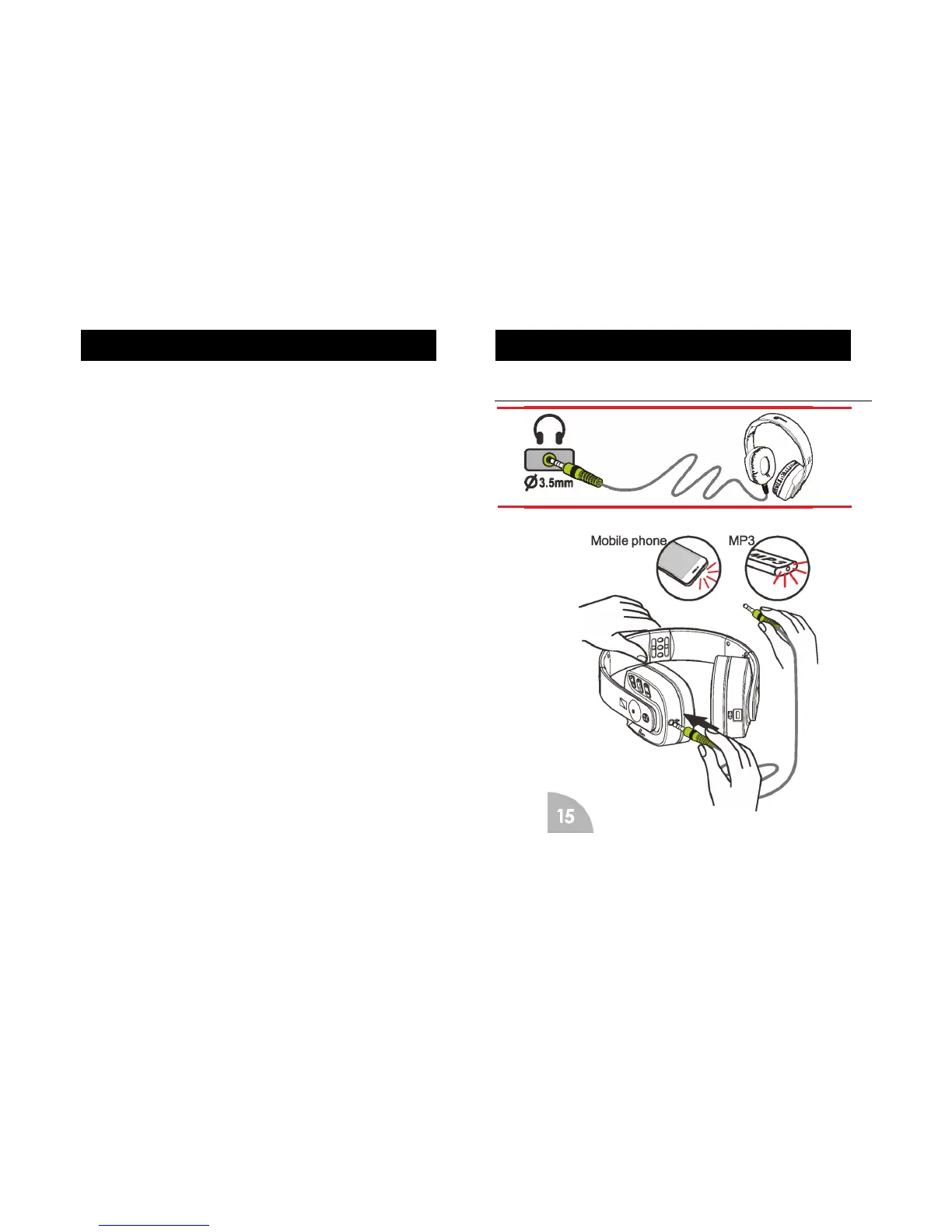
CL7400 with HiFi or MP3
Insert one side of cable 3.5mm jack into ‘Audio’ socket found on the
bottom of the Headset. Insert the other side of the 3.5mm jack into audio
out socket of your HI-FI, Mobile Phone, TV or MP3 player
Features


 To Next Page