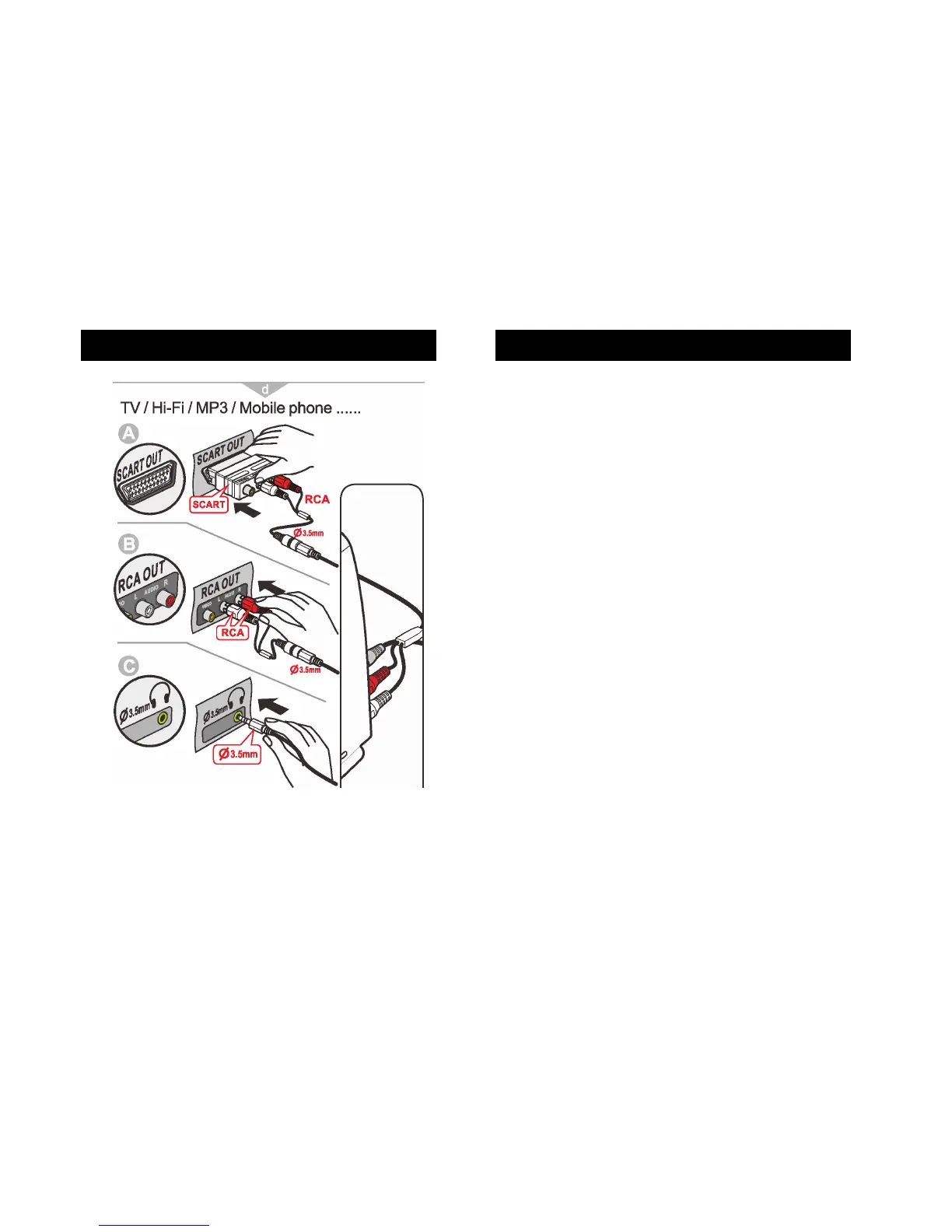
A SCART Users
Insert the other side of the female 3.5mm jack to RCA Adaptor into your
SCART connector.
5. Insert the SCART connector into your TV.
B RCA Users
Insert the RCA Adaptors into your TV RCA sockets as per the colour
coding i.e. red lead into red socket, white lead into white socket.
C Neither SCART nor RCA Users
Insert one end of the 3.5 mm jack cable into the base of the headphones.
Insert the other end of the 3.5mm jack cable into the 3.5mm jack
Headphone jack found at the back of the TV. See page 18.



 To Next Page