Volume Setting
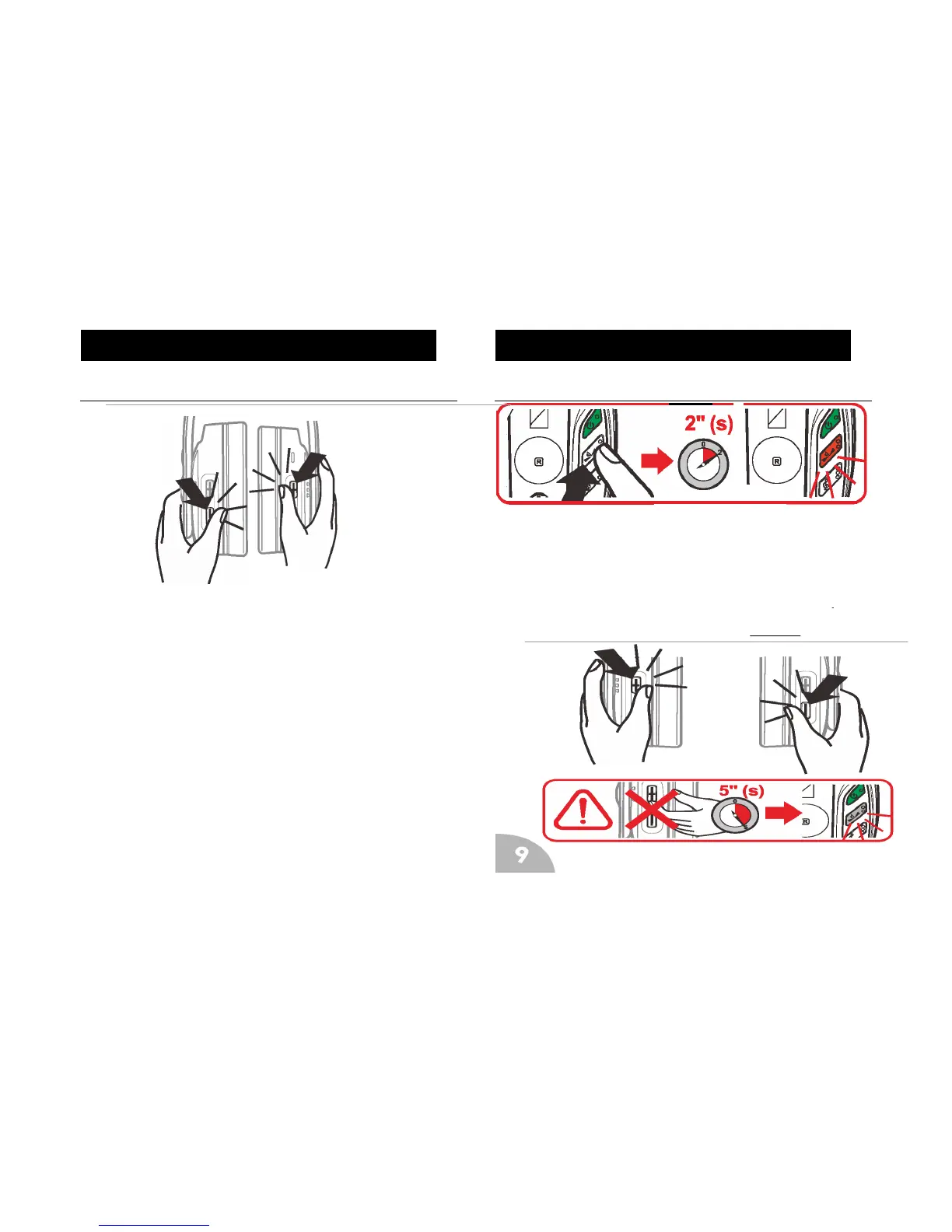
Press ‘+’ button on the headset to increase volume and ‘’-‘ button to
decrease volume. Holding the ‘+’ button or ‘-’ button will increase the
volume or decrease the volume continuously. The Headset will beep
when volume reaches midway volume..
Balance Setting
The balance can be controlled by pressing the balance button on the
headphones. Press and hold this for 2 seconds, the button will light up
red. At this point pushing headset ‘+’ button will alter the audio to the left
earphone. Pushing the ‘-’ button will alter the audio to the right
earphone. At minimum, maximum or middle point a beep will be heard.
Balance setting mode will switch off automatically after 5 seconds.


 To Next Page