page | 38
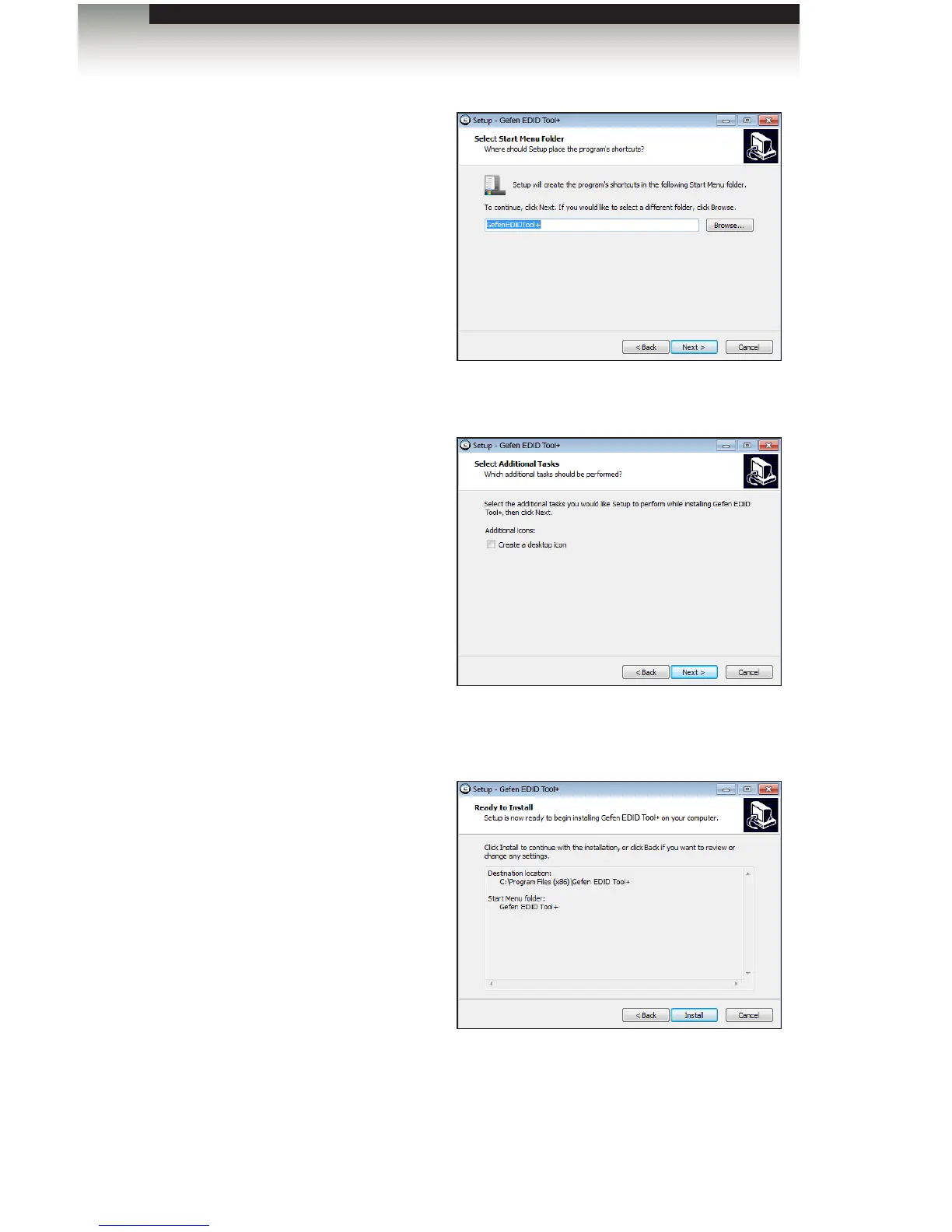
8. Select the Start Menu Folder where
the application icon will be created.
The default folder name is Gefen
Edid Tool+.
9. Click the Next button.
10. The Select Additional Tasks
dialog will be displayed.
To create an application icon on
the Windows® Desktop, click the
Create a deskop icon check box.
Otherwise, click the Next button to
continue.
11. The Ready to Install dialog will be
displayed.
Click the Install button to begin the
installation process.
Chapter
Page Title
Appendix
Installing the Gefen EDID Tool+


 To Next Page