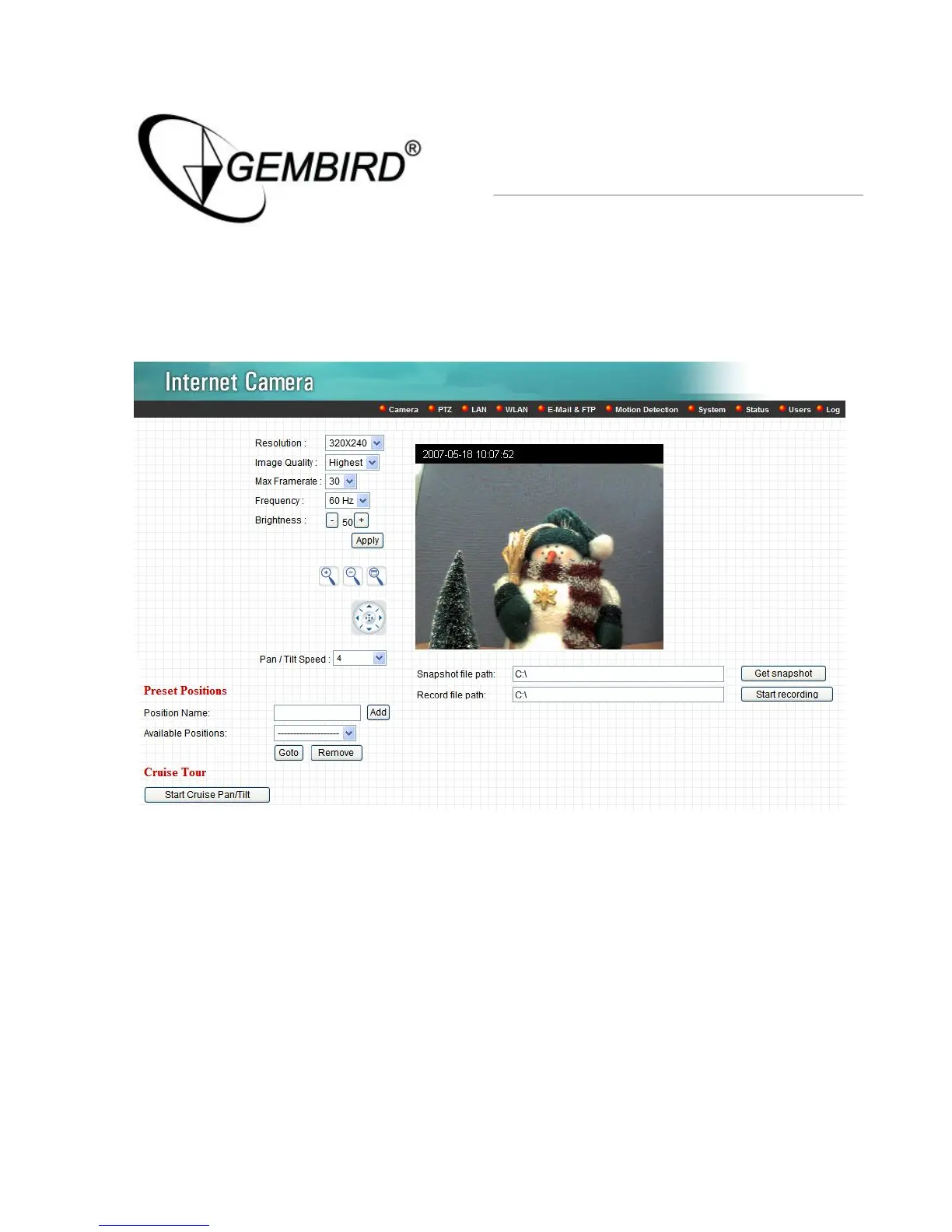
After installed the ActiveX plug-in, the video image will be shown up in the
web screen directly.
The menu options for the web control screen are as follows.
Camera – View live video and adjust the video format from the menu.
PTZ – Setup the Guard Tour and Cruise Tour from the menu.
LAN – Setup the camera LAN port functions in the menu.
WLAN – Setup the camera WLAN port functions in the menu.
E-Mail & FTP – Setup the E-Mail client and FTP client in the menu.
Motion Detection – Configure the Motion Detection Actions here.



 To Next Page