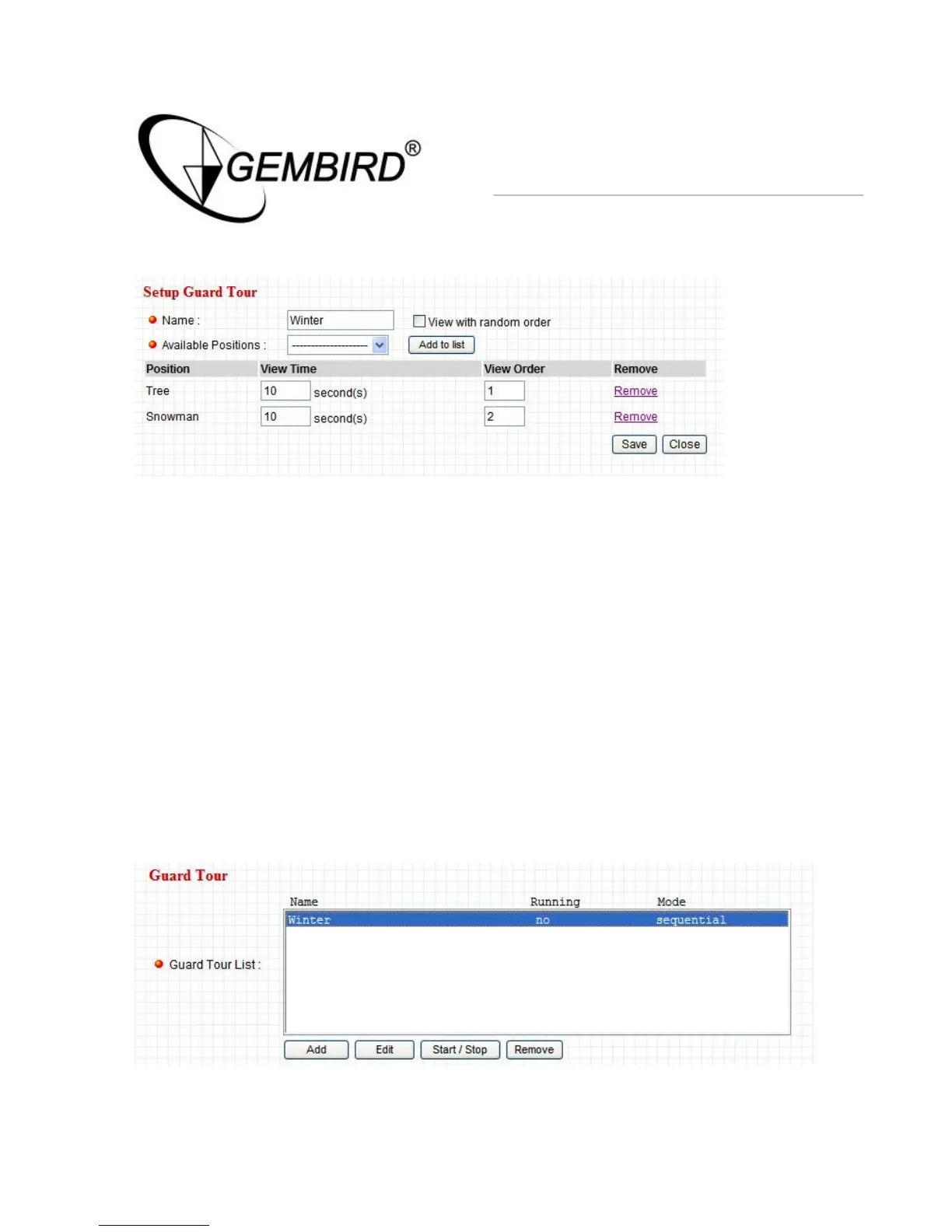
3. Modify the Guard Tour list
4. You can modify the View Time and View Order or remove which
position
5. After modified all items then press “Save” button to save all
parameters.
6. Press “Close” button to finish Setup Guard Tour”
STEP4: Start Guard Tour
1. Select on Guard Tour list then press “Start/Stop” to active Guard
Tour
2. Click on Camera Item and view the Guard Tour process



 To Next Page