02 - SELECTING A WAVELENGTH
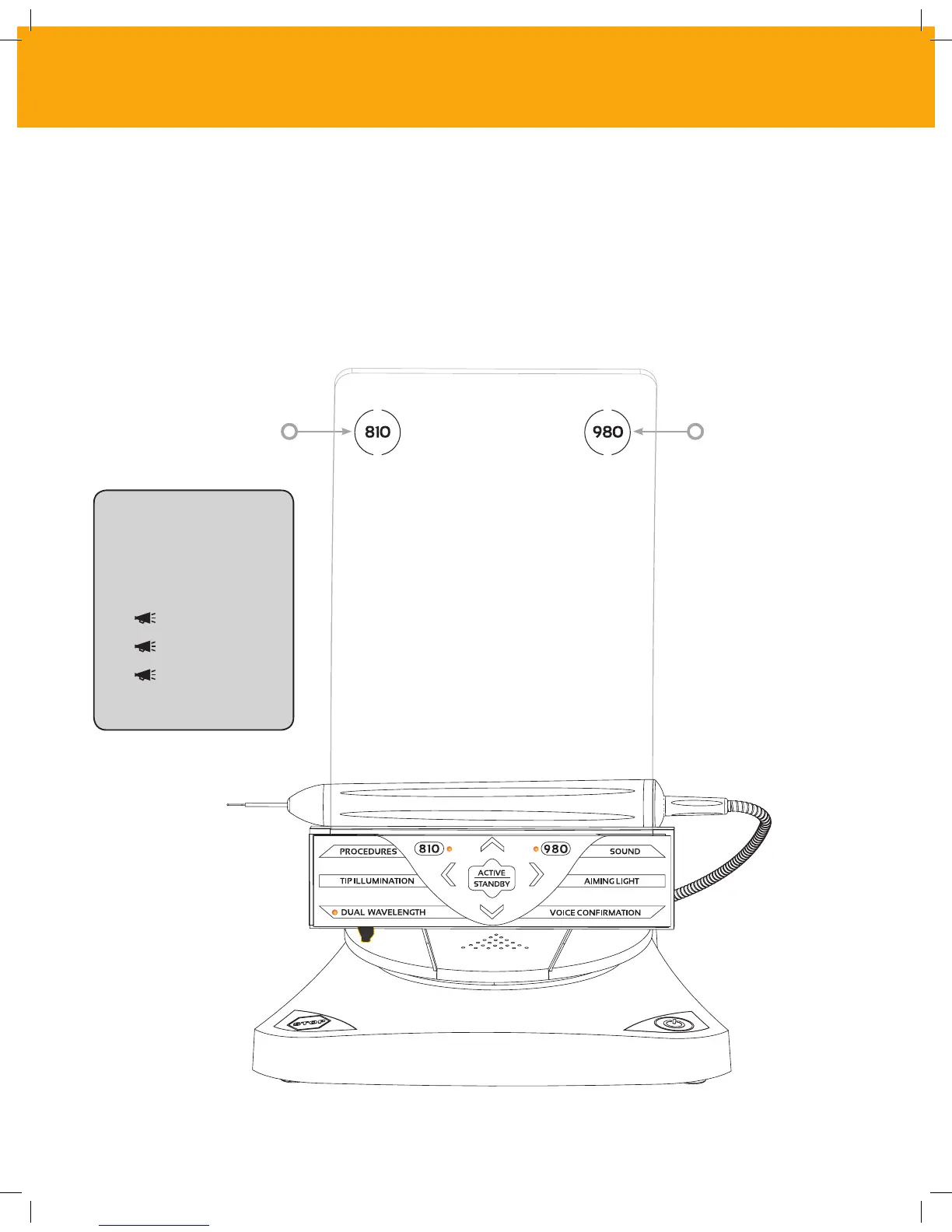
When the system is turned on, and the electronic passcode is properly input (Page 14), you will
be prompted to select the desired wavelength. A voice confirmation will say, “Please select
wavelength,” and two wavelength rings will flash. The Gemini 810 + 980 diode laser can operate in
three wavelength modes: 810 nm alone, 980 nm alone, or Dual Wavelength. A wavelength mode
must be selected before proceeding further, but may be changed at any time.
Flashing Wavelength RingFlashing Wavelength Ring
CONTROLS, OPERATION & USE
“810 STANDBY”
“980 STANDBY”
“DUAL WAVELENGTH
STANDBY”
When you select the
desired wavelength,
voice confirmation (if
enabled) will sound as
follows:
15



 To Next Page