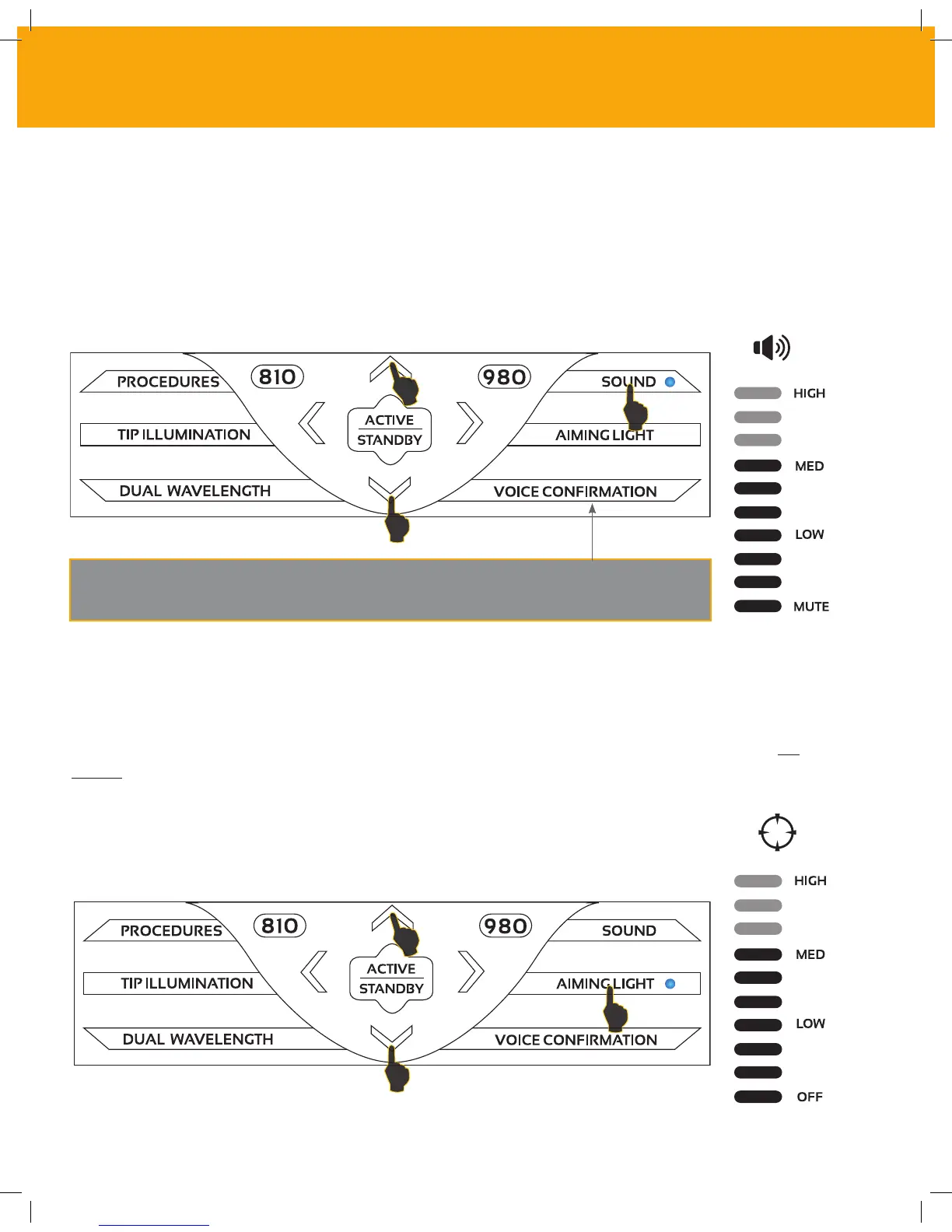
12- SOUND
13 - AIMING LIGHT
The system’s default sound volume level is Medium. Touch the SOUND selection on the keypad
to bring up the sound levels. Adjust the sound level by touching the UP and DOWN arrow on
the keypad. To exit, touch any key on the keypad. This will confirm and save your selection. The
system remembers the last used sound setting when it is powered on.
Voice Confirmation can be turned ON and OFF by touching the voice
confirmation selection on the keypad.
The system’s default aiming light level is Medium. Touch the AIMING LIGHT selection on the
keypay to bring up the aiming light levels. Adjust the aiming light level by touching the UP and
DOWN arrow on the keypad. To exit, touch any key on the keypad. This will confirm and save your
selection. The system remembers the last used aiming light setting when it is powered on.
24
CONTROLS, OPERATION & USE



 To Next Page