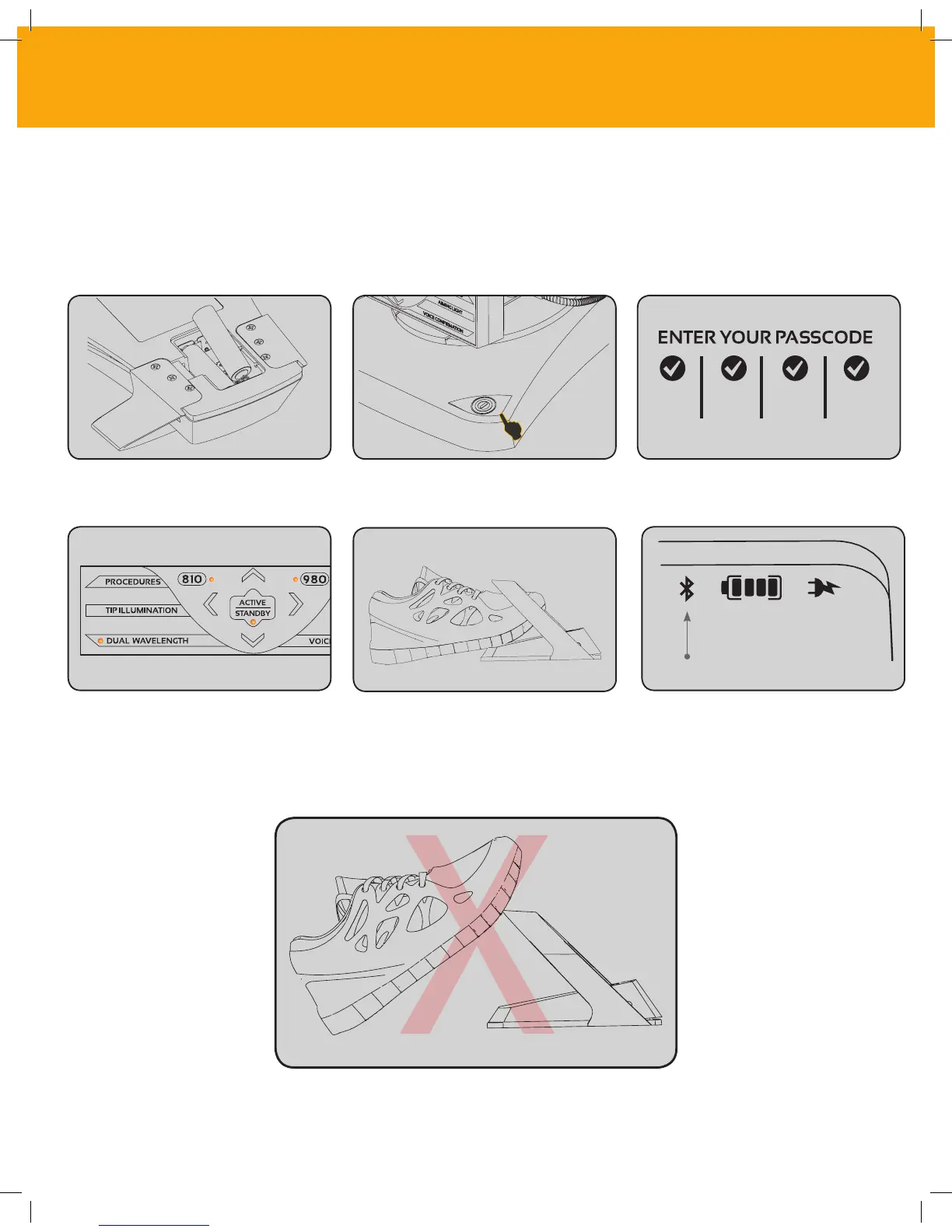
03 - ACTIVATION PEDAL CONNECTION
Install the provided 2 AA batteries
into the Activation Pedal.
Enter the passcode.
Depress the activation pedal.
Connection between the activation
pedal and laser unit is done
automatically.
The activation pedal comes with a protective shroud
to prevent accidental laser activation. Please do not
step on the protective shroud as it could result in
accidental damage to the activation pedal.
Turn the laser unit ON.
Select the wavelength of choice. A Bluetooth indicator will appear
on the display and activation pedal
when it is properly connected and
the laser is in Active mode.
Connecting the activation pedal to your laser unit via Bluetooth for the first time is simple.
CONTROLS, OPERATION & USE
16



 To Next Page