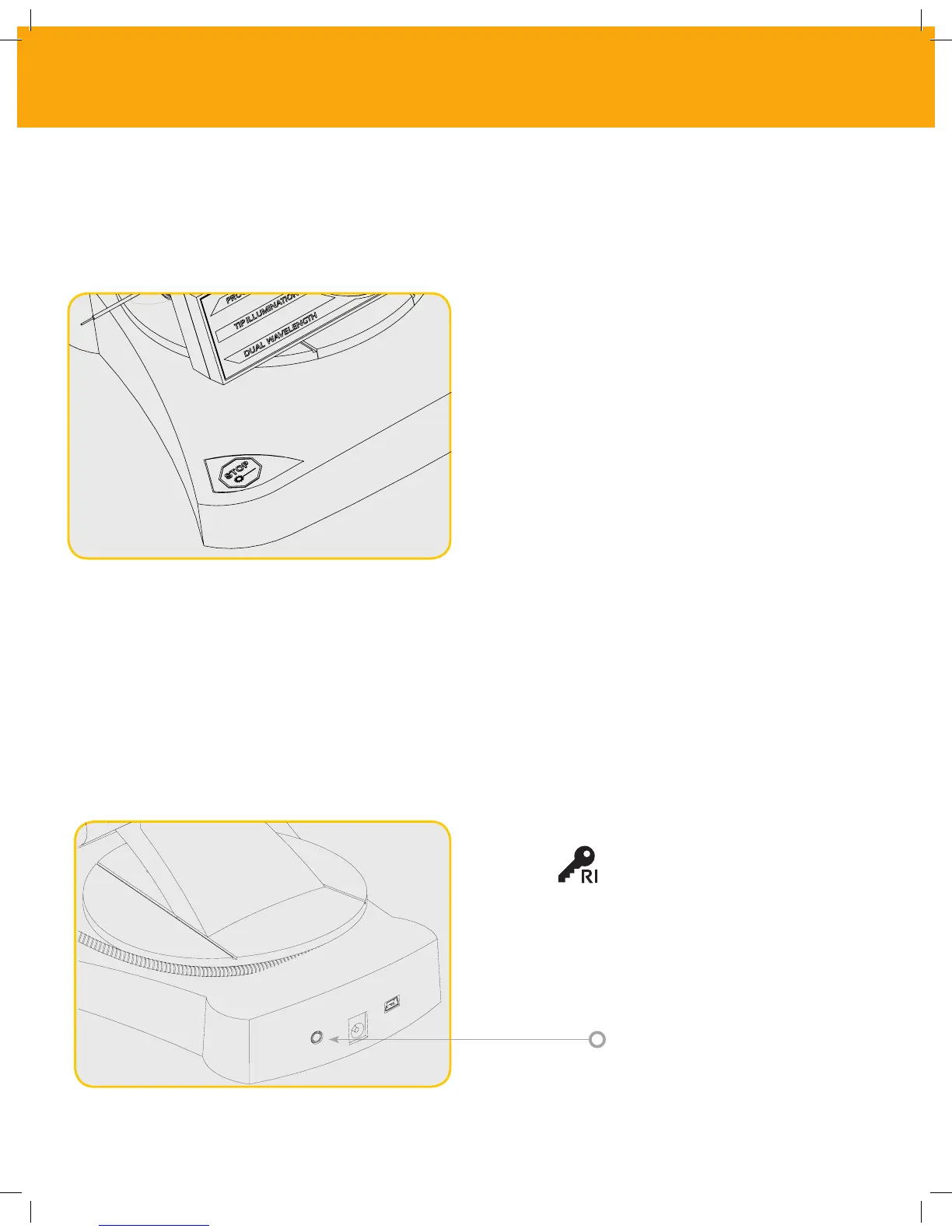
19 - EMERGENCY STOP
20 - REMOTE INTERLOCK (Switch not Included)
The Gemini 810 + 980 diode laser can be immediately deactivated in any mode, at any time, and
at any power setting by pressing the red STOP button located in the front left of the system.
The Gemini 810 + 980 diode laser provides a remote interlock feature that enables
a clinician to establish a dedicated laser treatment room with a remote interlock
connector. A switch on the entrance door is attached and is electronically wired
into the laser unit via 2.3 mm plug jack. When the door to the room is opened, the connector/
switch provides an electrically open circuit that deactivates laser emissions. To use the remote
interlock feature, an interlock connector/switch and cable must be purchased. Contact the
manufacturer for assistance.
2.3 mm Plug Port
Remote Interlock Symbol
as it appears on display
28
CONTROLS, OPERATION & USE



 To Next Page