WALRUS 5000C
Page | 15
OPERATING INSTRUCTIONS
CHANGING LANGUAGE
The language should be set to English. However, if it isn’t or the
control has been reset to default settings it will revert to Chinese. Please
follow these steps to convert the language to English.
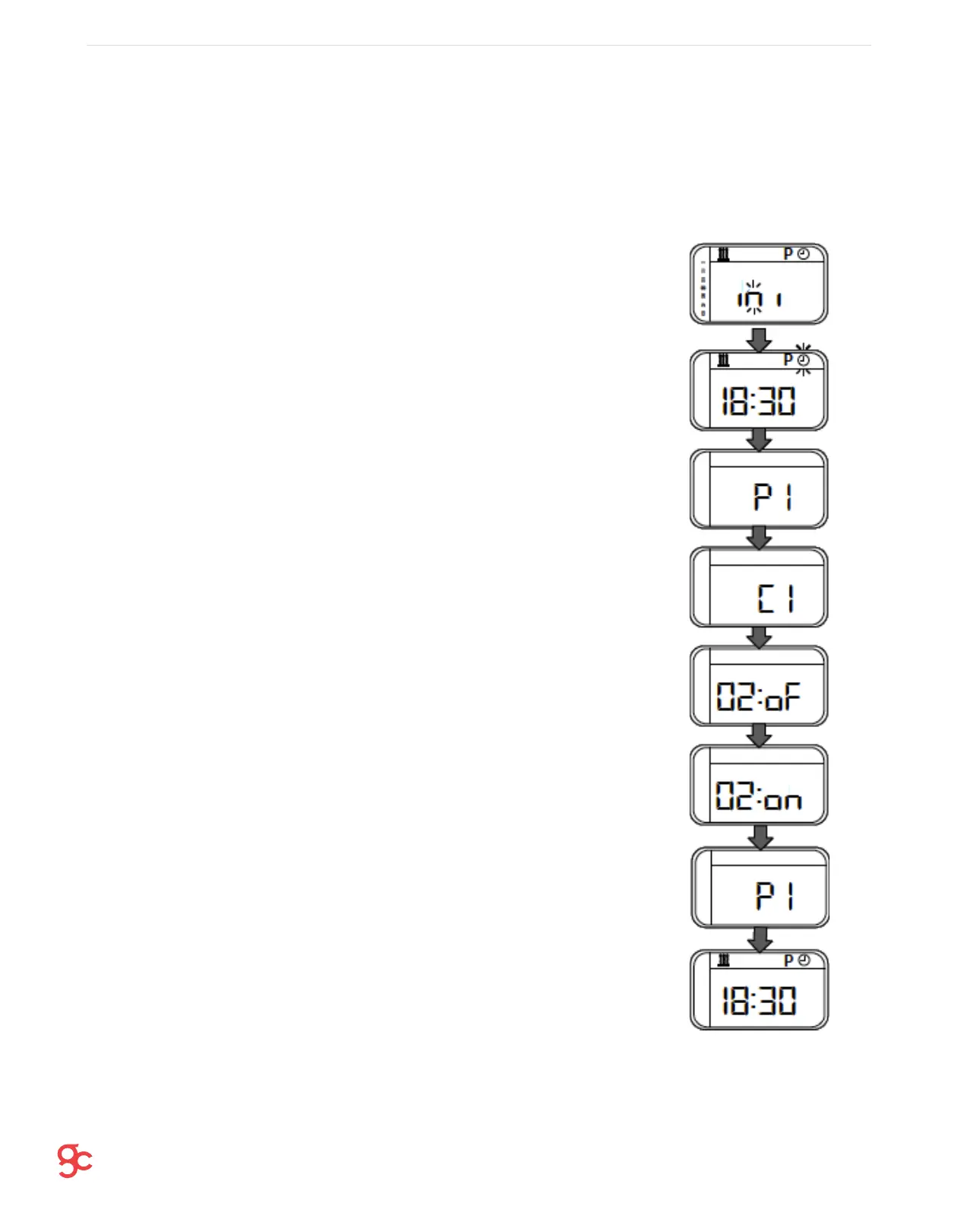
1. Turn on the control with the power button. Wait for the symbols to
stop flashing, then press the power button again.
2. Navigate to the clock face symbol at the top of the control by using
the arrow keys. When it is flashing press both arrow keys
simultaneously.
3. P1 now appears.
4. Press ok and C1 will appear.
5. Keep pressing ok slowly until ‘02:oF’ appears.
6. Press any of the arrow keys until the screen reads ‘02:on’
7. Keep pressing ok until back to the P1 menu screen
8. Press power button to return. The language will now be set to
English.


 To Next Page