M02 Digital Indicator
4.2 Parameter Setting Method
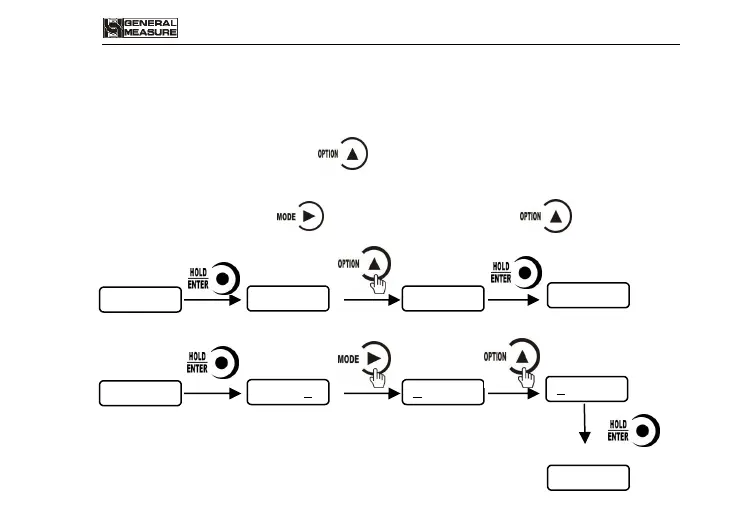
M02 has 2 kinds of working parameters: Selection type and data type. For
selection type parameters, press to choose. For data type parameter in
parameter interface, press to choose digit position, pressto choose value.
Selection:
Enter setting status Change OFF to ON Confirm the change
Data:
Enter setting status Move the flashing from 0 to 5 Adjust value


 To Next Page