M02 Digital Indicator
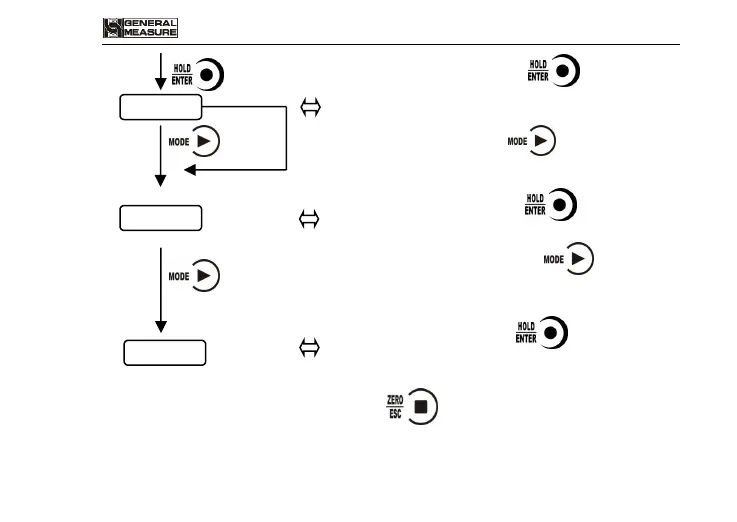
1 ) In F SEt interface, press to reset working
parameters, enter into reset calibration paramters
interface.
2)In F SEt interface, press ,not to make working
parameter reset, enter into calibration para. Reset
interface.
1)In F CAL interface, press to reset calibration
para., enter into reset all interface.
2 ) In F CAL interface, press , not to make
calibration para. reset, enter into reset all interface.
1)In F ALL interface, press to make reset all of
the paramters ( including working para., calibration
para., I/O etc..
Note: In all reset interfaces, press to exit and return to weighing
interface.


 To Next Page