EasyManua.ls Logo

Genie DirectLift 2060 - User Manual

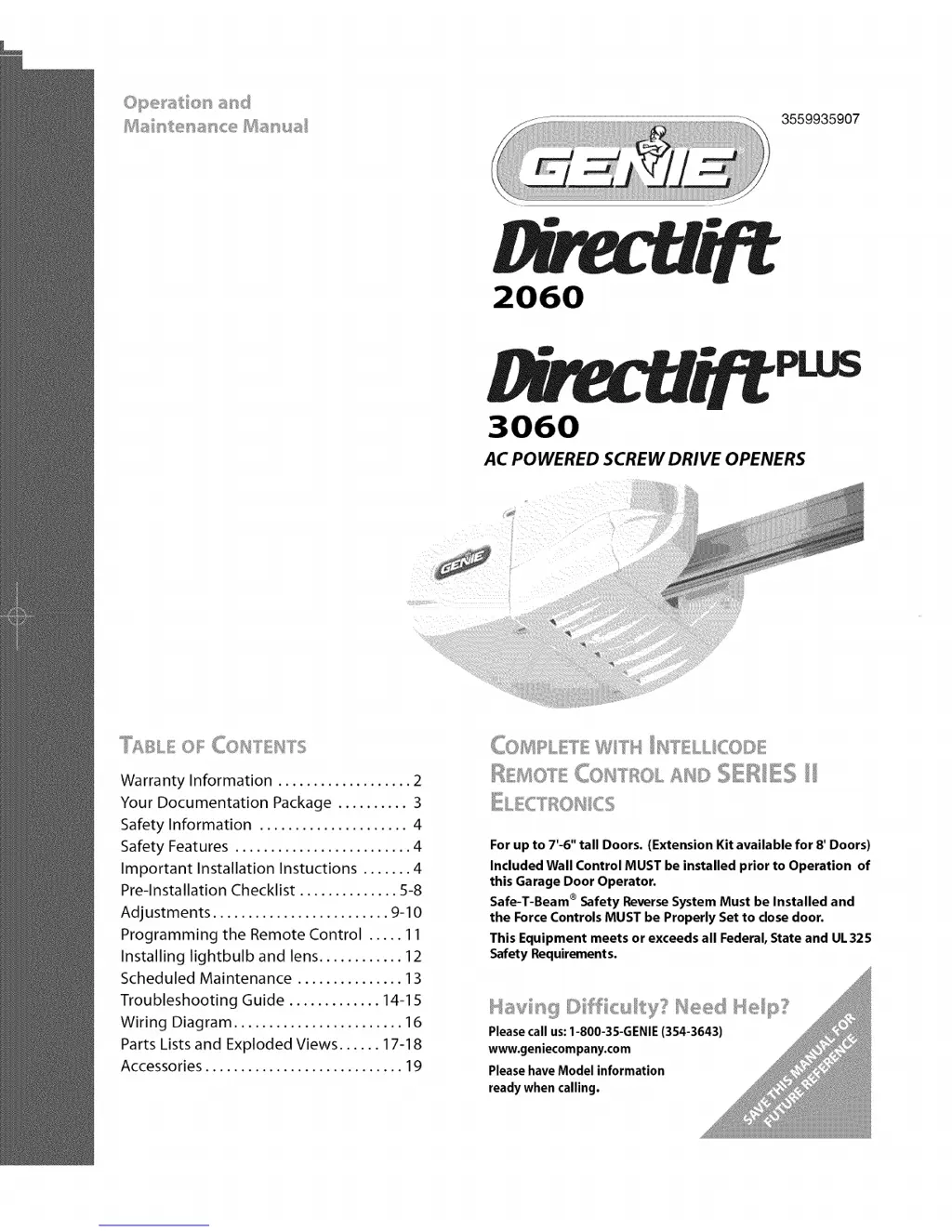
Genie DirectLift 2060
40 pages
Print Icon
To Next Page IconTo Next Page
Loading...
©pe_'at et} and
e
3559935907
2060
3060
AC POWERED SCREW DRIVE OPENERS
COHTEHTS
Warranty Information ...................2
Your Documentation Package ..........3
Safety Information ..................... 4
Safety Features ......................... 4
Important Installation Instuctions ....... 4
Pre-lnstallation Checklist .............. 5-8
Adjustments ......................... 9-10
Programming the Remote Control ..... 11
Installing lightbulb and lens ............ 12
Scheduled Maintenance ............... 13
Troubleshooting Guide ............. 14-15
Wiring Diagram ........................ 16
Parts Lists and Exploded Views ...... 17-18
Accessories ............................ 19
(k)MRLETE WITH II,_I"ELLICO[}E
!E!OTE COST ;;'_r_ AH© ,<I_;D_ ........,J RuL s ,sES II
For up to 7'-6" tall Doors. (Extension Kit available for 8' Doors)
Included Wall Control MUST be installed prior to Operation of
this Garage Door Operator.
Safe-T-Beam ®Safety Reverse System Must be Installed and
the Force Controls MUST be Properly Set to dose door.
This Equipment meets or exceeds all Federal, State and UL325
Safety Requirements.
Please call us: 1-800-3S-GENIE (354-3643)
www.geniecompany.com
Please have Model information
ready when calling.

Questions and Answers

  • R
    Robert WigginsAug 17, 2025
    Why does my Genie Garage Door Opener start by itself?
    • K
      Kelly HendersonAug 17, 2025
      To address a Genie Garage Door Opener that starts for no apparent reason: * First, examine the wires to ensure they are not cut, as staples can sometimes cut the insulation and cause shorts. Replace any shorted staples and wires. * If a remote control has been lost or stolen, erase all remote control codes from the receiver's memory and reprogram the remaining remote controls. * Finally, make sure that no buttons are stuck in the pushed-in position on the wall console or any of the remote controls.
  • M
    millerjefferyAug 20, 2025
    How to fix a Genie Garage Door Opener that won't work from the wall control?
    • D
      Dwayne WiseAug 20, 2025
      To troubleshoot a Genie Garage Door Opener that won't run from the wall control: 1. Check the Lock switch on the wall control. 2. Verify the power source: * For a grounded plug connection, plug a lamp into the electrical outlet used for the door opener. If the lamp lights, the power source is good. If it doesn't, check the fuse or circuit breaker. * For a permanent wiring connection, check the fuse or circuit breaker. 3. Inspect the connections at the power head terminals and the wall control.
  • B
    Billy WeaverAug 22, 2025
    What to do if my Genie DirectLift 2060 Garage Door Opener will only close?
    • J
      Jeffrey WhiteAug 22, 2025
      If your Genie Garage Door only runs when closing, check these items: 1. Inspect the Open Limit Switch for a short circuit and ensure it is properly wired. 2. Adjust the Open Force. 3. Examine the condition of the garage door and door spring(s). 4. Check the position of the Lock Switch on the console.
  • S
    Shawn FullerAug 26, 2025
    Why does my Genie DirectLift 2060 Garage Door Opener go down then back up?
    • S
      sara24Aug 26, 2025
      If your Genie Garage Door Opener starts to close, but then stops and goes back up, consider these potential solutions: 1. If this is a new installation, check the door arm position. 2. Check the operation of the Contact Reverse function. 3. Inspect the Safe-T-Beam® System for any beam obstruction or misalignment of the lenses. 4. Check the Safe-T-Beam® System diagnostic code. 5. Adjust the Close Force. 6. Check the garage door for any binding.
  • A
    Autumn CardenasAug 28, 2025
    What to do if my Genie DirectLift 2060 Garage Door Opener will only open?
    • J
      James DavisAug 28, 2025
      If your Genie Garage Door Opener only runs when opening, here’s what to check: 1. Inspect the Safe-T-Beam® System. 2. Check the Close Limit Switch for a short circuit and proper wiring. 3. Adjust the Close Force.
  • A
    Alan RichardsonAug 31, 2025
    Why does my Genie DirectLift 2060 Garage Door Opener stop before closing?
    • C
      christopher37Aug 31, 2025
      If your Genie Garage Door Opener starts to go down but stops before fully closing, try the following: 1. Check the Close Limit Switch setting and adjust as needed. 2. Check the Force Setting and adjust as needed. 3. Check for shorted wires.
  • M
    Matthew BlevinsSep 2, 2025
    Why does my Genie Garage Door Opener stop before fully opening?
    • M
      morgansusanSep 3, 2025
      If your Genie Garage Door Opener starts to open but stops before it is completely open, follow these steps: 1. Ensure that the garage door and opener are in good repair, properly lubricated, and correctly balanced. 2. Check the Open Limit Switch for a short circuit and proper wiring. 3. Adjust the Open Force.
  • S
    Shari WhiteSep 5, 2025
    What to do if my Genie DirectLift 2060 Garage Door Opener motor runs but the door doesn't move?
    • J
      Jenna BradySep 5, 2025
      If your Genie Garage Door Opener runs, but the door doesn't move, try the following: 1. Ensure the Carriage Assembly is engaged to the Rail Drive Screw. 2. Adjust the Force. 3. Verify that all sections of the Rail Drive Screw are turning when the motor runs. If not: * Check the condition and placement of the Coupler; replace if needed. * Check the condition and placement of the Collar and Clip; replace them if needed.
  • D
    danielwhiteSep 8, 2025
    How to turn off the lights on my Genie DirectLift 2060?
    • A
      Alejandro DiazSep 8, 2025
      If your Genie Garage Door Opener lights won't turn off, try the following: 1. Disconnect the wires connecting the wall console to the power head. Check their condition, and either replace or reconnect them. 2. Until you can get a replacement wall console, disconnect the current one and use only remote controls or a wireless keypad to operate the opener. 3. Check for a non-compatible wall control.
  • C
    Cheryl WardSep 12, 2025
    How to fix the Vacation Lock on my Genie DirectLift 2060?
    • K
      Kelly StewartSep 12, 2025
      If the Wall Console Vacation Lock function on your Genie Garage Door Opener isn't working, try these steps: 1. Ensure the Carriage Assembly is in contact with the Close Limit Switch. 2. Check that the Carriage activates the Close Limit Switch when the door is fully closed. If it doesn't, adjust the position of the Close Limit Switch.

Summary

The Genie Company Limited Warranty

Warranty Coverage Details

Details what the warranty covers, including limitations and scope.

How to Obtain Warranty Service

Explains the process for getting warranty service via DIY or authorized dealers.

Safety Information

Overview of Potential Hazards

Identifies potential dangers like moving doors, electrical shock, and spring tension.

Important Installation Instructions

Crucial steps to follow for safe and correct installation of the opener.

Pre-Installation Checklist

Pre-Installation Checklist (Continued)

Maintenance and Adjustments

Adjustment 1: Limit Switches and Force Controls

Guides setting the door travel limits and adjusting opening/closing force.

Maintenance and Adjustments (Continued)

Adjustment 2: Contact Reverse Function

Details how to test and set the door's automatic reversal upon contact.

Important Safety Instructions

Troubleshooting

Safe-T-Beam System Troubleshooting

Diagnoses issues with the Safe-T-Beam® sensor system using LED blink codes.

Troubleshooting (Continued)

General Troubleshooting

Provides solutions for common opener problems not related to the Safe-T-Beam® system.

Parts Identification

Parts Identification (Continued)

Genie DirectLift 2060 Specifications

General IconGeneral
BrandGenie
ModelDirectLift 2060
CategoryGarage Door Opener
LanguageEnglish

Related product manuals