English
-13-
Getting started
Read this section to learn how to start using the camera. This section covers only
basic functions such as inserting the battery or memory cards, turning it on, and
making preliminary settings. See later chapters for details about advanced functions.
Inserting the batteries
The camera is powered by two AAA alkaline batteries.
NOTE
Install the batteries exactly as described here. Ensure that the polarity of the batteries is
correct. Installing the batteries incorrectly could cause damage to the camera and possibly
start a fire.
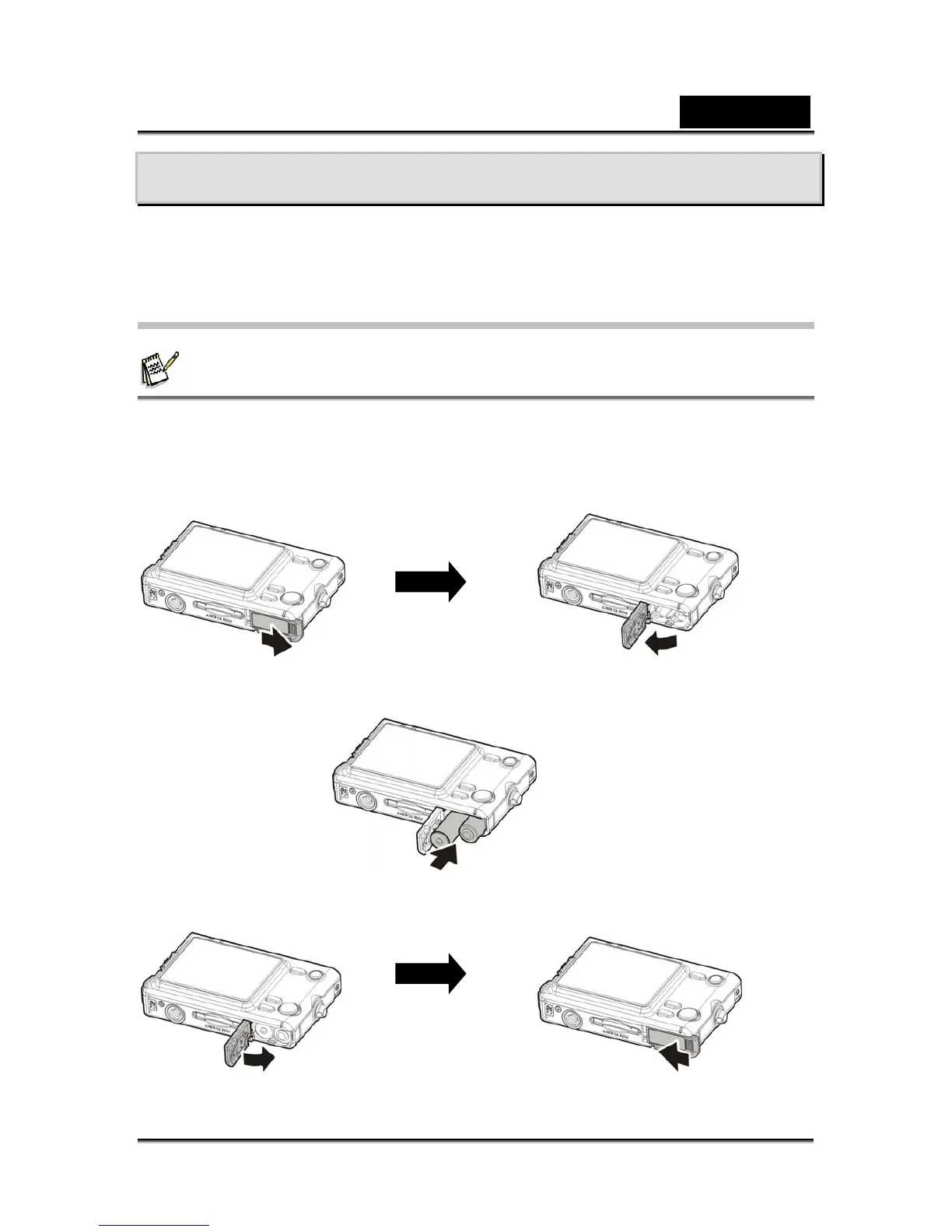
1. Open the battery compartment door.
2. Insert the battery as shown.
3. Close the battery compartment door.



 To Next Page