English
-36-
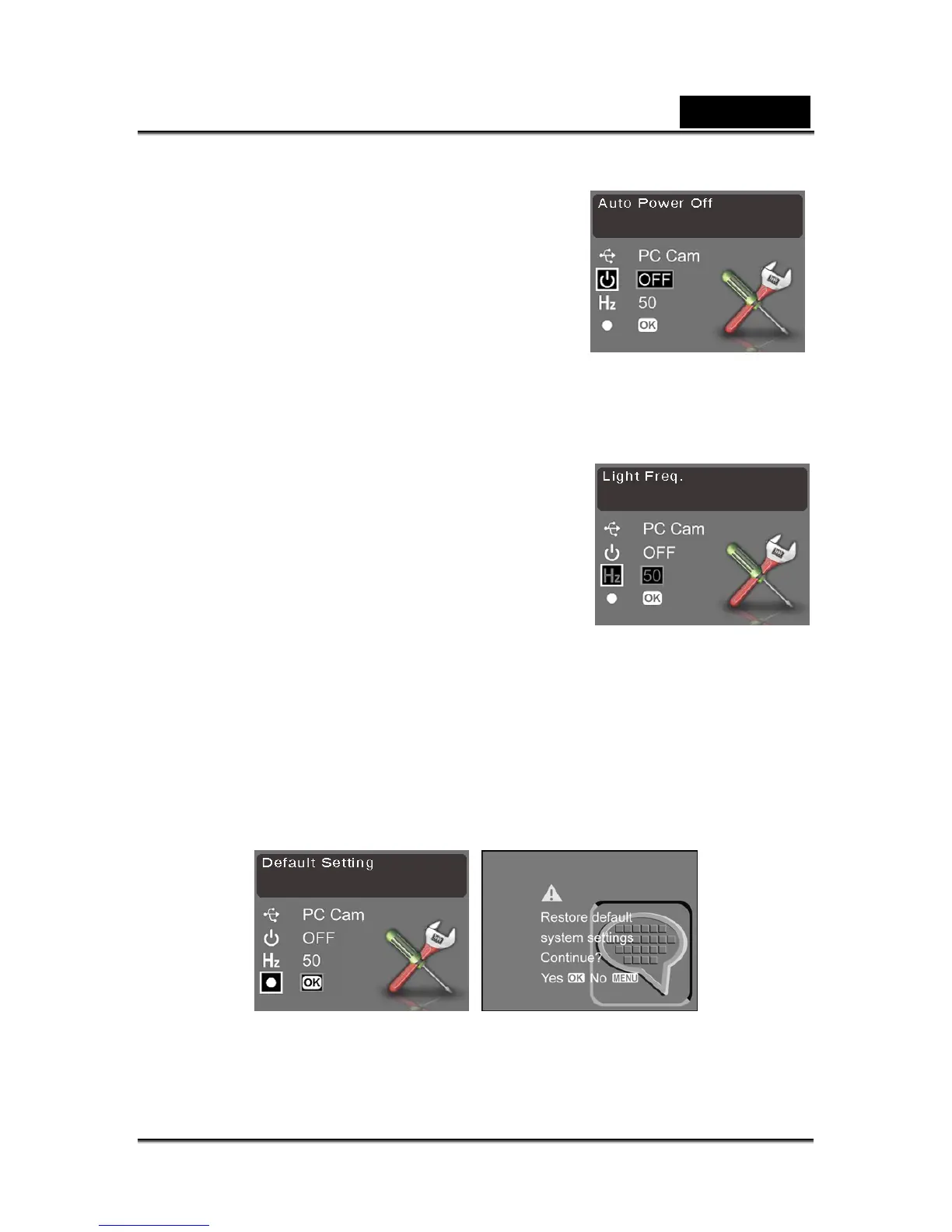
Auto power off
Use the auto power off function to automatically
switch the camera off after a period of inactivity to
save power.
To set the power saving function:
1. Turn the camera on and ensure that it is in
Settings mode.
2. Use Previous/Next to highlight the Power Saving
option.
3. Press OK/Set button to select a setting: Off, 1
MIN, 3 MIN, or 5 MIN.
Light frequency
The light frequency setting allows you to prevent
flickering light caused by the local power supply’s
frequency. For more information contact the
energy supplier in the area.
To set the light frequency:
1. Turn the camera on and ensure that it is in
Settings mode.
2. Use Previous/Next to highlight the Light
Frequency option.
3. Press OK/Set button to select an option: 50 or
60.
Default setting
Use the default setting option to reset all settings to the factory default.
To reset factory default settings:
1. Turn the camera on and ensure that it is in Settings mode.
2. Use Previous/Next to highlight the Default Setting option.
3. Press OK/Set button to restore factory defaults. You are prompted to confirm the
reset.
4. Press OK/Set button to confirm or Menu to cancel.



 To Next Page