ENGLISH
5
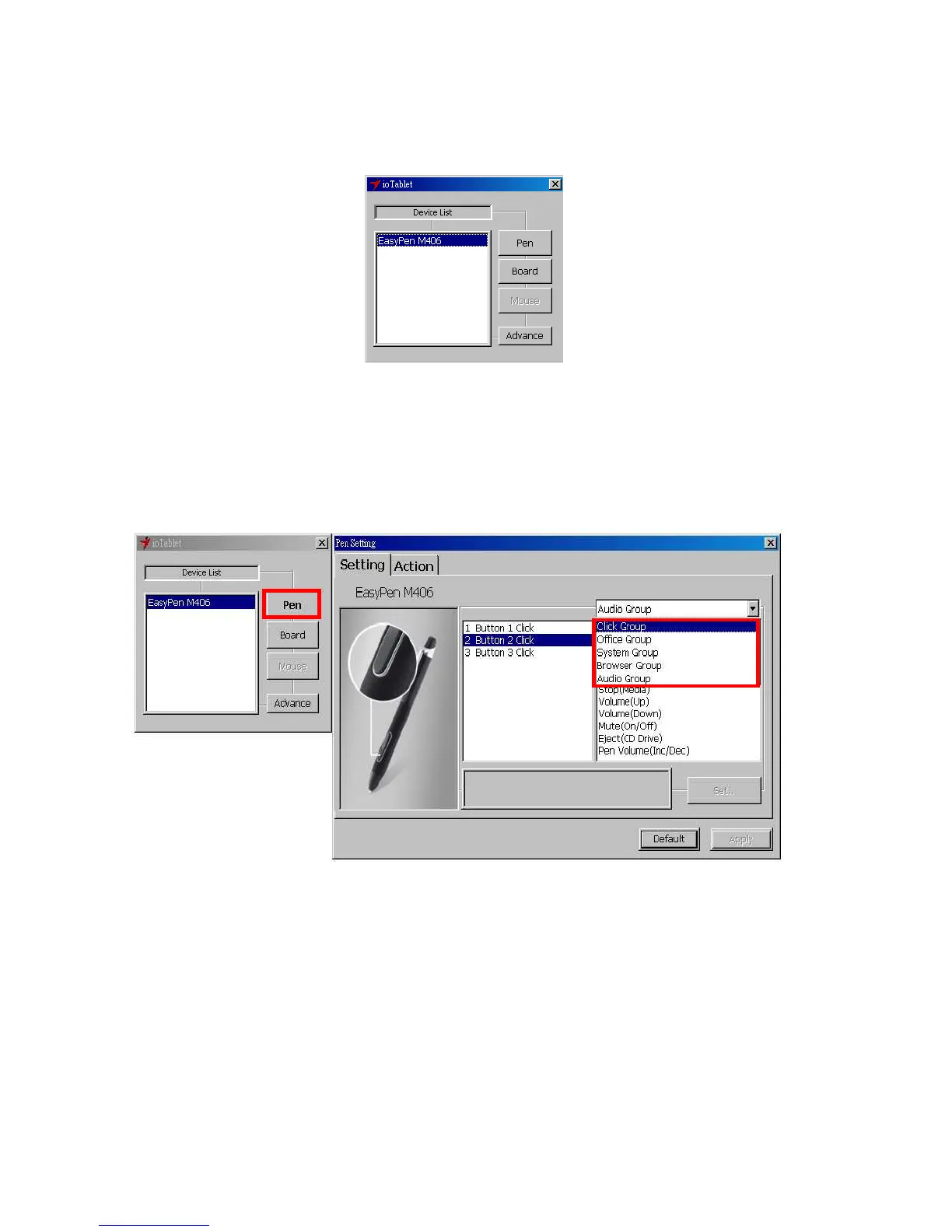
1. The Info Tab: The Info tab displays the devices you can choose to operate your tablet, including
the pen, the tablet itself and any interface language.
● After the tablet driver is installed in Windows, the Tablet PC function setting will support
pressure in MS Journal, OneNote (2003 - 007), etc.
2. Cordless Pen
2.1 Button Name:
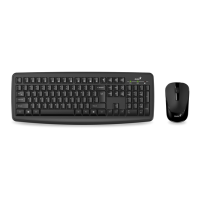
You may re-program the functions of the pen tip and the two-barrel buttons by selecting the button
name from the drop down menu and assign a command of a traditional three-button mouse to it. The
programmable group includes:
Click Group: Click, Scroll, Lock, etc.
Office Group: Copy, Save, Undo, etc.
System Group: My Computer, My pictures, Media Player, etc.
Browser Group: Back, Forward, Refresh, etc.
Audio Group: Play, Stop, Mute, etc.
Simply chose the function you require and press “Apply” to activate it.


 To Next Page