ENGLISH
6
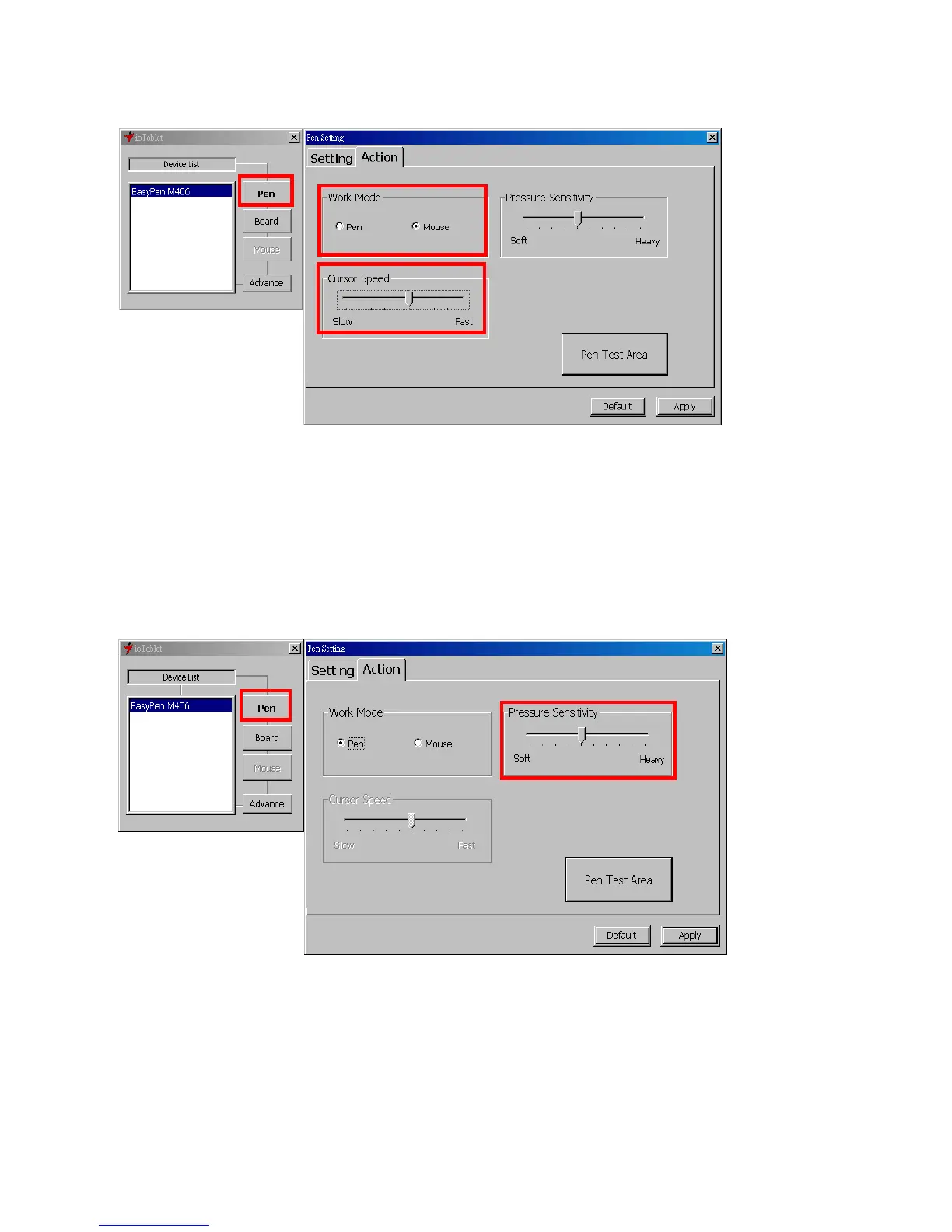
2.2 Mode Setting:
The tablet offers Pen and Mouse mode according your design demands.
1. Pen Mode (Absolute mode): Use the pen to draw, point, click and sign as you wish.
2. Mouse Mode (Relative mode): Use the pen as a traditional mouse.
*In Mouse mode, you may move the cursor speed between slow and fast to adjust the speed.
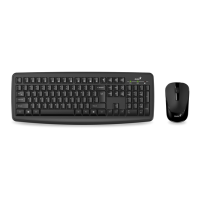
2.3 Pen Sensitivity Adjustment:
This tablet pen offers 1024 pressure levels sensitivity for all kinds of shapes and thickness. Move the
slider in the sensitivity bar to adjust the levels. There is a test area to draw a line by pressing the pen
tip on the tablet pad.
2.4 Default:
Tap on the Default button to return to the manufacturer settings.


 To Next Page