ENGLISH
8
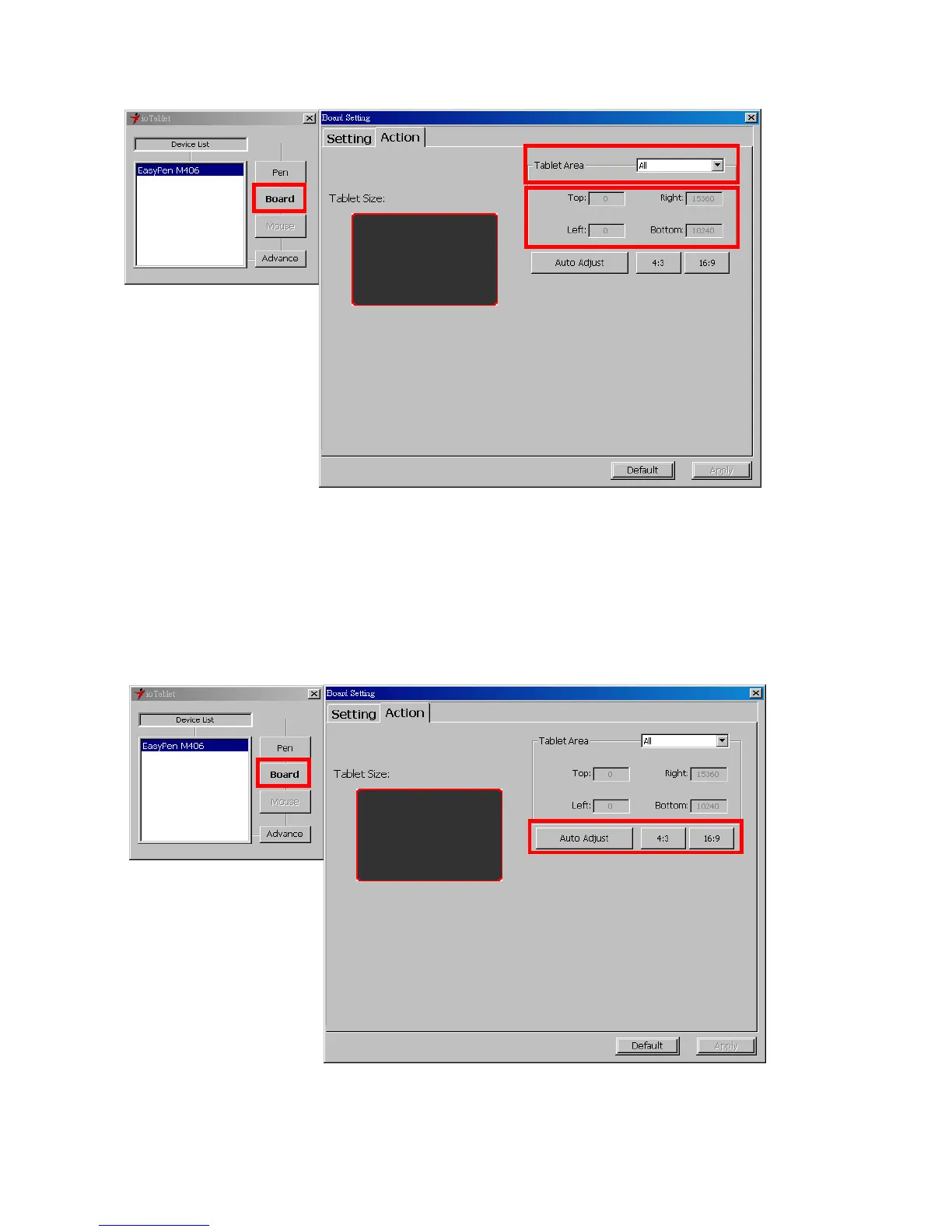
3.5 Tablet working area:
There are two modes available to define the working area, click “Apply” to activate it.
1. AlI (Full Area): Select the largest possible working area depends on the tablet size.
2. Part (Programmable Area): Allows you to define the dimensions for top, bottom, left and right.
Define the size by inputting any numbers in the blank bars.
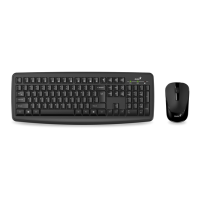
3.6 Change Screen Ratio:
This tablet can be adjusted according to your LCD display.
A. Set the tablet working area the same as the screen size by clicking “Auto Adjust”.
B. Switch the screen ratio by selecting 4:3 (Standard) or 16:9 (Wide).


 To Next Page