Genius Scanner
13
Using the Negative and Positive Film Holders
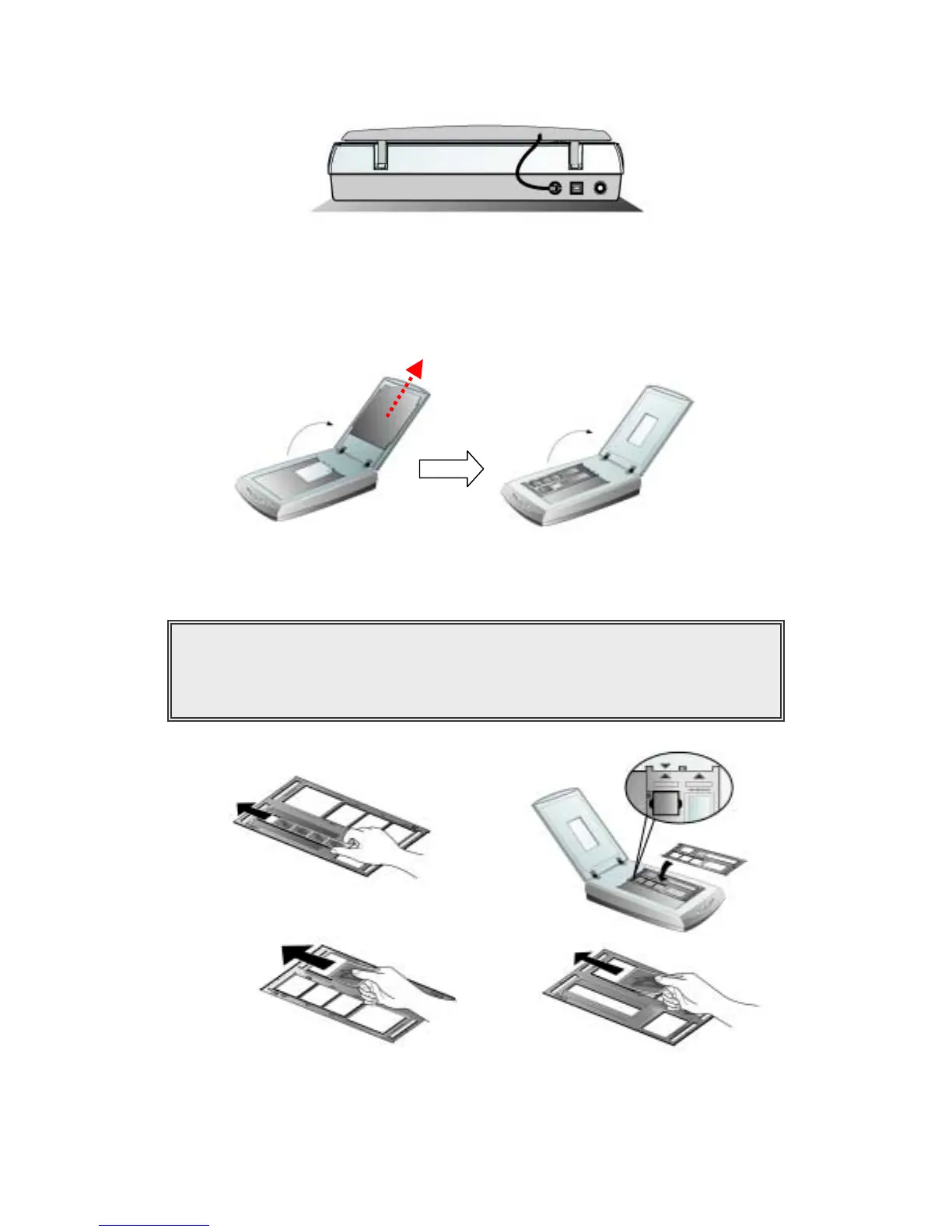
1. Remove the reflective document mat. Hold the top of the mat, and gently pull it upward until it
is separated from the document cover.
2. Insert a filmstrip or a 120/220 film into the proper compartment on the film holder. Adjust the
position of the inserted film, so that the desired image appears in the view window.
a. b.
c. d.
Caption
a. Filmstrip b. 35mm Slides
c. 120/220 film : 6x 4.5 cm / 6x6 cm d. 120/220 film : 6x7 cm / 6x8 cm / 6x9 cm



 To Next Page