Genius Scanner
6
Step 2. Connecting the Genius Scanner to Your Computer
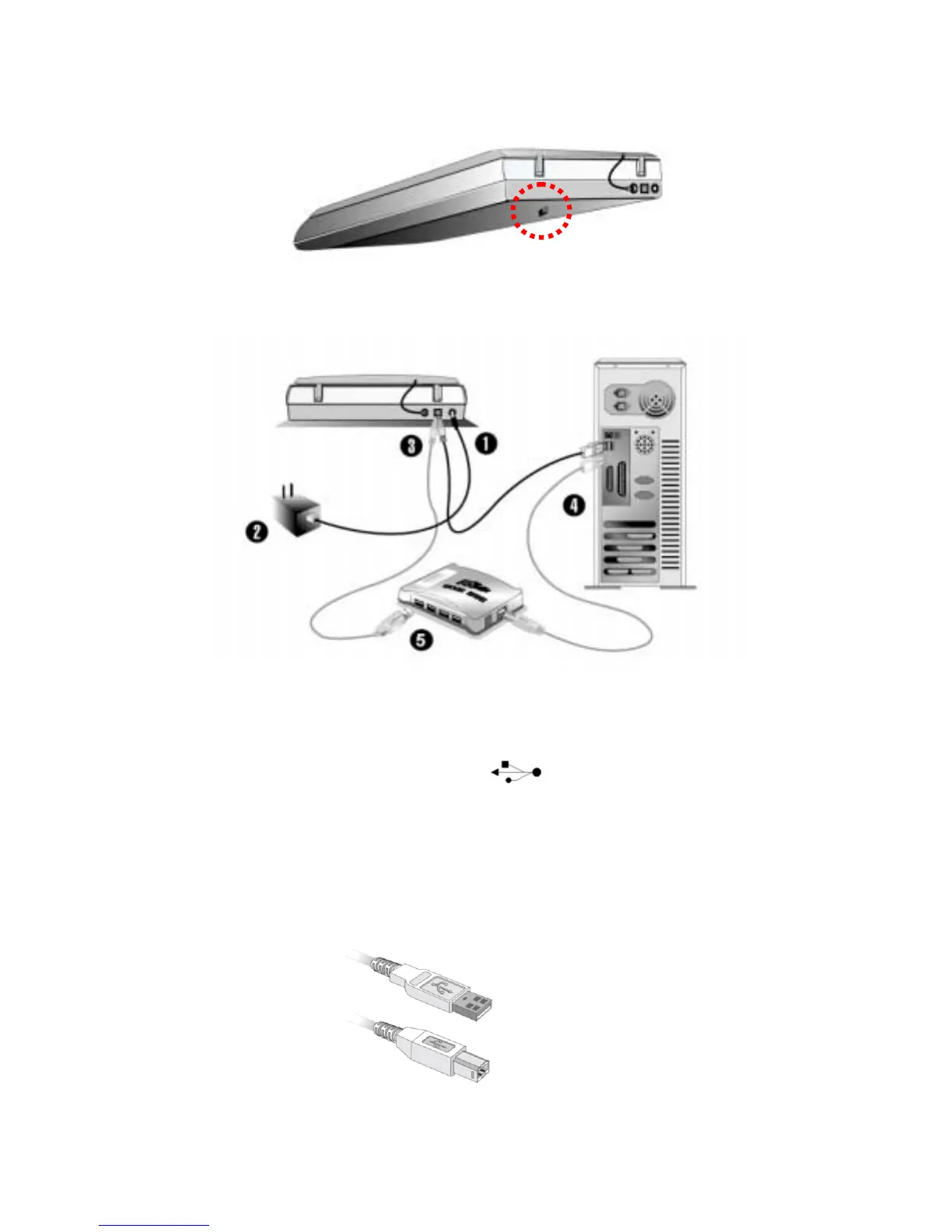
1. Plug the power adapter into the scanner’s power receptor.
2. Plug the other end of the power adapter into a standard AC power outlet.
3. Plug the square end (Type B connector) of the included USB cable to the USB port at the
rear of the scanner. You can find a USB sign
below the USB connector at the rear
of the scanner.
4. Plug the rectangular end (Type A connector) of the USB cable to the USB port on the back of
your computer.
Note: If there is another USB device connected to the computer, connect the scanner to an
available USB port.
Type A Connector
Type B Connector



 To Next Page