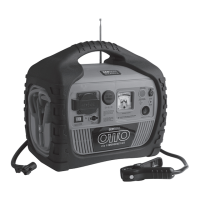
User’s Manual—Read before using this equipment
11
ENGLISH
any AC appliance not in use. There is a user replaceable 40 amp automotive type fuse below
the Inverter Power Switch. This fuse protects the inverter from an unlikely excessive input cur-
rent. Ordinary overloads will cause the inverter to automatically shut down. Reduce the load
and restart the inverter.
USING THE POWER INVERTER
1. Open the AC outlet dust cover.
2. Connect the AC appliance or appliances to either AC outlet.
3. Turn the Inverter on by flipping the switch to the “||” position.
4. If the Inverter Power Indicator light is green, the inverter is operating.
5. Turn on one AC appliance and observe the Power Indicator.
• If the LED remains green, then turn on the second appliance.
• If the Power Indicator remains green, then both appliances are
operating properly.
• After use, remove the appliance plug and close the dust cover.
• If the Power indicator LED is not lit, then reduce the AC load.
If the inverter is still not operating, refer to the troubleshooting
table at the end of this User’s Manual.
• Recharge OTTO 8 in 1 Emergency Kit as soon as convenient.
Note:
• “|” = Turns on USB ports and DC outlets
• “O” = Off
• “||” = Turns on AC Inverter, USB ports, and DC outlets
Caution
Some rechargeable devices are equipped with a separate AC charger. These devices are
likely to operate properly with this inverter. Rechargeable devices that have built-in chargers
(see device owner’s manual) may not operate properly with this type of inverter.
Some motorized devices may operate at excessively elevated temperature when used with this
inverter. During first use with this inverter, check for excessive motor temperature. Abnormally
elevated temperature of the device is an indication that they should not be used together.
DC POWER PORT
DC Power Port (accessory socket) is located to the left of the Battery Status meter (voltmeter).
The port can power a DC load up to 11 Amps. Overloading the port will result in tripping (a
self-resetting circuit breaker). Removing the overload automatically
restores power to the DC Power Port.
1. Uncover the dust cover from the Power Port.
2. Insert the 12V DC accessory plug into the Power Port.
3. Operate the appliance as usual.


 To Next Page
 Loading...