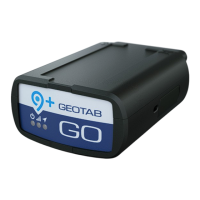
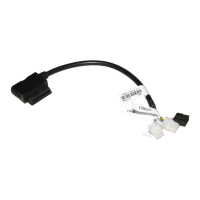
Test Mode: Diagnostic beeps for validating GPS and wireless connection
Voltage recording
Curve-based voltage logging to detect weak batteries, failing alternators, and failing starters
64-Mb Non-volatile
flash memory
Main Data Memory: Up to 80,000 logs in offline mode (out of coverage)
Collision Data Memory: Buffer records over 100 minutes of second-by-second data
(6,000 logs). Last 72 records (1.2 minutes) are sent instantly on accelerometer-triggered
collision-level events.
Recording parameters
Patented curve-based GPS/voltage/accelerometer/engine data logging algorithm for fewer, more
accurate data points
Intelligent ignition
Non-engine-based ignition detect on voltage and movement, allowing for 3-wire installation. Ideal
for older vehicles with no engine information and covert installation for asset recovery.
Preparing for installation
Before installing the GO device, please record the device serial number. The serial number is used to verify the communication
status of the GO device.
Carefully read the device release notes (goo.gl/fZURff) or the vehicle-specific installation notes (goo.gl/MCIXt0) to verify that
we support your vehicle. If you have any questions or concerns, please consult your Authorized Reseller.
Ensure no dash warning lights are on in the vehicle while it is running, and all other functions, such as headlamps and flashers
etc. work prior to installing the device.
Before Installation, add the device to your MyGeotab™ database using the device serial number. This will ensure all data logged
from point of install onward is sent to your database.
✱ NOTE: You must select the correct Geotab hardware suitable for your specific installation environment and vehicle use. For
installations where exposure to the elements (e.g., liquids, dust, or interior wet cleaning/powerwash) is anticipated, select the
GO RUGGED device (GR8 rated IP67, and GR9 rated IP68 and IP69K). For additional information regarding environmental
contaminants, see the applicable installation instructions as well as the Important Safety Information & Limitations of Use
section below.
Installation instructions
Read important related safety information and limitations of use following these installation instructions. Read and follow all
instructions and warnings to prevent serious injury and/or vehicle damage.
WARNING! Prior to GO installation, read and follow important safety information including limitations of use located following
these installation instructions. Always read and follow all safety information to prevent loss of vehicle control and serious injury.
WARNING! Some installations are not straightforward and must be completed by an Authorized Geotab Installer to ensure a
secure installation. An unsecure device installation can cause poor electric and/or data connection that can lead to short


 To Next Page
 Loading...