•
Startup:
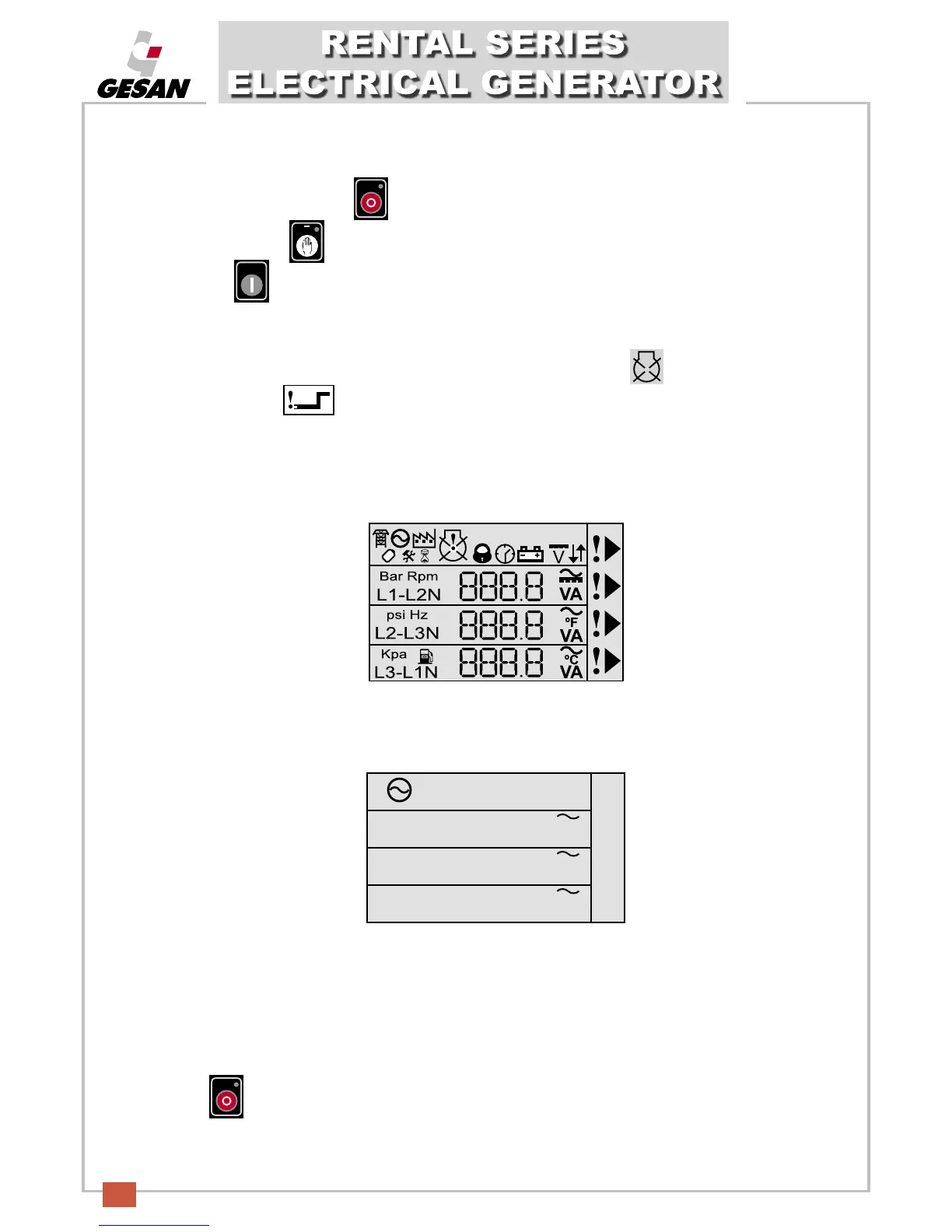
If the LCD screen is off, press (1) to connect the control module and the LCD screen will turn on.
P
ress the button (2) and the LED in the top part of the button will turn on, indicating that the unit is
operating. Press (5) briefly to start up the unit
.
Follow the instructions detailed in point 5 - STARTING AND STOPPING THE UNIT
.
There is a maximum of 3 startup attempts, after which the flashing stop symbol
will be displayed along with
the startup failure indicator .
T
he status screen of the Deep Sea 5210 Control Module will indicate all of the possible events of the electrical
generator.
This image shows all of the symbols displayed on the LCD screen (8).
The LCD display (8) will normally look similar to this:
Example of the screen indicating the voltage readings for each phase of the electrical generator.
•
Stopping the unit:
Follow the instructions detailed in point 5 - STARTING AND STOPPING THE UNIT.
Press (1) to stop the unit. The unit will be stopped immediately.
kW kVAr CosØ
229.2
231.5
235.7
L1- N
L2- N
L3- N
V
V
V


 To Next Page