6
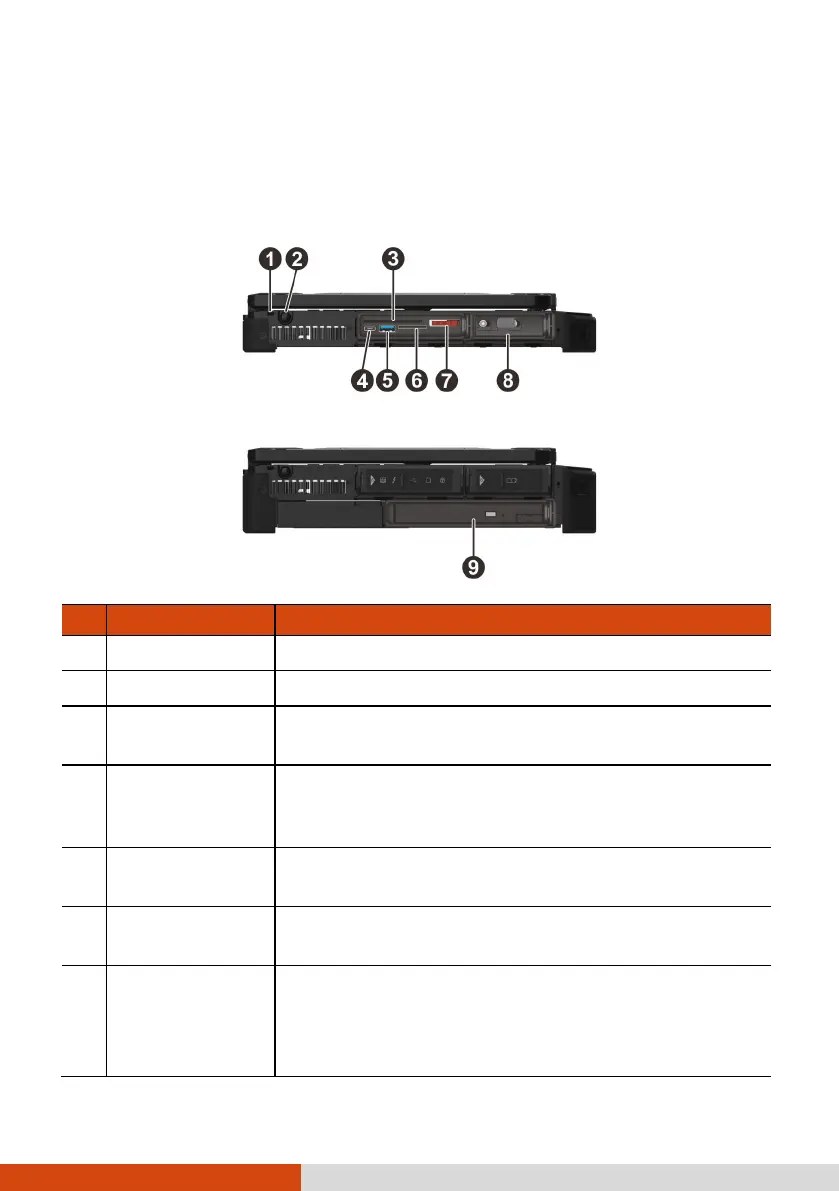
Left-Side Components
For covers with an arrowhead icon, push the cover toward one side to unlock
and the other side to lock. The arrowhead points to the side for unlocking.
X600
X600 Pro
Ref
Component Description
Tether hole Stylus tethered to this hole.
Stylus slot For storing the stylus (optional).
Smart card
reader
Accepts a smart card for additional security feature.
USB-C
Thunderbolt™ 4
port
Connects to devices that support Thunderbolt or
USB-C connection.
USB 3.2 Gen 2
port
Connects a USB device.
Storage card
reader (optional)
Accepts an SD card for removable storage media.
SSD canister
Contains the solid-state drive, which is the C drive
storing the operating system of your computer.
CAUTION: This device is not hot-swappable. Do not
remove it without turning off the system first.



 To Next Page