7
Ref
Component Description
Battery pack
( )
Supplies power to your computer when external
power is not connected.
Optical disc drive
Accepts an optical disc.
Can be replaced by a battery pack (purchased
separately).
NOTE: The additional battery pack alone cannot be
the power source for starting up the computer.
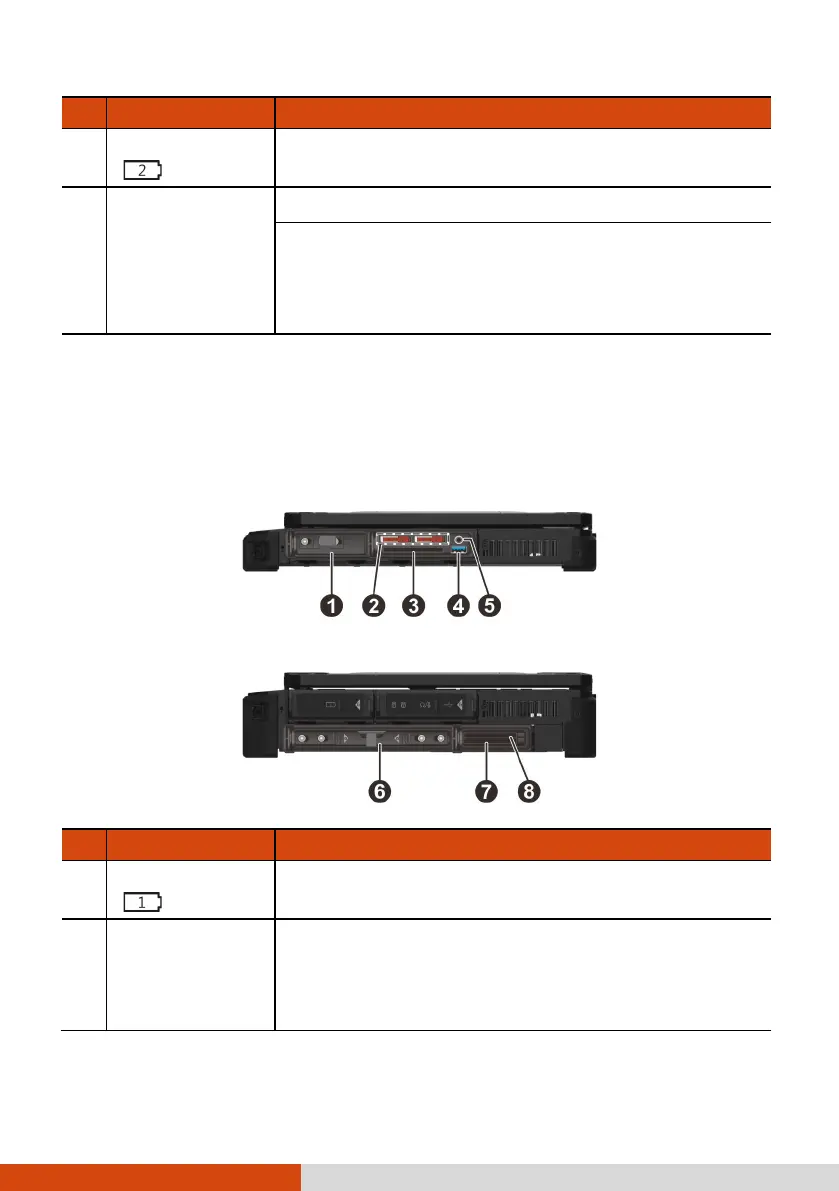
Right-Side Components
For covers with an arrowhead icon, push the cover toward one side to unlock
and the other side to lock. The arrowhead points to the side for unlocking.
X600
X600 Pro
Ref
Component Description
Battery pack
( )
Supplies power to your computer when external
power is not connected.
SSD canister
(optional)
Contains the additional solid-state drive for more
storage capacity.
CAUTION: This device is not hot-swappable. Do not
remove it without turning off the system first.



 To Next Page