Staircase control unit THZ
44
Commissioning
6 Commissioning
Before operation approval of the control unit:
X
Ensure that all the external components have been mounted and connected completely.
X
Take changes into consideration that have resulted during the installation.
X
Ensure that the batteries are charged before commissioning.
X
Check all the functions of the system carefully.
X
Do not carry out settings that to be carried out (latching or dead-man, etc.) until the system has been installed
completely.
X
It is possible to complete the conguation without a battery.
6.1 LED displays and conguration
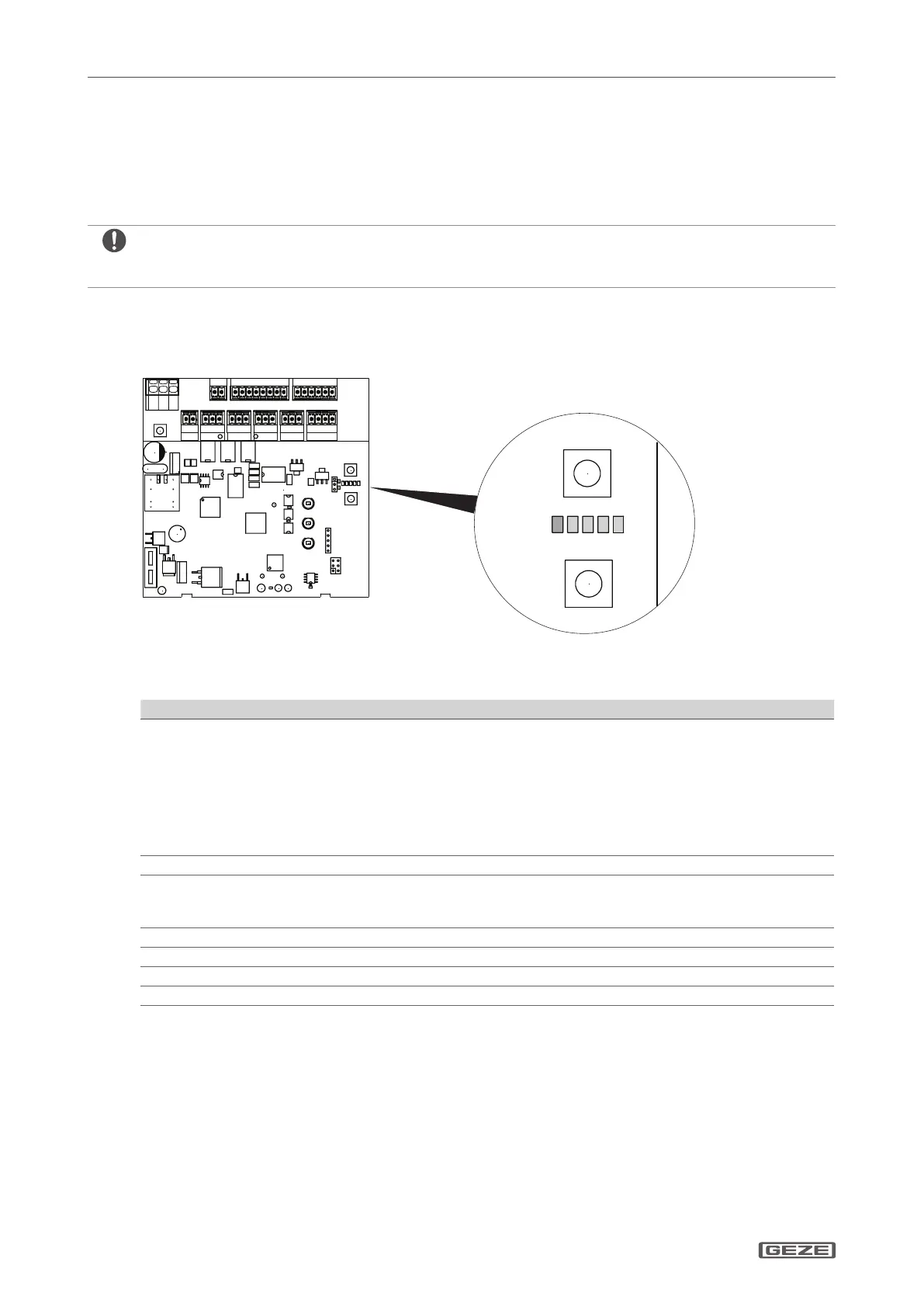
6.1.1 Layout of the Service buttons and Service LEDs
LED 1–4 = green
LED 5 = red
6.1.2 Service buttons S1 and S2
Function Input and reaction
Calling up/exiting the parameter menu
X
Press the buttons S1 and S2 simultaneously for longer
than 2 s.
LED 5 ashes slowly in the parameter menu in accordance
with the selected parameter level:
à Level 1: 1 pulse + 1 s pause
à Level 2: 2 pulses + 1 s pause
à Level 3: 3 pulses + 1 s pause
LED 1 to LED 4 indicate the parameter.
Selecting the parameter
X
Press the button S2 (+) or button S1 (–) briey.
Changing to the value setting
X
Keep the button S1 pressed longer than 2 s.
In the value menu LED 5 is o LED 1 to LED 4 shown the
value in accordance with the value table.
Changing the value
X
Press the button S2 (+) or button S1 (–) briey.
Conrming the value
X
Press the button S1 longer than 2 s.
Exiting the value setting function without a value change
X
Press the button S2 longer than 2 s.
Resetting the value to the factory settings
X
Set Parameter 44 (factory settings) to 01.


 To Next Page