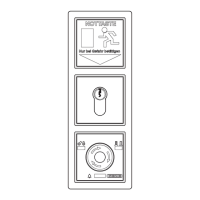
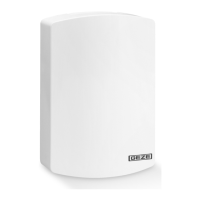
Staircase control unit THZ
45
Commissioning
6.1.3 Meaning of the Service LED signals
Symbol LED
○
O
●
On
*
1 ashing pulse + 1 s pause
* *
2 ashing pulses + 1 s pause
* * *
3 ashing pulses + 1 s pause
*
LED ashes rapidly (10 times per s)
×
LED state not dened
6.1.4 Parameter assignment
Values in bold font are default settings.
No. 5 4 3 2 1 Parameter Value
1
*
○ ○ ○ ●
Error memory. Display of the last
error messages (max. 15)
● ○ ○ ○ ○ Delete all current error messages
*
× × × × Error code see error messages, Chapter 6.2.2
2
*
○ ○ ● ○
Event memory. Display of the last
operating state messages
(max. 15)
● ○ ○ ○ ○ Delete all current messages
○ × × × × Alarms see operating states, Chapter 6.2.1
*
× × × × Error code see error messages, Chapter 6.2.2
3
*
○ ○ ● ●
Display and reset maintenance
interval
00 Maintenance interval expired or inactive
01 Maintenance interval still runs 6 months
02 Maintenance interval still runs 9 months
03 Maintenance interval still runs 12 months
4
*
○ ● ○ ○
Vent switch function 00 No vent switch
01 Latching. Stop with opposite button
02 Latching. Stop with same button
03 Dead-man function at CLOSE and OPEN
5
*
○ ● ○ ●
OPEN operation limitation in
ventilation mode
00 s … 300 s … 720 s Operation time in s
6
*
○ ● ● ○
Automatic step control 00 Deactivated
01 s … 120 s step time in s for running direction OPEN
7
*
○ ● ● ●
Ventilation period limitation 00 o
01 min … 720 min Ventilation period in minutes
8
*
● ○ ○ ○
Alarm direction for RWA switch 01 At alarm OPEN all windows
02 At alarm CLOSE all windows *)
9
*
● ○ ○ ●
Alarm direction for smoke alarm 01 At alarm OPEN all windows
02 At alarm CLOSE all windows *)
10
*
● ○ ● ○
Alarm direction for BMZ input 01 At alarm OPEN all windows
02 At alarm CLOSE all windows *)
11
*
● ○ ● ●
Behaviour at fault in message line 00 Only display of the fault
01 Open all windows at fault
02 Close all windows at fault
12
*
● ● ○ ○
Behaviour at fault in motor line 00 Only display of the fault
01 Open all windows at fault
02 Close all windows at fault
13
*
● ● ○ ●
Behaviour at fault power failure 00 Only display of the fault
01 Open all windows at power failure
02 Close all windows at power failure
*) When the CLOSE/Reset button in the RWA switch is
pressed, the windows also CLOSE


 To Next Page