9
CHAPTER3‐KillDryFunction
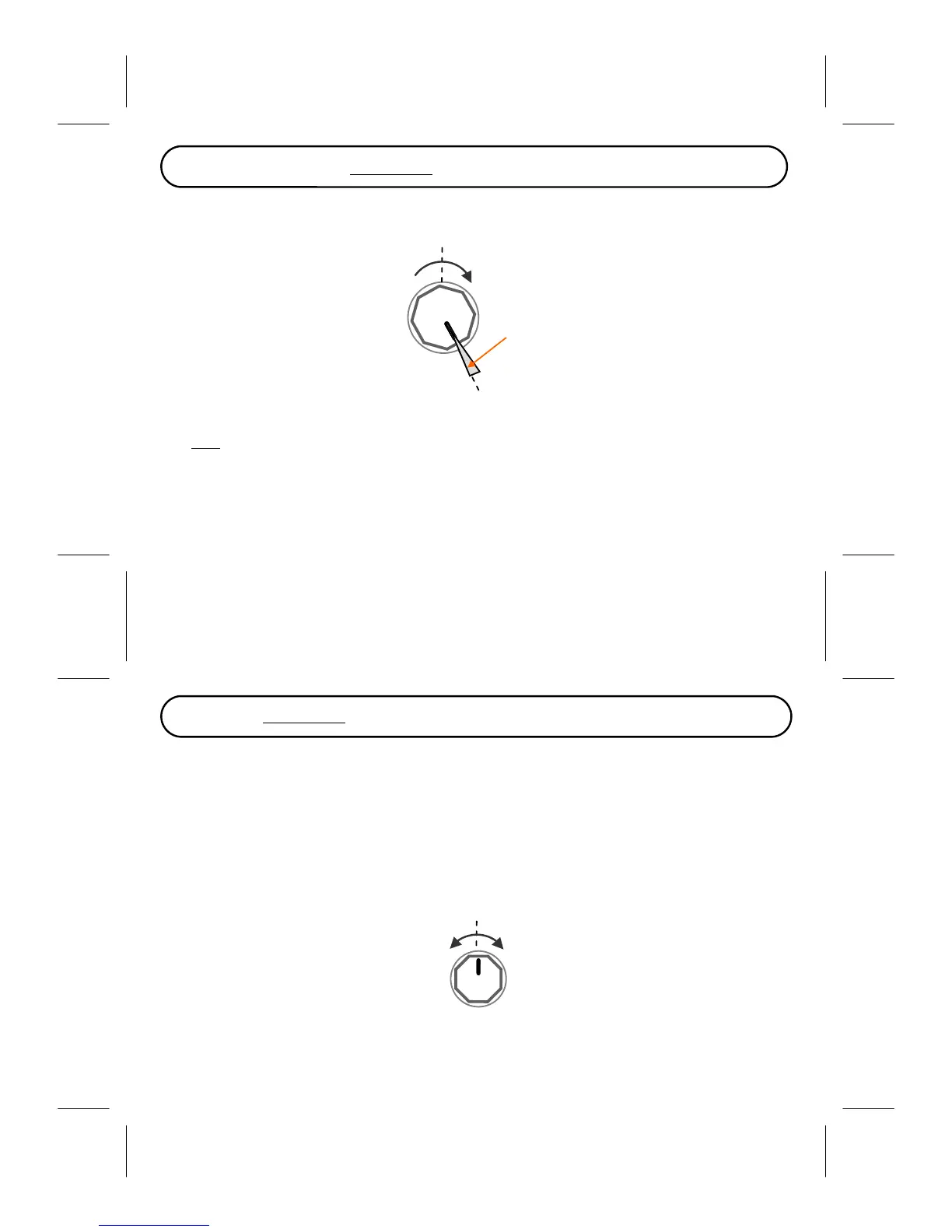
Kill‐Dry function is activated by turning the BLEND knob all the way to maximum value (clockwise
direction).
Kill‐Dryarea
Max
Note:Thisisnotapermanentkill‐dryfunction,itisactiveonlywhenthepedalisengaged‐the
drysignalwillbebackonwhenyoubypassthepedal
10
CHAPTER4‐AssigningParametersforExpressionControl
Youcanassignupto4parameterstobecontrolledbytheexpressionpedal,andtheseassignmentscanbe
specifiedonper‐presetbasis.YoucanmakechangestotheassignmentintheEDITmode.
EnteringEDITmode:Pressandhold[Mode/Edit].
WhentheModesLEDstartsblinkingthepedalhasenteredEDITmodewhereyoucanmakechanges
totheparameterassignment.
InEDITmodethefourknobsactlikeswitches,turningtheknobstoanywhereabovethe12o’clockdirec‐
tion assigns that knob for expression control, and turning the knobs to anywhere below the 12 o’clock
directiondisablesexpressioncontrolonthatknob.
ParameterNOTassigned
toexpressioncontrol
Parameterassigned
toexpressioncontrol
forexampleyouwanttoassigntheexpressionpedaltocontrolthe Blend and Paramparameter:inEDIT
modeturntheBlend andParamknobstoanywhereabovethe12o’clockdirectionand turnalltheother
knobstoanywherebelowthe12o’clockdirection.



 To Next Page