3031 Schüttelinkubator
Shaking Incubator
Seite / Page 18 Rev.02 vom / dated 31.03.2014
5.3 Incubation time
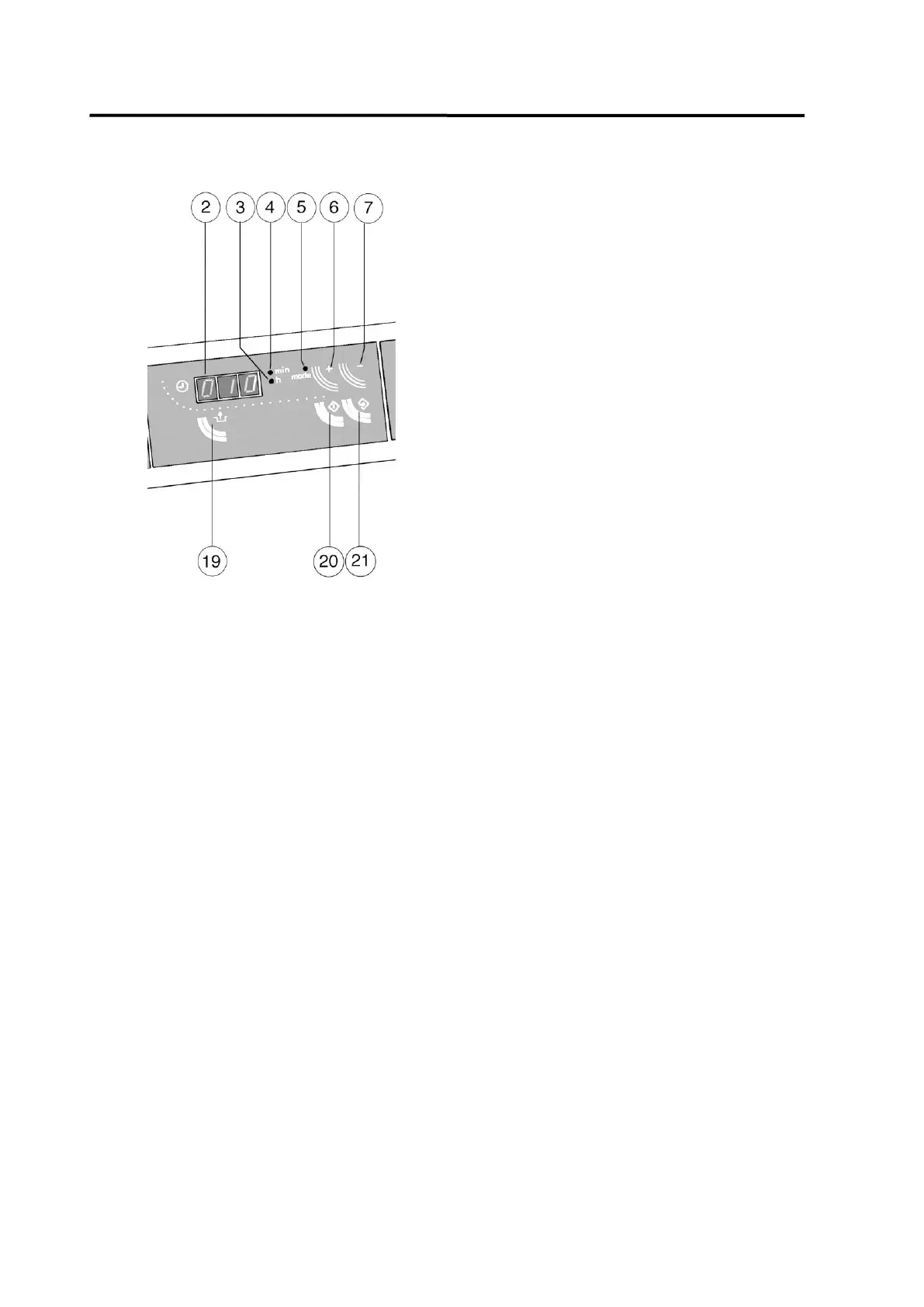
Press key 20 of the keypad to switch the
timer to entry mode.
The display begins to flash and pilot lamp 4
glows (display in minutes). The required
incubation time can now by set by pressing
keys 6(+) and 7(-) (max. 59 minutes).
Press key 21 to confirm the set minutes.
The entry mode then switches to entry of set
hours. Pilot lamp 3 glows. Use keys 6(+) und
7(-) to set the required incubation time in
hours (max. 999 hours). Press key 21 to
confirm the set hours.
The timer is now activated, the set incubation time starts to run down.
After activation of the timer the set incubation time can only be interrupted or altered
by switching the Shaking Incubator off with the main switch.
The currently remaining running time is shown in the display. If the remaining running time is
more than one hour, pilot lamp 3 glows. The time is displayed in hours. If the remaining
running time is less than one hour, pilot lamp 4 glows. The time is displayed in minutes.
While the incubation time is running down, press key 6 to choose between display of the
remaining running time and the set total running time. When display of the total running time
is chosen, pilot lamp 5 glows. It is, however, not possible to influence the running time of the
timer.
Approx 30 seconds after the last entry, the digital timer switches back to normal operation
mode.
Expiry of the set incubation time is signalled by a continuous acoustic alarm. Press key 19
to switch off the alarm signal.
The timer merely triggers the alarm signal; the unit is not switched off automatically.


 To Next Page