3031 Schüttelinkubator
Shaking Incubator
Seite / Page 20 Rev.02 vom / dated 31.03.2014
5.5 Shaking frequency
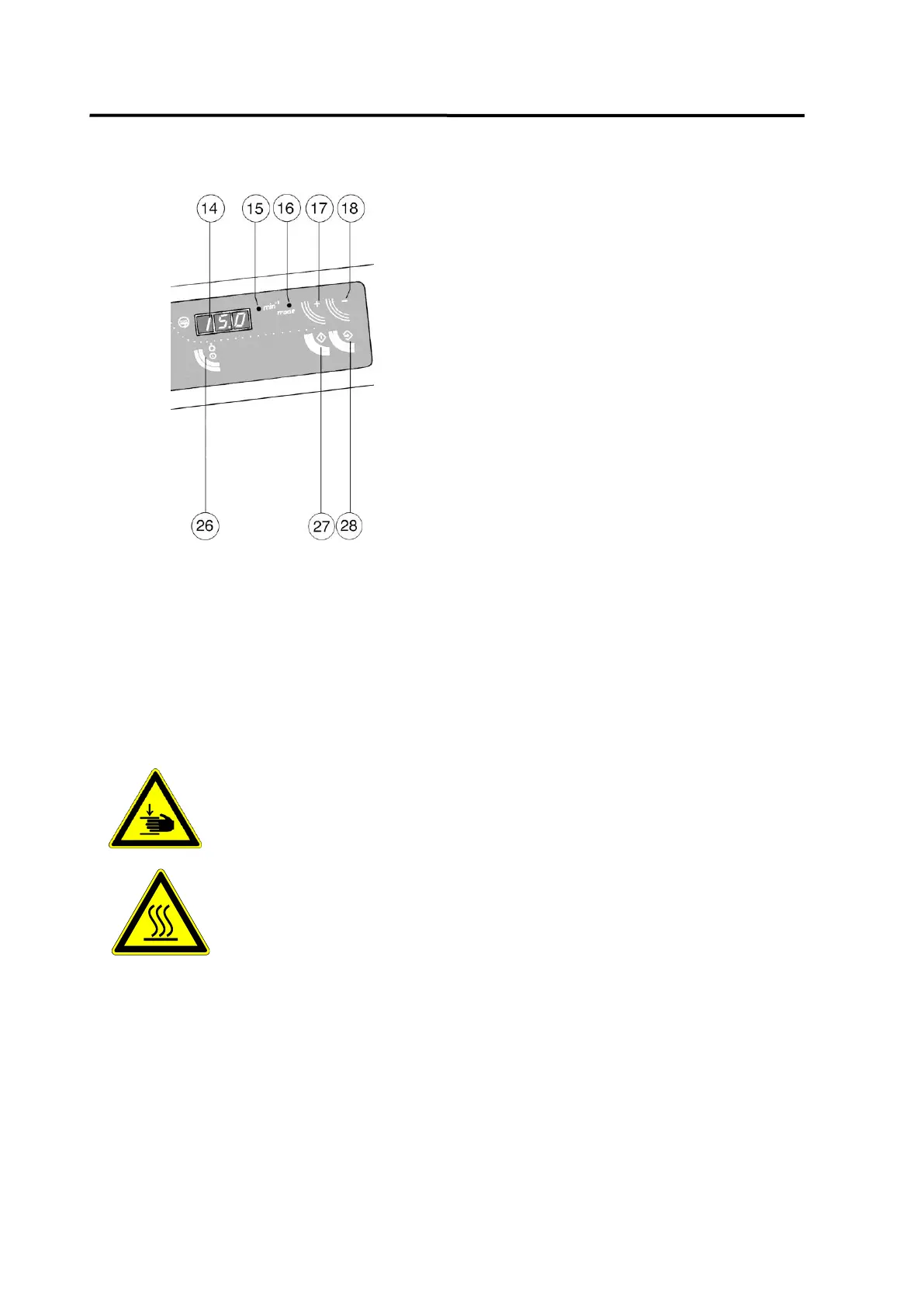
Press key 26 to switch the shaking movement
on and off.
When the shaking movement is switched on,
it After switching on the shaking device, the
incubator starts shaking with the last set
shaking frequency. Pilot lamp 15 glows,
display 14 shows the actual shaking
frequency.
In order to reset the shaking frequency, first
press key 17 and then 27. Pilot lamp 16
glows, the display flashes and shows the set
shaking frequency. Use keys 17 (+) and 18 (-)
to reset the displayed value.
Press key 28 to confirm the new set value.
Even when the shaking device is switched off, the set shaking frequency can be read by
pressing key 17 (pilot lamp 15 glows = set frequency). It can be reset as described above.
Approx 30 seconds after the last entry the incubator automatically switches back to operation
mode (shaking device on or off).
To switch off the shaking device press key 26. The shaking frequency is cut off slowly, the
operation panel is switched off.
When the incubator's lid is opened, the lid control switch reduces the
shaking frequency to zero.
Caution,
do not reach into the Shaking Incubator before
the shaking frequency has ceased altogether.
Caution,
the temperature in the incubator's interior may rise
up to 70°C during operation.
Danger of burns!
After closing the lid, the incubator continues to operate with the preset
temperature and shaking frequency.


 To Next Page