36
PULLTOOPEN
©Ghost Controls 2018
PROGRAMMING THE CLOSED LIMIT FOR A PULLTO
OPEN INSTALLATION
This is the most common installation. The CLOSED limit is when the operator is extended and the gate is in the closed
position.
IMPORTANT
ONLY THE OPERATOR ARMS’ EXTENDED LIMIT IS ADJUSTABLE AND CAN BE SET WITH THE CONTROL
BOARD. THE ARMS’ RETRACTED POSITION IS FIXED AND IS NOT ELECTRONICALLY ADJUSTABLE.
THE OPEN POSITION IS SET BY HARDWARE MOUNTING ONLY. Please refer to the hardware installation to
make sure the retracted position is properly set/installed.
Installation Type Retracted Position Extended Position
Pull-To-Open Gate at the fully OPEN position (not
electronically adjustable)
Gate at the CLOSED position (elec-
tronically adjustable)
TURN THE CONTROL BOX ON
STEP 15. Setting the closed limit
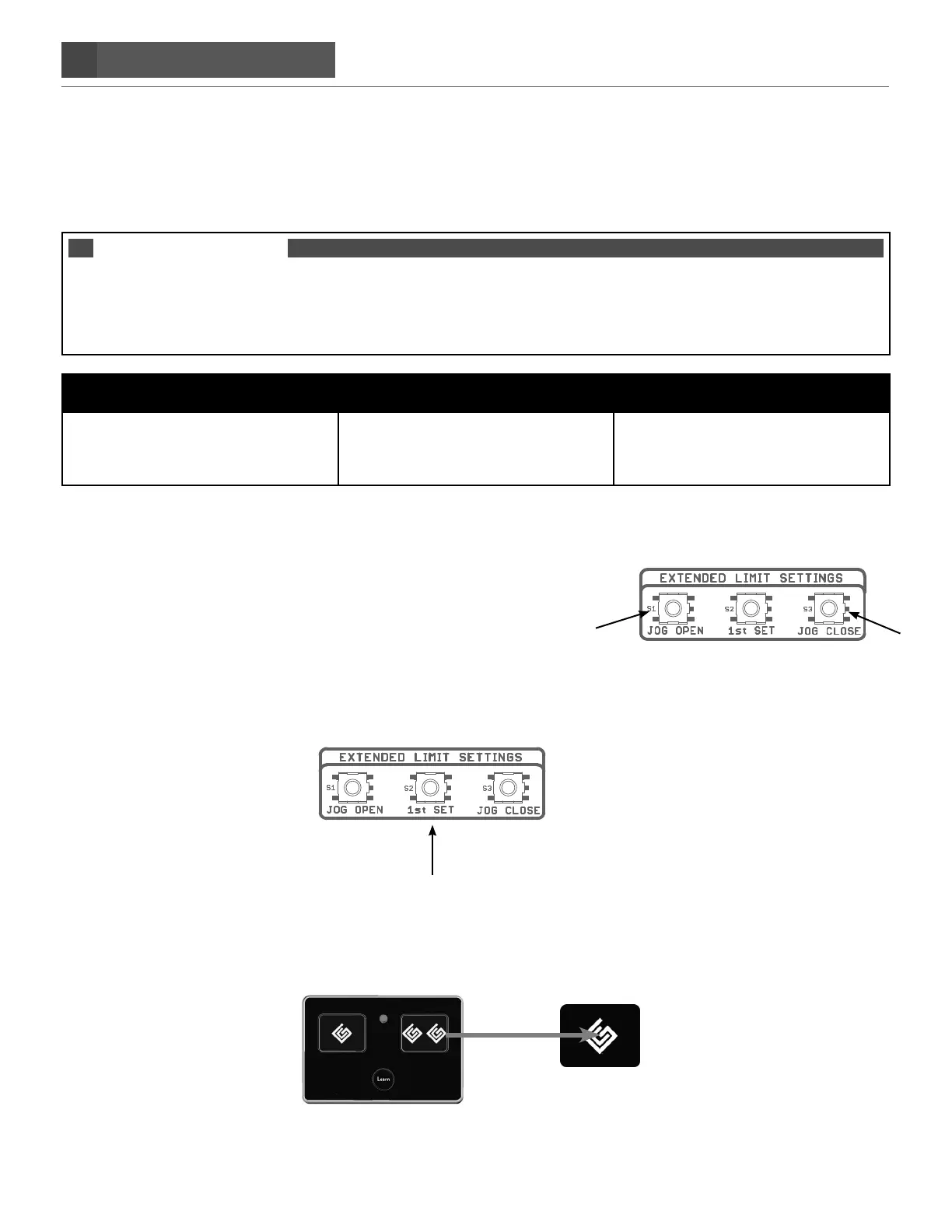
A. Press and hold the JOG CLOSE button on the gate system control
board until the gate reaches the desired closed position. The gate
can move only if pressure is maintained. Releasing the JOG
button will stop the gate immediately.
B. Both JOG OPEN or JOG CLOSE buttons are needed to ‘fine’ tune your desired CLOSED position.
STEP 16. Press and hold the 1st set limit button on the control panel until it beeps, then release
STEP 17. Press the transmitter button to activate the gate and let the gate open fully. You should
hear a single beep.
When the gate reaches its OPEN position, the control board will sound a single beep, confirming the CLOSED limit has
been set.


 To Next Page