21
Gratitude ……………………………………………………………………………
About the product …………………………………………………
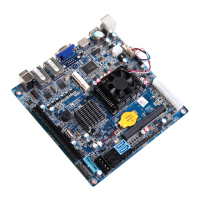
1. Picture of the motherboard ………………………………………………
2. Features ……………………………………………………………………
2.1 Processor ………………………………………………………………
2.2 Memory …………………………………………………………………
2.3 BIOS ……………………………………………………………………
2.4 Interfaces of peripherals ………………………………………………
2.5 Power management …………………………………………………
2.6 Expansion slot …………………………………………………………
Hardware installation ……………………………………………… …
1. Layout of motherboard ……………………………………………………
2. Installing memory …………………………………………………………
3. Install expansion slot card ………………………………………………
4. Motherboard jumper setting ………………………………………………
4.1 SATA0/SATA1 …………………………………………………………
4.2 CPU_FAN1SYS_FAN ………………………………………………
4.3 CLR_CMOS ……………………………………………………………
4.4 F_USB2 ………………………………………………………
4.5 F_AUDIO ………………………………………………………… …
4.6 COM 2-6 Needle inserted definition …………………………………
4.7 JLVDS ……………………………………………………………… …
4.8 GPIO ………………………………………………………………
I ……………
II …………
…
………
…
…
……
4.9 VGA out …………………………………………………………
4.10 PS/2 out ……………………………………………………………
4.11 AUTOPW_ON …………………………………………………………
Pin
Pin
Contents
BIOS setting ………………………… …………………………
1. Main menu …………………………………………………………………
2. Main (Standard CMOS Setup) …………………………………………
3. Advanced (Advanced BIOS Setup) ……………………………………
4. Boot Configuration ……………………… ……………………………
5. Security setup ………………… …………………………………………
6. Exit ……………………………………………………… ………
Software installation ………… ……………………………………
1. Install driver for motherboard ……………………………………………
1.1 Install driver for chipset ………………………………………………
1.2 Install sound card driver ………………………………………………
1.3 Install driver for on-board LAN chip …………………………………
2. HD_AUDIO sound card setup ………………………………………
4.12 Power ATX20 Pin ……………………………………………………
4.13 F_ PANEL ……………………………………………………………
5. Rear panel interface ………………………………………………………
I II ……………
……
…
……………
IV …………
……
3
4
5
5
5
5
5
6
7
8
11
11
11
12
16
15
13
17
19
20
21
22
23
4
6
6
33
33
35
www.giadatech.com
2 4
2 6
27
37
28
30
32
20
21
38
10
28
36



 To Next Page