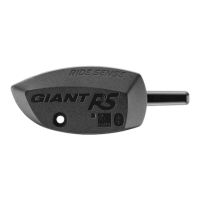
Reset RIDESENSE
Method 1: Remove the battery, wait 30 seconds before inserting it back,
the RIDESENSE is now reset.
Method 2: Press and hold the RESET button for 12 seconds and wait for
the red and yellow indicator to light up once respectively, the RIDESENSE
is now reset.
Notes:
1. The sensor may be used in rainy day but not under water. DO NOT clean it with
high-pressure water jet.
2. Please check distance between the sensor and its magnets regularly.
3. DO NOT clean the sensor with inferior chemical cleaners.
4. Be careful about your biking safety.
Warranty statement
1. GIANT shall warrant your RIDESENSE for 2 years after its purchase date.
During this warranty period the GIANT authorized dealer shall offer
comprehensive after service for damages under normal operation according to
the user manual and determined to be caused by poor product quality.
2. If problem of your product persists after taking troubleshooting measures
given in the user manual, please present your purchase receipt, complete set of
RIDESENSE, and the meter to any GIANT dealer for inspection and warranty
service.
Conditions that may void your product warranty:
Modifying your product or its accessories.
Using your product for purposes not intended for its design.
Damages caused by failure to use this product according to instructions given in
this manual.
Additional costs derived from product failure.
Your warranty period or terms may vary with local regulations. The warranty
provided does not affect your statutory rights under applicable legislation in force.


 To Next Page