USER AND INSTALLATION MANUAL
46
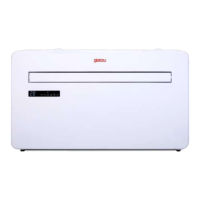
MONOBLOCK IKALA
The air conditioner has two different setup modes, Quick Connection and AP connection (Access Point).
The quick connection is a quick and simple way to set the unit up. The AP connection uses a direct local
WIFI connection between your phone and the air conditioner to upload the network details.
In Standby mode press and hold the speed button for 3 seconds (until you hear a bleep) to enter the WiFi
connection mode.
Please ensure your device is in the correct WiFi connection mode for the connection type you are attempting,
theashingoftheWiFilightonyourairconditionerwillindicatethis.
Connection Type Frequency of Flashes
Quick Connection Flashes twice per second
AP Connection (Access Point) Flashes once per three seconds
CHANGING BETWEEN CONNECTION TYPES
To change the unit between the two WiFi connection modes, hold the Speed button for 3 seconds.
5. CONNECTION METHODS AVAILABLE FOR SETUP
Press on the register
button at the bottom of
the screen.
Read the Privacy policy and press the
Agree Button.
Enter your email address or phone
number and press continue to
register.


 To Next Page