Firebird X and Pedal Pairing with Bluetooth
Firebird X and Pedal Pairing with Bluetooth
If you switch guitars or replace some system component, re-pairing may be necessary.
1. Set up the Pedalboard and Switchboard as described previously in steps 1-5 of Setting Up
the Pedals for Firebird X on pages 19 and 20 (linked, AC power connected, and antennas
up). However, they should not be powered-on.
2. Turn on the Firebird X by pulling up on the Gear Shift knob.
3. Set the silver tog-pot upward to the PU/Prog setting and within one second, push down
on the Digital Varitone knob until the Gear Shift lights turn red.
4. Turn the Gear Shift to the B position (i.e., the B LED on the outer rim is lit). The inside of
the Gear Shift will cycle through the four characters of the guitar’s Bluetooth ID (e.g.,
09P3). Note this ID.
5. Power-up the Pedalboard by pressing down on the pedal until it clicks, and holding the
pedal down until the display lights.
6. Power-up the Switchboard by pressing on the Upper Left footswitch.
7. Simultaneously press and hold the Pedalboard’s Upper Left and Upper Right footswitches
for at least three seconds.
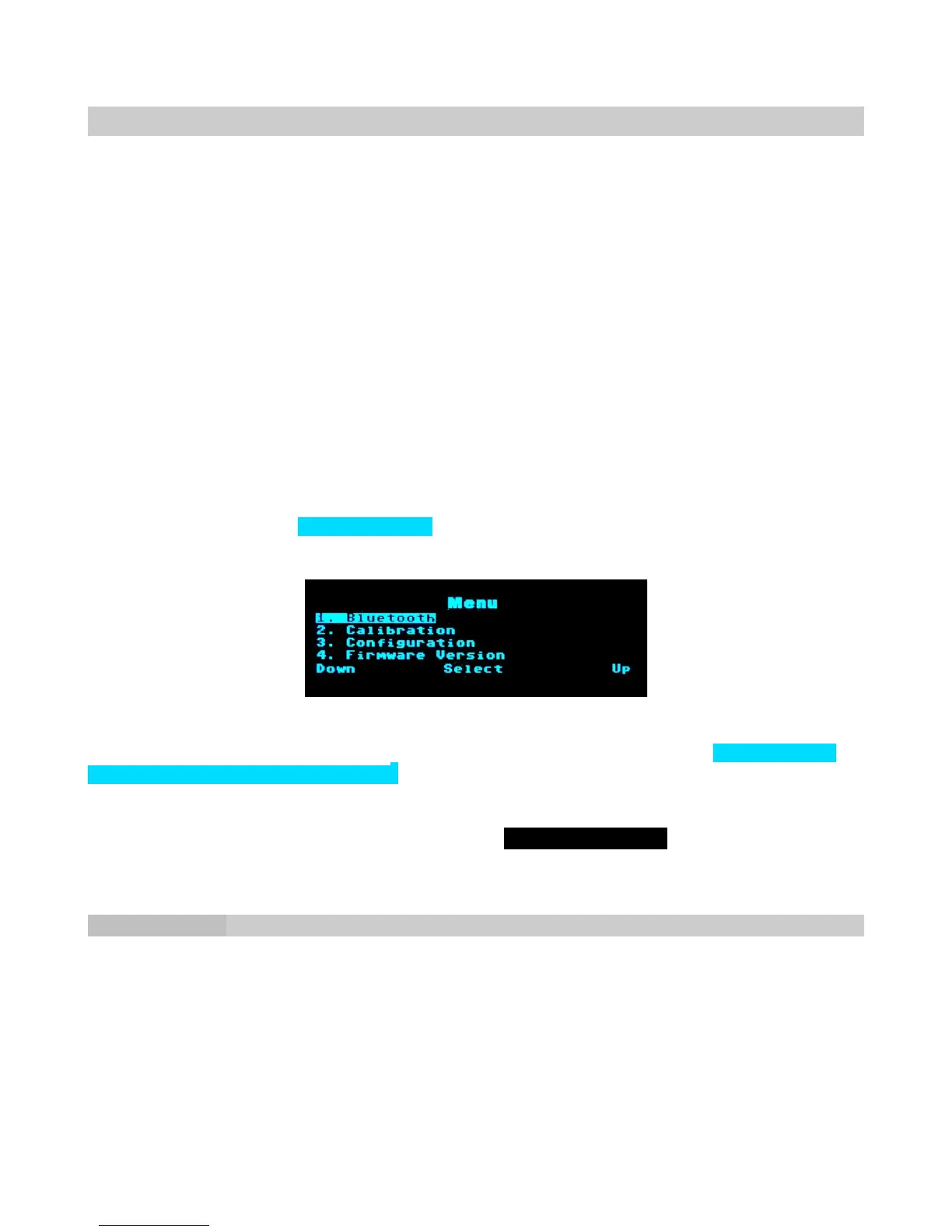
8. A menu appears, with 1. Bluetooth highlighted. Press the Upper Middle footswitch
button to select this option.
9. Press the Upper Right footswitch to start the Bluetooth scanning process.
10. When scanning ends, another menu appears. The third option will say 3. Firebird
[your guitar’s Bluetooth ID]. Click on the Upper Left footswitch twice to scroll
down and highlight the third option. Once it’s highlighted, press on the Upper Middle
footswitch to select it.
11. Pairing begins. When the Pedalboard finishes Receiving config..., pairing is complete.
12. Return the Firebird X silver tog-pot to its center position.
Delete a Pairing
To pair to a different Firebird X, first “unpair,” then re-pair to the new Bluetooth ID.
1. Follow steps 1-8 for pairing.
2. Press the Pedalboard’s Upper Right footswitch to Delete the pairing entry.
3. The display indicates pairing is being deleted.
4. To pair with the new Bluetooth ID, follow steps 8-12 for pairing.
Page 27



 To Next Page