21 | P a g e
Capo Mode
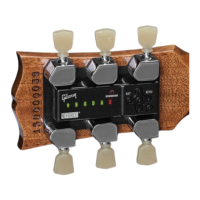
Adding a capo often requires retuning a guitar. Gibson G FORCE can detect a capo in the range of the
1
st
to 6
th
frets, then tune while taking the capo position into account. Yes, this is amazing.
Enter Capo Mode
1. Capo Mode applies to the last completed tuning. Select and tune to a tuning preset prior to
entering Capo Mode.
2. Once Gibson G FORCE has turned off, attach your capo on the 1
st
to 6
th
frets.
3. Press On twice. Press and hold the Left button. Green LEDs light sequentially = capo mode is
active.
4. Press Enter and strum to tune your guitar. Gibson G FORCE briefly indicates capo detection; the
number of lit LEDs indicates the capo’s location. Example: Two lit LEDs = capo at
second fret. Then tuning proceeds as usual. Note: Whenever you tune in capo mode, Gibson G
FORCE first indicates capo location by the number of lit LEDs.
5. If any string LEDs aren’t green, pluck those strings. Gibson G FORCE turns off automatically once
tuning is complete.
Exit Capo Mode: Two Options
Remove the capo. Next time you tune, as soon as you strum Gibson G FORCE will detect there is
no capo, red LEDs will flash sequentially to turn off Capo Mode, and Gibson G FORCE will
confirm there is no capo by briefly shining all blue LEDs. Continue with tuning.
If you don’t want to retune after removing the capo, starting with Gibson G FORCE off, follow
steps 3 and 4 above. Red LEDs will light sequentially instead of green ones to indicate exiting
from Capo Mode. Press and hold On to power down Gibson G FORCE. Remove the capo.


 To Next Page