27 | P a g e
Appendix 4
Changing/Charging the Gibson G FORCE™ Battery
A new or infrequently used battery could have a reduced capacity, and need recharging several times to
restore full capacity. When the battery level is low, the Gibson G FORCE BAT LED located on the
controller flashes red.
Caution!
Do not connect improperly.
Do not dispose of in fire or expose to excess heat.
Do not crush, puncture, incinerate or short circuit the external contacts.
Do not put the battery in a pocket with metal objects (keys, coins, etc.).
Never force the battery into the guitar’s battery slot. It should slide in easily (see page 9).
Charging
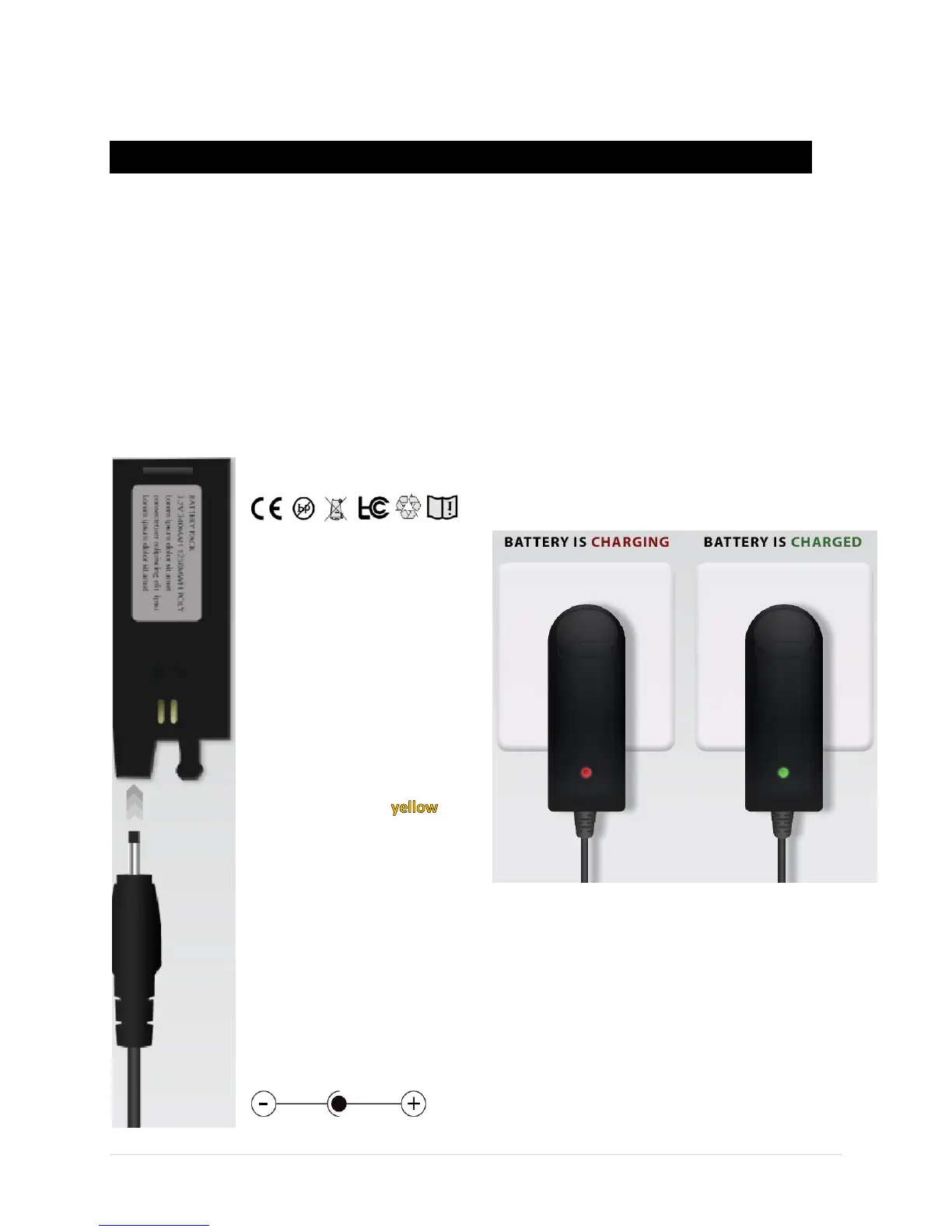
Use only the charger
supplied with your guitar. Other
chargers could damage the
battery, the charger, or both.
The charger’s LED shines
red when charging, and green
when the battery is charged.
Charge the battery when
the BAT LED on the controller
shines red, or when to
maintain a full charge.
Battery Pack
3.7V 340mAh 1258mWh Li-Polymer
Li-Polymer Charger
Input 100-240V AC 50/60HZ
Output 4.2V – 300mA
Charger tip polarity:


 To Next Page