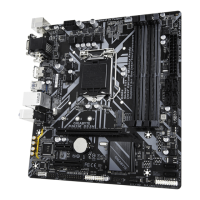
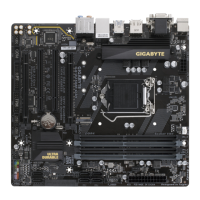
Dual Channel Memory Confguration
This motherboard provides our memory sockets and supports Dual Channel Technology. Ater the memory
is installed, the BIOS will automatically detect the specications and capacity o the memory. Enabling Dual
Channel memory mode will double the original memory bandwidth.
The our memory sockets are divided into two channels and each channel has two memory sockets as ollowing:
Channel A: DDR4_A1, DDR4_A2
Channel B: DDR4_B1, DDR4_B2
2-4 Installing the Memory
Read the ollowing guidelines beore you begin to install the memory:
• Make sure that the motherboard supports the memory. It is recommended that memory o the same
capacity, brand, speed, and chips be used. (Go to GIGABYTE's website or the latest supported
memory speeds and memory modules.)
• Always turn o the computer and unplug the power cord rom the power outlet beore installing the
memory to prevent hardware damage.
• Memory modules have a oolproo design. A memory module can be installed in only one direction.
I you are unable to insert the memory, switch the direction.
* Recommended Dual Channel Memory Conguration:
DDR4_A1 DDR4_A2 DDR4_B1 DDR4_B2
2 Modules - - DS/SS - - DS/SS
4 Modules DS/SS DS/SS DS/SS DS/SS
(SS=Single-Sided, DS=Double-Sided, "- -"=No Memory)
Due to CPU limitations, read the ollowing guidelines beore installing the memory in Dual Channel mode.
1. Dual Channel mode cannot be enabled i only one memory module is installed.
2. When enabling Dual Channel mode with two or our memory modules, it is recommended that memory o
the same capacity, brand, speed, and chips be used.
When installing a single memory module, we recommend that you install it in the DDR4_A2
or DDR4_B2 socket.
DDR4_A1
DDR4_A2
DDR4_B1
DDR4_B2
- 10 -


 To Next Page
 Loading...