GD-Link Adapter User Guide
16
the idle state of offline programming, the START signal line receives a low-level signal of
100ms and then a pragramming can be started.
4. Programming in IDE
4.1. In Keil (Version 5.26 above) for programming
Power on and connect GD-Link adapter with target board via JTAG/SWD interface.
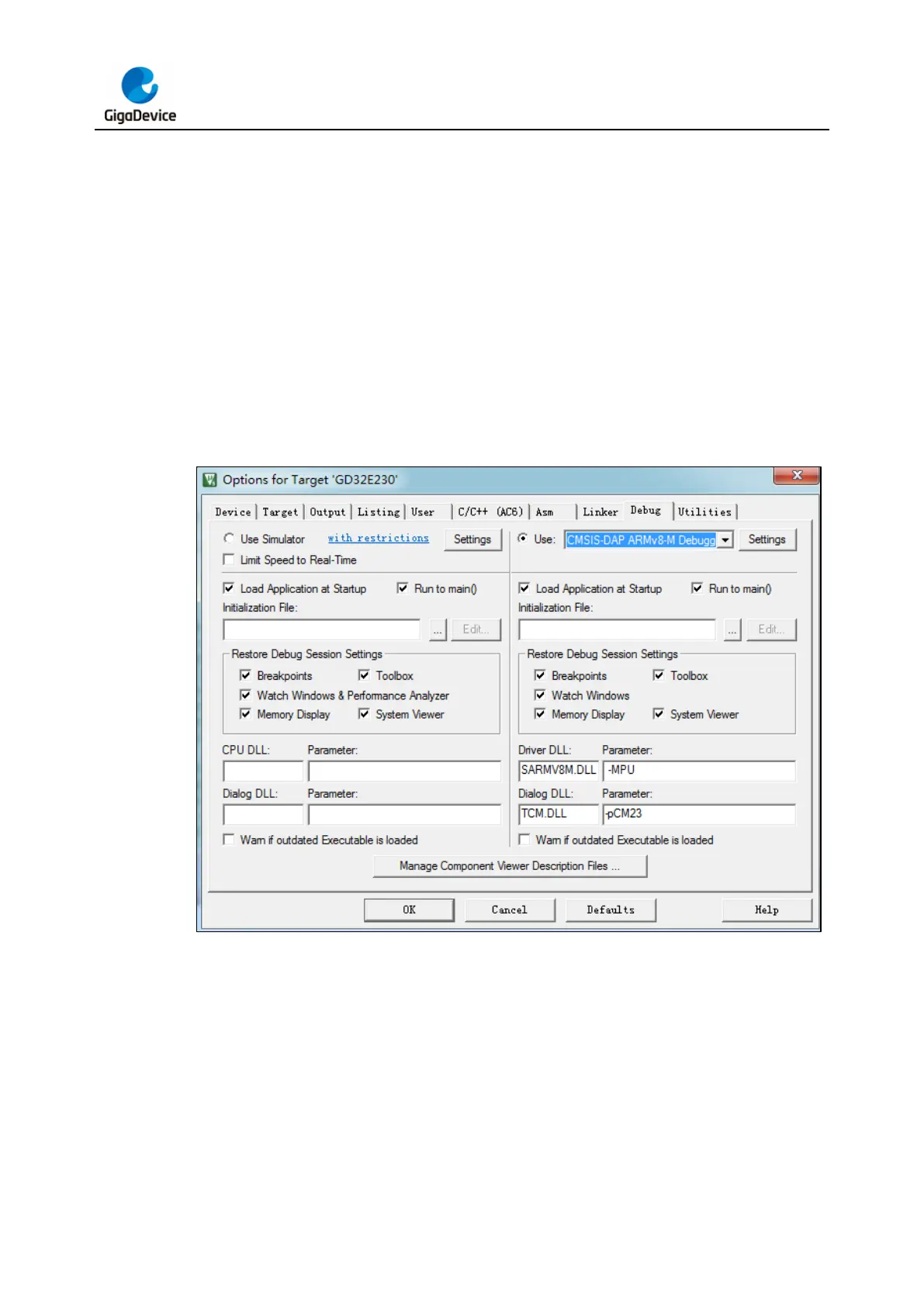
Select “CMSIS-DAP Debugger” or “CMSIS-DAP ARMv8-M Debugger” in “Configure Flash
Tools” Tools menu.
Figure 4-1. Debug settings in Keil
Click “Settings” command button, select “JTAG” or “SWD” port.



 To Next Page