GD-Link Adapter User Guide
8
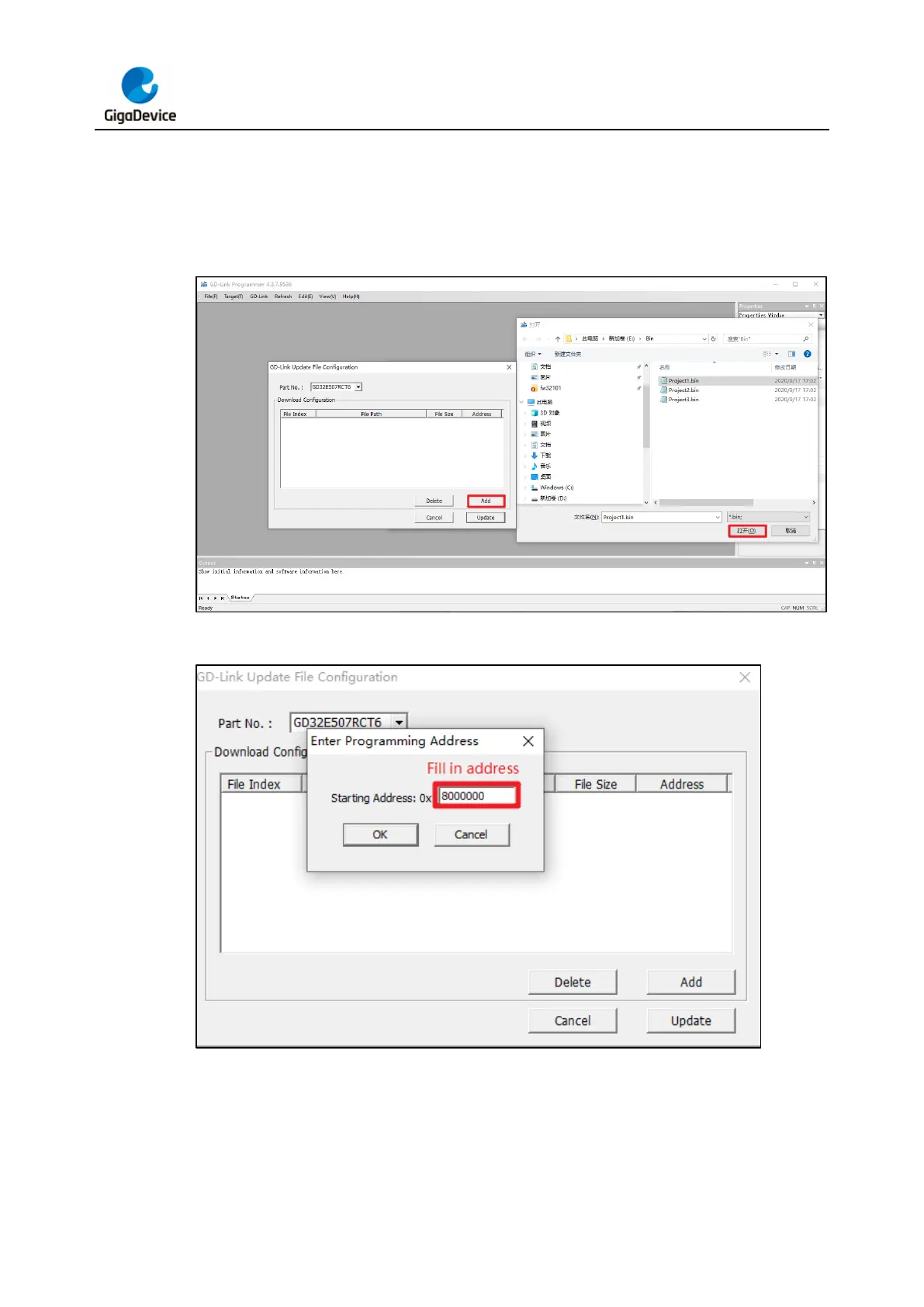
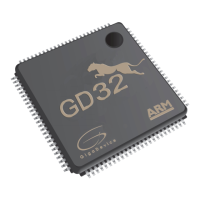
Next, click “Add” label and load the bin file, fill in the address of the target mcu to be
downloaded in the pop-up interface box. In this process, user can add multiple bin files
(supports up to eight files) at the same time and download them to different address ranges
of the target MCU.
Figure 3-3. Load the bin file
Figure 3-4. Fill in the address
If the MCU selection is the GD32W515 series chip, it will also support option bytes
configuration. The user can configure the option bytes of the target MCU through this interface.
If the configuration is completed, click “OK” lable.



 To Next Page