GD-Link Adapter User Guide
7
Link is powered on normally. LED2 will flash faster when GD-Link communication with PC
correctly, and GD-Link will be enumerated as HID by PC, it indicates that GD-Link is working
normally.
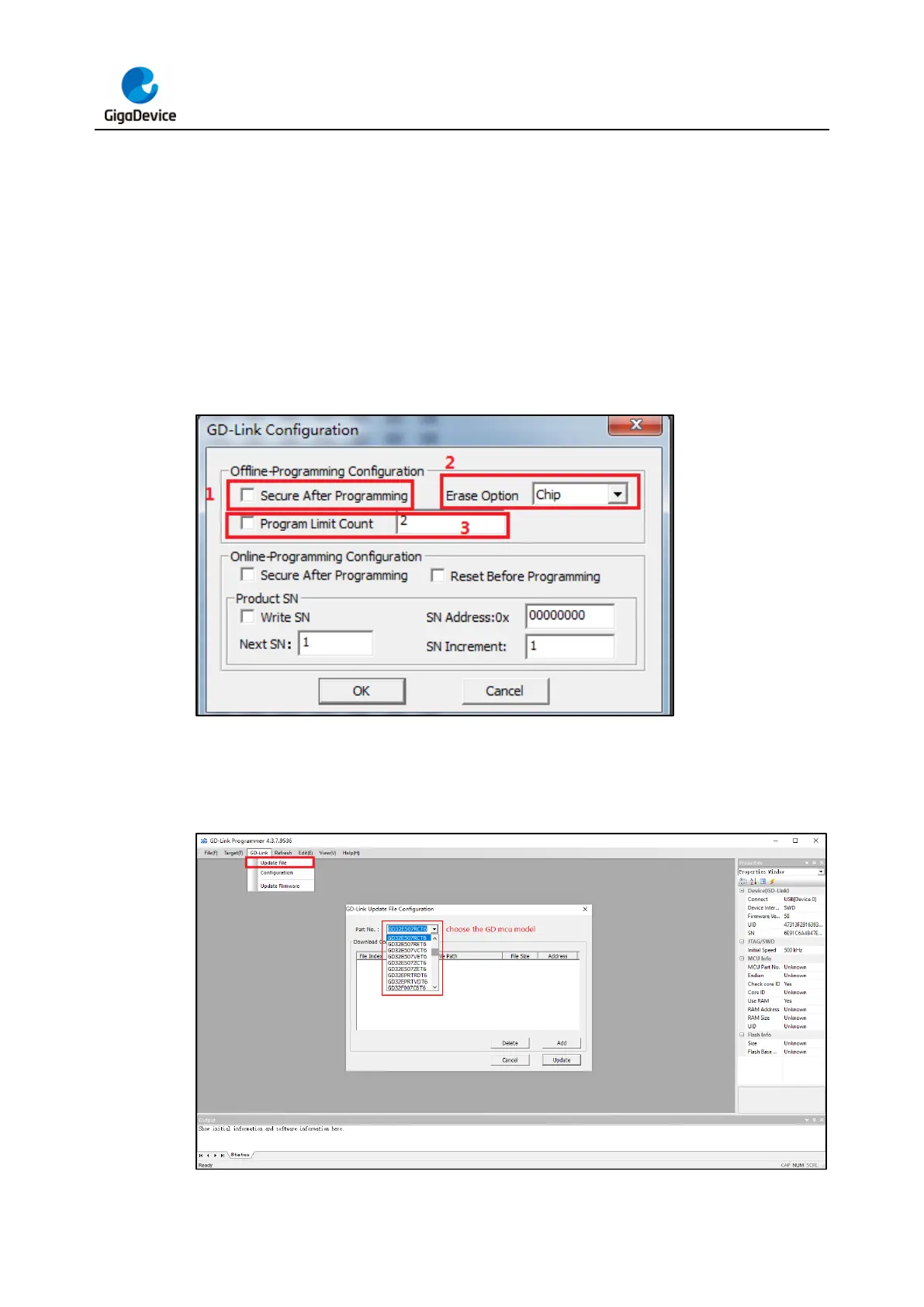
First configure the offline download file, open GD-Link Programmer software, click tool menu
“GD-Link->Configuration”.
1. Configure whether to add read protection to the target chip after downloading code.
2. Select erase mode, page erase or chip erase.
3. Set the maximum number of programming.
Figure 3-1. GD-Link adapter offline download configuration
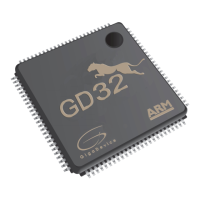
Then select the file to download, click tool menu “GD-Link->Upadata file”, and choose a
specific GD MCU model.
Figure 3-2. Choose the GD MCU model



 To Next Page