14
Using the directory and other lists
Gigaset A2 / gb / A31008-A002-B001-1-6Z19 / directories.fm / 23.07.2003
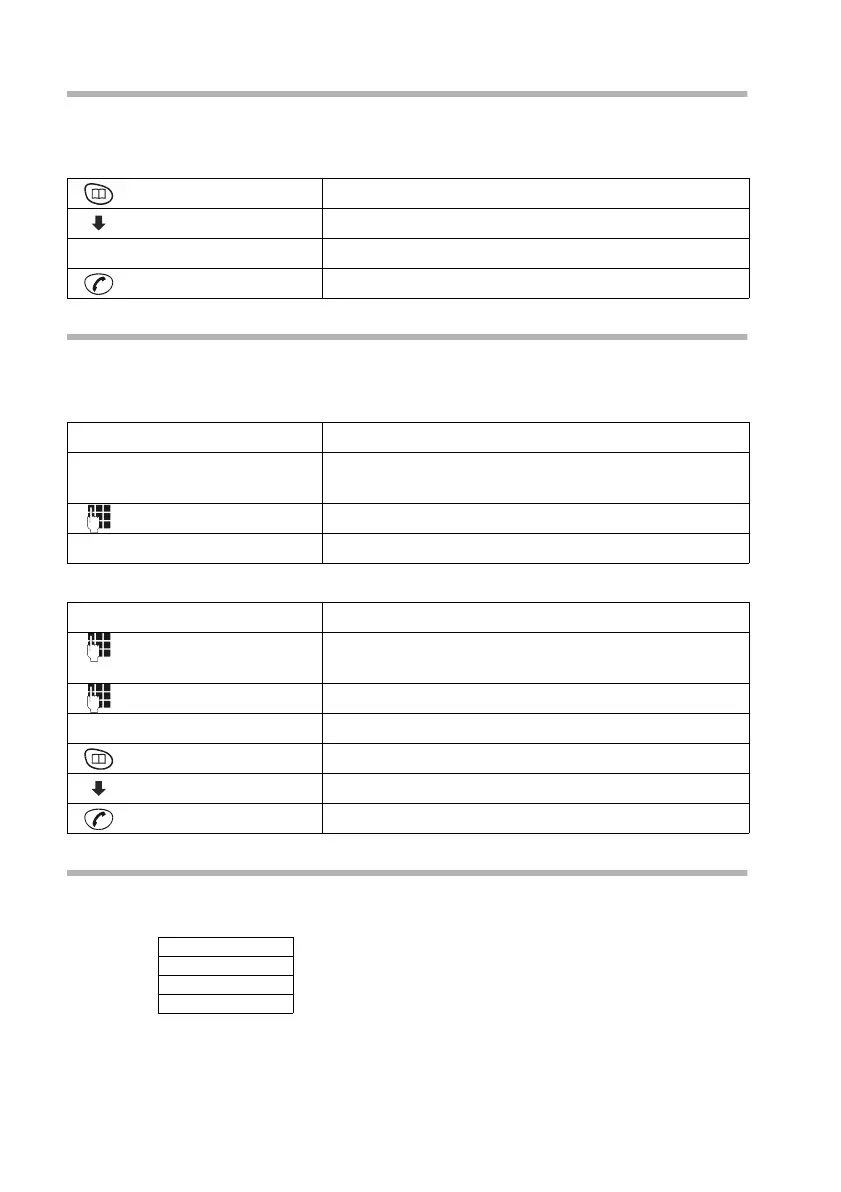
Using Call-by-Call numbers
The prefix number of a network provider (which is stored in the speed dial list) is put in
front of the phone number ("linked").
C
CC
C ¢ MENU ¢ EDIT ENTRY
Saving speed dial numbers for fast access
You can save eight numbers (2-9) in the speed dial list for fast access. First enter the
digits for fast access, and then the names.
C
CC
C ¢ MENU ¢ SHOW ENTRY
In order to use speed dialling:
Managing entries in the directory and in the speed dial list
Open the directory h or speed dial list C;sselect entry; confirm with OK;select the
desired function:
Open the directory.
[______ ___] [_____]
OK
Select phone number and confirm.
... then
Press the talk key. The number is dialled.
[___________]
OK
Confirm.
[___________]
u
Move the cursor to the first position in the name
field.
Enter speed dialling number, e.g.
2 (press 4 x)
[___________]
OK
Confirm.
either ...
Hold down the speed dial number e.g.
2:
The previously saved speed dial number is displayed.
Enter phone number to be "linked".
or ...
Open the directory.
[______ ___] [______ _____ ___]
OK
Select entry and confirm.
Press the talk key.
EDIT ENTRY
NEW ENTRY
SHOW ENTRY
DELETE



 To Next Page