6
Making the handset ready for service
Gigaset A2 / gb / A31008-A002-B001-1-6Z19 / starting.fm / 23.07.2003
Making the handset ready for service
The pack contains:
◆ Gigaset A2 handset
◆ Power supply unit with power cord
◆ Two batteries
◆ Charger
◆ Operating instructions
Removing the protective
The handset display is protected by a film. Please remove the protective film!
Inserting batteries
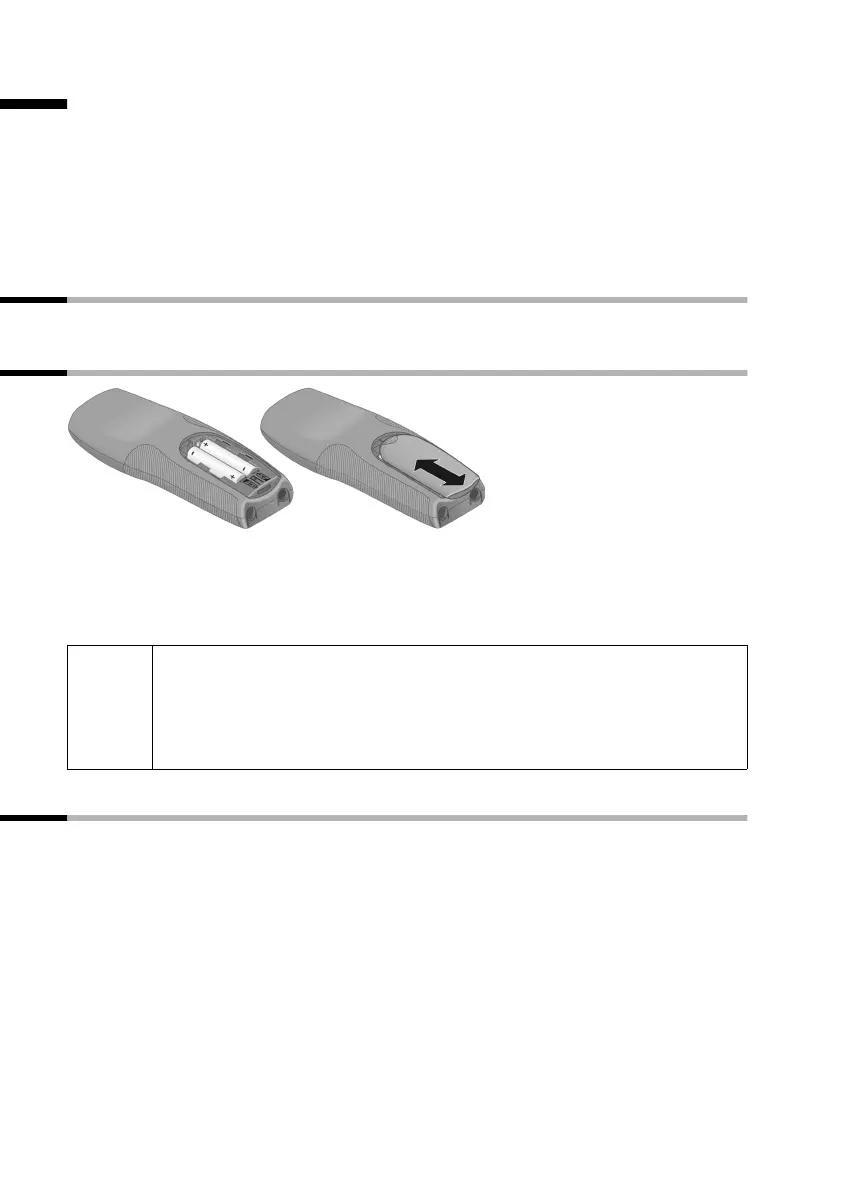
◆ Insert the batteries the right way round – see illustration left.
◆ Place the cover on the battery compartment about 3 mm down from the latch and
push it up until it clicks into position.
To open the cover, press on the ridged section and push downwards.
Deactivating/activating the handset
To deactivate or activate the handset, press the end call key a.
Afterwards the confirmation tone rings (see page 9). If you place a handset that is acti-
vated in the base station or a charging unit, it will automatically be activated.
W
◆ Insert only approved, rechargeable batteries of the same type
(page 19)! Never use normal batteries, since these could lead to a
health hazard or cause injury.
◆ Do not use a non-Siemens charging unit as this could damage the
batteries.



 To Next Page