13
Gigaset A170-A170A / A270-A270A / LUG GR-IE-MEA-UK-International en / A31008-M2802-B101-1-4N19 / telephony.fm / 9/
Template Go, Version 1, 01.07.2014 / ModuleVersion 1.0
Making calls
Making calls
Making a call
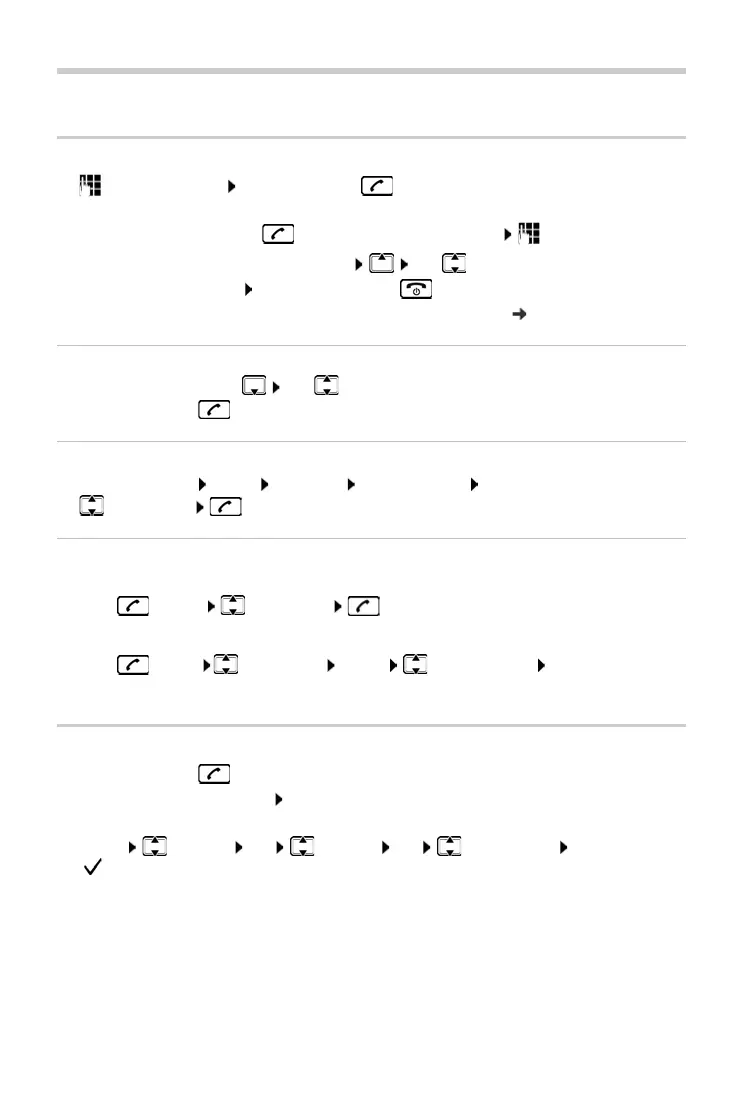
¤ Enter the number Press the Talk key . . . The number is dialled
or
¤ Press and hold the Talk key . . . The dial tone can be heard Enter the number
To change the receiver volume during a call: Use
to set the volume
To end call / cancel dialling: Press the End call key
Provide every number automatically with a netw
ork provider prefix: p. 15
Dialling from the directory
¤ Open the directory with Use to scroll to the desired entry.
¤ Press the Talk key
Dialling from the call list
Opening the call list: MENU Messages CallsList 01+02 OK
¤ Select entry
Dialling from the redial list
The list contains the 10 numbers last dialled with the handset.
¤ Press briefly Select entry
Managing entries in the redial list
¤ Press briefly Select entry MENU Select function OK
Possible functions: U
se Number / Copy to Dir. / Delete Entry / Delete List
Accepting a call
¤ Press the Talk key .
Function Auto Answer enabled: Simply take the handset out of the base/charging cradle
Enabling function Au
to Answer:
¤ MENU Settings OK Handset OK Auto Answer OK
( = activated)



 To Next Page